VideoTwo & a Half Gamers
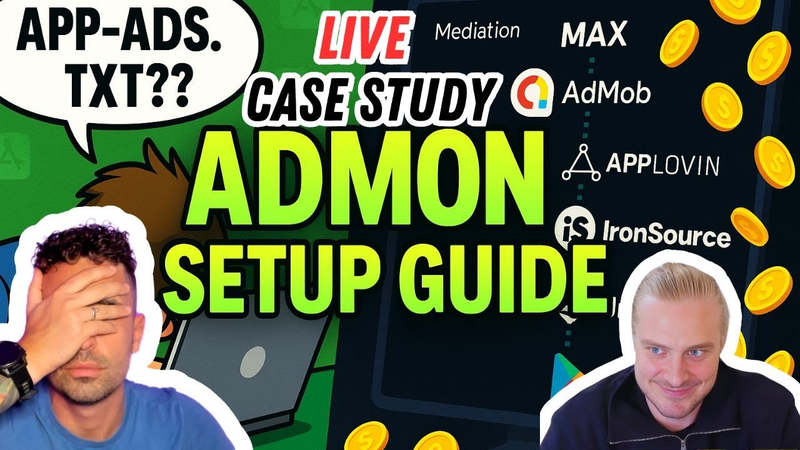
(Live Case Study) AdMon for Beginners: Full Setup Walkthrough by Matej & Felix
3 Sept 202521 min video
Transcript
I don't really need to add all the networks. All I need
best practices. It's best practice is really good if you do, but usually you set up the networks first in ad units and then you go here.
All right.
So this is basically cuz basically in Max they take all the revenue together, right? But you actually get paid out from the different ad network accounts, right? So the way to connect networks here essentially means that you can cross reference that you're actually getting paid the same amount that Max is reporting. It's 400 a.m. and we're rolling the dice. My day drops knowledge made of golden eyes. Felix with ads making those coins rise. Check up designs worlds chasing the sky. We're the two and a half gamers the midnight crew talking UA ads and game design too. Mat feeling shak bringing the insight. We're rocking those vibes till the early daylight. Kua master eyes on the prize tracking data through the cyerspace skies. Felix stacks colors like a wizard in disguise. Jack craft real to the high. Two and a half gamers talking smack. Slow hockey stick got your back. Ads are beautiful,
they light the way. Click it fast, don't delay. Uh-huh. Uh-huh. Aha. Uh-huh. [Music] Hello. This is Two and a Half Gamers and it's not a solo episode and it's not the regular episode. This is what like a a duet. Yeah, duet. We can
Mach has decided to get into the app game and he has ad placements and now we can actually do something we've been wanting to do for quite a while which is actually we set it up on the podcast because Matier, you give the permission to share your data, right?
Exactly. Yeah. Because let me ask my boss, hey uh yeah, hello this is me. I can share the data. Sure. There's no data yet. No, but like the to give you the context because uh Felix did episode about Max about level play mediation
about ADM mob as well and he post and wrote about this as well on on my subst. And I was going through all of these and then it's like oh wait a second but I have I have questions questions I I need
because I'm setting this up for myself. Uh again the context um I want to explore different opportunities obviously and I just decided to well build an app which was like an like a year ago and now I I decided to buy a new one because I just want to experiment with UA and all the AI stuff and automations and all of the fun stuff and I decided to actually put ads in it because there were no ads. So how the I'm supposed to do it? I don't know. But Felix here, he's uh he's the guy who gives me all the answers. So what I've done is implemented Max and started the Max account. But again, as I actually listened to Felix, one network is never enough. We need competition and
we need a lot of competition. So I actually asked my Max rep to give me some pointers here and there and also Felix some pointers here and there. So I kind of said I want to have Google then GAM obviously because that's what you always talk about iron source I guess unity and meta at some point which is Facebook but yeah I'm kind of stuck
so share a screen share screen
let me share a screen and I actually I'm going to share a screen where uh I got stuck because I'm going to share screen actually with the add more mob ideation because there were there was the the point where it actually hit me like wait a second. Okay, so I have the app. So I created an app with add app here and then I wait a second it requires review. I was stuck in this screen which says I need app add txt file. H yeah,
did I hear that? Oh, wait a second. Felix is talking about all the time. All right. So, for those who don't know, the Aduptxt file is an anti-fraud tool by the international kind of or international community, I guess, of advertising and they require you to have the ads txt file to identify your app, right? Basically, the adupt file contains addresses of direct inventory and resellers. So when you have this file uh essentially what you can do is you start getting advertising from non-direct sources or direct sources. So the way you actually start building your ads txt file is you have to kind of know where it goes. If you go to your app store page or your Android like page for the app, maybe you only have an app store page.
I have only an app store page.
Okay, show me. Right. So here
so how the crawlers work is that they go on your developer site that you have
listed here on your app page right so the crawlers basically go on the app that you've said and put into the networks and they go on the development site that you haven't listed here mact issue yeah that's the big issue
so here normally if you do it properly it says the developer website which then basically goes to the developer website uh maybe you have it on visually Yeah. Yeah. No, I Yeah, this it's a different app, but this like it's this is the developer site where you should have the app. So, if you click on that developer website,
it goes
and then if you go at the top and just type in the extension adaps txt.
See here, we should go here.
Yeah, you're not showing it.
You're not showing the the address bar. So, here uh addups txt app adds .txt.
Yeah, it doesn't. Yeah, it doesn't really exist.
Yeah. TXT. So that's where you're supposed to have it, right? So that's the extension that you just need to have a txt entry. So if I send you,
but I have it I have it on my my actually my developer site.
So here you have your adupc and that's what it looks for. So this is where you need to add all the entries from all the different networks. So here is where you need to add the Google entries that you just showed that you were uh Yeah.
Yeah. which is here
and I can I can I can understand
the Google site but where do I where the do I have the the uplavin and ids and the iron source ids and if it's direct or non direct where do I get that?
Yeah. So the interesting thing is here all networks do it differently which makes it annoying.
Yes.
So usually what I do is I just open up a document like a word page document.
Yeah. I mean, right? That's that's exactly what
And then you start by listing out all your networks and you can put them as a title. So, usually what I do is you put like yeah, one of these. Yeah. Just write up Google for example and then just put a big space and then make a
space or make a space going down and then go to Google copy paste from the Google page.
Fine. And this is basically this is it. Okay.
Yeah. And then you go to make another space and type in apploven. Oh, okay.
And then go to app 11. So apploven has it listed here under account
account
and then add apps txt info and copy paste all of that.
Okay. Okay. Okay. So this is my
this is my
applvin ID.
Yeah, this is your direct line.
Okay. So yeah,
wait a second. Okay. So what I'm understand like is this ID different for everybody or this is just the Okay.
It's different for everyone. It's unique to you.
Okay. Okay. Okay. That's what I didn't know obviously. So I already did this. I copy pasted it before but okay. So let's just do
here.
Okay. Now comes iron source right because iron source doesn't do it like this. They actually list it on their
developer page. So if I send you here in the chat here is the website. So you actually have to go
click this and for iron swords it's actually I need to click me away so they don't see double me evil me and I'm right here. So here you can see that you have the whole list which gets updated every now and then but you see at the top right.
So at the top you actually need to get your iron source advertising ID from them. So in the iron source dashboard that you made, you need
Yeah. Uh that's not enough. You actually get it from your account manager.
Oh, this advertiser ID is not it.
Let me see if it's the maybe they updated it. No, it's a publisher account ID which you actually get from them.
Okay.
So you actually need to write a email for Iron Source to get this ID number. So you need to write them
to contact us. Exactly.
This is so annoying.
Yeah, they're the most annoying one.
Okay. Okay. And I thought, oh, it's going to be easy because this is the advertiser ID. Okay. So, I need to actually Okay, fine. So, I need publisher ID. In that case, I will just change it here.
Just copy paste this whole thing and you can put it into your document.
Yeah. Okay.
And then and you see this list is already getting long, right?
Yeah. Yeah. Yeah, it's pretty long. Yeah.
So, Mint integral has it in their dashboard. Unity also has it in their dashboard. It's very simple. But I don't know what other what other
networks you have.
Facebook maybe.
Facebook as well. You get it from their dashboard.
Facebook. Okay. Maybe I need to actually log into face which is the like the never ending authentification.
The monetization manager. Facebook is also super annoying for this.
Yeah, I know, right? Because I remember it was when we were trying to set it up for visually like a year ago. It wasn't
really that easy. Wasn't it working that well? Okay, let's me just kind of see. No, I just need to go there site manager because I think this is my account.
This is not monetization manager.
I know. I know. I know. I know. I know. That's why I just want to go here and then if you see monetization is here.
There we go.
Perfect. Maybe it's
the thing about Facebook to know is never expect to speak to a human being.
Yeah.
So here you go. Bidding set up.
Okay.
And then we have Max an app which I don't have the app yet here. Okay. So that might be
the app. But yeah, if you just click on visually you can just see this visually. Yeah. And then
create placement.
Okay. Now this is good because then I will be able to do it for for my other app here. Okay. So
ID. This is it.
Okay.
Say press create placement. Yeah. Hello. And then just make a rewarded one.
Yeah.
It's rewarded interstitial.
Yeah. Yeah. Where's the rewarded? Do you see reward?
Actually, no. Cuz uh Facebook removes for non-gaming apps. They remove rewarded ads as an option. So, we can just press interstitial. Yeah. It's like
Facebook is just Yeah. super annoying. But anyway, see here there's your placement ID and basically you can click
done here and then you should get basically for verification.
If you go back to bidding setup
setup again I think you already have the adups txt file on visually so it's already found it but you don't have it on the other ones.
Yeah, that's fine. But okay, but then then what I do well it's should be here actually. So,
so you see where it says verification on the one below? That's where you're actually able to set it up.
So, here. Okay. Let me just Okay, next. Next is fine.
iOS payment account. Yeah. Thank you very much.
So, this should work. And then next.
And here is your ads txt entry.
There you go. So, you need to copy paste that on your beautiful little sheet.
Yes. Facebook. Here we go. Okay. This is it. We're flying.
Nice. So, this is why you have why I here on the recording.
Okay. And now we just got the SDK. Okay. Fine. This is okay.
And then you have your placement. Create placement.
But you won't have rewarded activated cuz you're an app and not a game.
So, you need email Facebook support, which means they'll probably never reply. But still.
Yeah. Let me just yeah let me just think if
okay so it needs verification then create this assume and then I kind of
that you put that into max right but this is a rewarded interstitial not a rewarded ad so
okay so it's not but still like if if I then go here into
where is it
ad units
ad units okay and then
click on maybeial Oh, networks. I want
No, no, no. I want to connect all of this because I wanted to connect because now when I going to have all of this in the app txt file, then I need to connect AdMob and I need to connect Facebook as well here, right?
This is for callbacks. So, this is basically to make sure that you're aligning the revenue between
so I don't really need to add all the networks. All I need
best practices. It's best practice is really good if you do, but usually you set up the networks first in ad units and then you go here.
So this is basically because basically in max
they take all the revenue together, right? But you actually get paid out from the different ad network accounts, right? So the way to connect networks here essentially means that you can cross reference that you're actually getting paid the same amount that Max is reporting.
Oh, so I just need to I just need to do
this and then copy paste the placement ID. one. This is not
that's not the place. That's the entry.
Yeah. Yeah. Yeah. Sorry. Sorry.
So here this one. But this is a reward. You're putting in a rewarded. Yeah.
Okay. I just wanted to like then this is it.
Exactly. Okay.
That's it.
But let's say I have the iron source. Where is it? Here. I need this and instance ID. So if I go here and then app key, I can get an app key here.
No, no, no, no. So you need to go to uh you need to go to ads on the side cuz this is third party ads. Press instances. Okay.
And then here you add bidding. Yeah, you already got an instance.
So you go back to max.
Do I need to clip
and then you go back to max
which is here. And this is the instance I
app key is the one above iron source. Again, if you go to iron source,
you see right below plant that that's what you need. So just highlight it and then just highlight it and then uh
man.
Yeah, there we go.
Hopefully I can click I can I can just do it.
There you go.
Yes. Okay.
And then you can press save. Yeah, press save.
And you do that for all the networks. So also Google.
Okay. But Google, let me just check because Google I don't have the instance yet. But it's fine.
We can make one together. It's fine.
Yeah. Exactly. Yeah. Yeah. Exactly. Okay. Perfect. Okay. So here then
so we go to apps up there and you click on the app. Okay. And then add units.
Add units. Okay.
Get started.
Very good.
And then rewarded.
Rewarded. Fine.
And then rewarded bidding. And then you type in
Yep. Press that.
Okay.
And then create ad unit.
So it's not like bidding but rewarded bidding actually.
Yeah. And then these are the two things you need.
Okay. So here and then we go to where is
Google bidding. Google bidding. I must here.
There you go. Yeah.
Okay.
And then add unit ID.
Oh man.
The one below. You have too many tabs,
man.
I know. I know. I know. But I It's fine. Don't worry. I can can organize myself easily in here. Okay.
And then press save.
Okay. So, all right. So, I don't really need to go to networks. I mean,
no, let's do it now cuz it's best practices.
So,
you can really save your ass. Yeah, you can really save your ass if you do this. So, let's go ADM mob connect
here. Yeah. and then authorize with Google. So I can I can do it in this way. Uh I guess okay whatever okay okay thank you very much.
Yeah and then let's do meta.
Okay Facebook as well. Yeah
Facebook I don't know what they call it.
Yeah like meta as well. So, you just need to do all these things and follow the steps for all the networks that you work with. Like, I think it's also they get a bunch of data back, which is great for them, but also it can really save your ass because if you ever have a revenue discrepancy,
you can actually see it here quite easily.
Yeah, but I don't really want to go and just click everything. No, just But if you see gentlemen, then maybe that's
seeing all your clients.
I know. Yeah, I know. I know. It's It's not all the clients, just like all the all the different Here we go. all the different accounts that I ever touched and Oh, it's still there for some reason. It's the blast from the past because the Okay, connected up. I didn't got it. No, here we go. Got it.
There you go.
And then credentials and then fine. All right. This is good.
Yeah. Yeah. Super good. So what uh now is actually happening oops let me just stop sharing the screen is what I did so there's a there's a new update or new version on test flight with ads and I'm waiting for some some icons to put in the the ad so people don't freak out when they click on the button and say and suddenly they see an ad obviously
and then there's a no ads bundle as well or just a I mean if you subscribe then obviously you get rid of the ads and as soon as that's live Uh because now on test flight I only see the Apple testing unit but it's going to be basically working with all the different networks.
Yeah,
that's I mean that's
you need to update the appxt file on so the issue right now is you don't have the developer site listed on iOS which requires an app update.
It's just going to be there
and they need to have that extension and then you'll be ready to go from that perspective.
Perfect. Perfect. Because then yeah and I I have the new version ready. the app takes the file ready as well and with the new update which needs to go live anyway because there's the the ads and I will put there the the developer site which then it's going to be crawled okay
yeah easy
easy yeah I mean easy unless it's not actually
it just takes a lot of time and a lot of clicking and a lot of logging in the first time but usually
it was a lot worse back in the day and now it's a lot easier
yeah but now I I know at least like what I can do because I was like where Should I go? I mean that I I found apps txt file on app loving, but I have no idea like what should I do with Facebook, iron source and Google. I mean Google was kind of easy.
I mean the most annoying one is Iron Source. I think they're the only network that doesn't list it inside of the dashboard which makes it annoying and you have to request it, right? But um
Yeah. Okay. But it's fine because now I updated the the app. I need to get the the kind of Unity theme integral and whatever else the iron source as well and then we're good to go. Yeah.
Awesome.
Cool. Come back for the optimization when we have a bit of revenue that we can share.
Yeah. Yeah. Yeah. Yeah. Let's let's get some money then. Perfect. Okay. Listeners, if you found this uh useful, please share your comments under the video and share uh also join the Slack channel and uh definitely tune in for more actual case studies and and fun stuff with the real real data. Thank you. Cheers. See you next time. Bye.
Bye. Bye. Heat. [Music] [Applause] Heat. [Music]
Auto-generated captions from YouTube — names and numbers may be misheard.
Key insights
Distilling the key insights…
Ask AI about this video
Cite this video
Citation
Generating citation…





Comments