1 free read left. Create a free account for unlimited reading + AI research.
Create free account
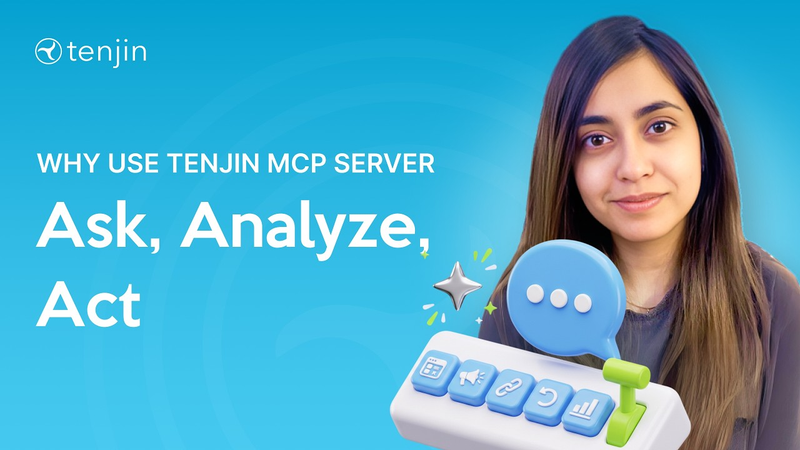
Why Use Tenjin’s MCP Server?
Key insights
5 takeaways- 01Tenjin’s Model Context Protocol (MCP) server enables AI assistants like Claude to perform both read and write operations, moving beyond passive reporting to active execution of mobile measurement tasks.
- 02The platform allows users to manage technical infrastructure, including creating applications, configuring callbacks, and setting up tracking links, directly through natural language commands.
- 03By automating routine account management and API chains across ad networks and analytics tools, the system eliminates the need for manual dashboard navigation and reduces data fragmentation.
- 04The architecture functions as a centralized, AI-driven command center, allowing marketers and developers to execute complex operational workflows without leaving their chat interface.
- 05Integration is achieved through the tenjin/agent-plugins repository, which provides the necessary core functionality to authorize and connect AI assistants to specific Tenjin account data.
Ask AI about this video
Transcript
Hey everyone, I'm Jaz. I'm the staff product manager at Tenjin. I own all the AI and revenue products. In today's session, I'm going to talk about MCP server and show you how to connect to Tenjin's [music] MCP server. Before I show you the entire walk-through, let me talk about why MCP server. So, MCP server connects Claude and any other clients you're using like [music] Codex directly to your live tools like Tenjin, ad networks, analytics, Slack, Jira. So, instead of switching between dashboards and copying data around, you ask one question and Claude pulls from all your sources, chains the APIs together, [music] and does the work for you. Tenjin's MCP server specifically gives Claude full access to your Tenjin account, creating apps, setting up campaigns, and tracking links, configuring callbacks, pulling attribution reports, and so on. Turning a chatbot into an operator that
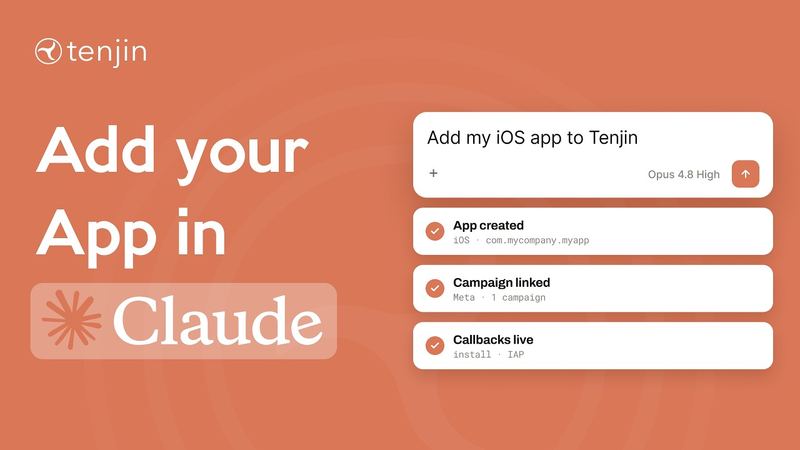
automates your actual workflows. I've given you a little bit of introduction on why use MCP server. Now, let's actually see how to connect to Tenjin's MCP server. I'm sharing my screen and I have Claude desktop open. Now, let's add Tenjin's MCP server. So, I'm going to go here on the top left. I'm going to click on customize. I'm going to click [music] on plugins, and then I'm going to add marketplace. We're going to add a Tenjin marketplace from the repository, and I'll talk about that in a bit. [music] Just type Tenjin /agent-plugins. Click on that and then make sure that you're always syncing it automatically and then sync. [music] Cool. So, you can see that Tenjin's marketplace provides many plugins. So, what is a marketplace? It is a repository of plugins that you can add to your AI assistant or any client tool that you're using. In this case, we're providing three, and the required one is Tangent Core, which lets you use the
Tangent Dash, create apps, tracking links, create callbacks, and so [music] on. And what you need to do is you need to make sure that you are always adding Tangent Core. If you're a developer and you want to integrate Tangent SDK or like add in-app subscriptions, you can add these also. But, for this tutorial specifically, we're only going to focus on Tangent Core. So, I'm going to add that. And what is a plugin? Uh plugins are just installable packages from the marketplace, and a lot of these plugins we provide different skills and tools under them. You can see under Tangent Core plugin we have various skills, like how to create, update, list apps, or how to use the Tangent MCP server in general, how to use Tangent campaigns, how to connect to your ad account, and so on. And this plugin also has a connector, uh which is the Tangent MCP server. And all you have to do is click on connect. So, it's going to take you to a page. Uh for me, it's this guy. So,
I'm going to continue connecting. And you need to then authorize Claude to use, [music] you know, whatever user you're signed in on the dashboard, and then I'm going to click on authorize. I'm going to open Claude again, and then you can see that the the Tangent MCP server is connected and my [music] Tangent Core plugin is turned on. I think everything is looking great. What we're going to do now is we're just going to see if this is
[music]
working as intended. So, I'm going to start a new chat. Before that, I just want to make sure that I have all my connectors, Tangent MCP server is on, I have [music] my plugins, which is the Tangent Core. So, let's see. Awesome. And then I'm going to see list all the tools in
Tangen MCP server. All right. So, this was Tangen MCP server and how to connect to it. We're going to talk about how to actually use this in other videos. But for now, I hope you're using a Tangen MCP server. It is an amazing tool to use. We are one of the few and only MMPs that offers a fully comprehensive operator where you could do both read and write operations. So, our Tangen MCP server is not only focused on reporting use cases, but you could also create apps, create tracking links, create callbacks, and so on. Well, this was all, folks, and I hope [music] you enjoyed this video. Thank you.
Summary
Tenjin’s Model Context Protocol (MCP) server serves as a bridge between AI assistants like Claude and live mobile measurement partner (MMP) tools. By integrating directly with these platforms, the server transforms AI chatbots from passive information sources into active operators capable of executing complex workflows. This eliminates the need for manual dashboard navigation and data fragmentation by allowing users to issue natural language commands that trigger API chains across various business tools, including ad networks, analytics, and project management software.
The primary technical advantage of this implementation is its bidirectional capability. Unlike many industry alternatives that are restricted to read-only reporting functions, this MCP server supports both read and write operations. This allows users to perform administrative tasks directly through an AI interface, such as creating new applications, configuring callbacks, setting up tracking links, and managing campaign structures. By automating these operational requirements, the system significantly reduces the time spent on routine account management.
Integration is facilitated through a marketplace repository, specifically the tenjin/agent-plugins package, which provides the core functionality required for account interaction. Once authorized, the server enables Claude to access and manipulate specific Tenjin account data. This setup process involves syncing the repository, installing the core plugin, and authorizing the connection to the user’s dashboard. This architecture is designed to streamline the management of mobile marketing infrastructure, providing a centralized, AI-driven command center for developers and marketers to execute technical tasks without leaving their chat environment.