Loading the document
1 free read left. Create a free account for unlimited reading + AI research.
Create free account
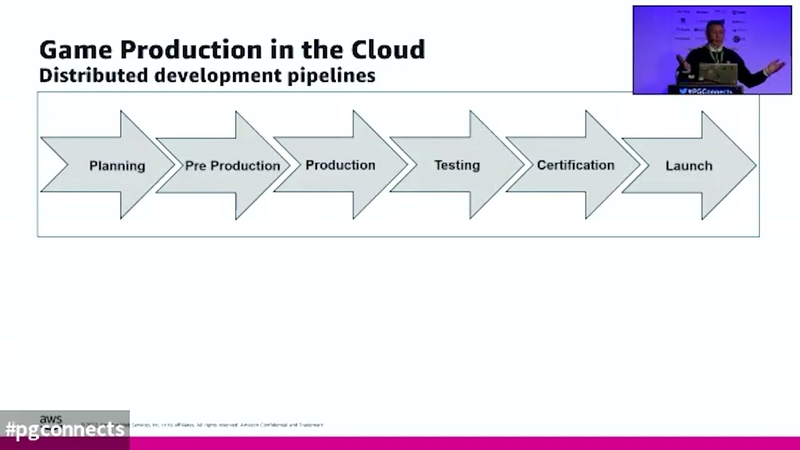
Superstar Session: Game Production in the Cloud
Key insights
6 takeaways- 01Adopting a hybrid infrastructure model using Amazon Web Services supports secure, remote onboarding of global talent while maintaining consistent development standards across PC, console, and mobile platforms.
- 02Cloud-based production environments enable studios to scale compute resources dynamically, eliminating the bottlenecks of fixed, depreciating physical hardware.
- 03Virtual workstations and cloud-based version control systems with proxy servers allow distributed teams to maintain high-performance environments and synchronized assets globally.
- 04Implementing continuous integration/continuous deployment (CI/CD) pipelines allows studios to burst compute power on demand, optimizing the entire development lifecycle from asset creation to final packaging.
- 05Leveraging distributed cloud instances can reduce light-map rendering times from one hour to four minutes.
- 06Engine compilation processes are significantly accelerated through cloud-based build farms, dropping from several hours to approximately 15 minutes.
Ask AI about this video
Transcript
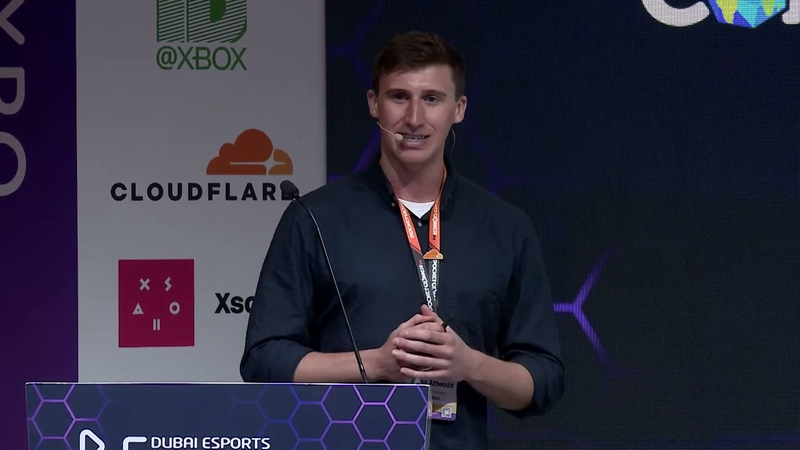
[Music] [Music] up next we have andy payne i believe is andy here he's on his way it was oh was there you look i thought you were bringing lots of swag then for a second hi everybody welcome so i'm andy payne um i'm the worldwide solutions lead here at aws for game tech and i look after something called game production the cloud which essentially is focusing on all the game development pipelines the tools the tech and the and the solutions that we can use in the cloud to do our development so my background actually comes from architecture way back in the day
where if you did a render of something it probably took you all night and then if you came in the morning and you were lucky it actually looked good um and then i thought to myself gosh there must be ways that we could do things better so from then on i've always thought how do we solve problems using tools and tech to actually make things a lot better so i moved into content creation tools in the nine tiers and subsequently worked with games and film vfx and how they were using content creation in the early days of 3d and then for the last 15 years i moved into games middleware and engine technology um anything from physics to character animation to path finding visual debugging you name it whatever tools you know were good and we could integrate into engines and made our lives a lot easier so
with all that knowledge i kind of joined aws and i thought okay how can we do some of these things in the cloud so as i said day to day i look at the tech and the tools that we use um and work a lot with partners to try and make that better on aws so today what i'm going to do is just look at some of the industry challenges that we've had and we still face with remote development then i'm going to look at essentially what we call distributed development so in other words we're all over the place how do we still do a development when we're distributed around the world or our countries or wherever working from home and then finally just show some examples of what some of the studios are doing today on aws in the cloud so obviously let's start with you know our world today completely changed over the last two years but
we've been doing distributed development in our industry for some time we've been collaborating with multi studios different studios outsourcers you know people in different locations but obviously the last few years we've all done a lot more of it and our internal infrastructure in our studios is not really geared up for everybody to be remote and that's where the problem lies so whether we're working in the studio part-time or full-time at home part-time or full-time we want to be able to hire people now from anywhere in the world and make sure that we can onboard them very quickly you know that becomes a struggle when you have to think about then okay how do we get them onto our projects quickly provision hardware install hardware software ship it to them you know that's very difficult to do
you know we want to become a bit more agile in this new world so i'm just going to go through a few a few reasons why you should build in the cloud um so i've already highlighted that you know studio infrastructure is not really geared up for distributed development you know it becomes a bottleneck for us to access as individuals or as other teams we have to access the studio now one of the reasons why we have studio infrastructure is that's where we want everything to be stored we're very protective about our ip we want it to be secure and it's always a worry but the trouble is as we develop games we know year on year project on project the data sizes change they increase our compute requirements increase
and become extreme and so so does our storage so we're always trying to play catch up with what we have in the studio so they do become a bottleneck so as i said what what game production the cloud about or what remote game development is about about how do we migrate those workloads those development pipelines that we have in studios traditionally that we use and leverage the cloud to be able to scale when we want to to be able to onboard new hires when we want to so the one thing that cloud does obviously is it doesn't limit to us limit us to a single location like a studio does you know it's fixed the cloud freezes up from that so as i mentioned some of the things that we want to be able to is on board those new hires quickly doesn't matter where they are in the world whether those full-time high are going
to be full-time hires or whether they're going to be contractors you need to set them up so they get the right access to the project data that you want them to have so you still want to set up security and make sure that they access the pipeline as you want them to access so we want to be able to also scale up and scale down a bit more freely so again not to be constrained to what we have hardware set up if you want to add a device if you want to add another machine you can do that in the cloud a bit more easier and you can set that up based on who's going to need access and what type of work they're going to do and i'll go into a few more details of that in a minute so obviously now we've got faster internet well some of us depending where we live but it is there and it's getting the better month by month year on year and the global infrastructure now we've
got in the cloud just allows us to do more in the cloud that we didn't do before we want to now be able to extend our studios out to where our workers are who want to remain where they want to be and also as i said if you want to hire someone you don't have to put that extra burden on them to say they have to relocate so now you can go to them rather than come to you and you still get their talent to come and work for you and then we can get them to access our development pipeline wherever they're going to be in the world so what i'm going to do to explain a bit more in detail of what's being done in the cloud today i'm going to break down the development pipeline or the production pipeline depending on how you how you want to call it into three buckets so i'm going to look at the content pipeline the build pipeline and the test pipeline now as we all know they're all
connected you know one thing influences the other and they're not individual pipelines although they are in a way but they form up the whole dev pipeline but what i wanted to do is just use those blocks just to highlight different use cases in each area um that we might relate to a bit better rather than talk about them in the whole pipeline context and of course different people doing different types of work in those areas access our pipelines in different ways but underlying the infrastructure should and always be connected to make a good streamline process so what i'm going to do is focus on just a few of these um core use cases and then just explain a bit more about how those well your visually you'll see how those um will transcend up and down the whole dev process upstream and downstream so today we're going to look at workstations of
course everybody needs a workstation regardless of what you're doing whether in in the studio or not you need a workstation i'm going to look at some examples of version control which arguably does span the whole pipeline but for this instance i'll just talk about it a bit in the context of content and build then we've got cicd again you could argue it transcends the whole whole pipeline but more for build and testing processes build farm which is obviously linked to ci cd and then obviously data and security our data just spans a whole pipeline it needs to be there and accessible all the time and it needs to be secure right you know it's something that we um we rely on so first thing so workstations so they're our primary input right there that gets us into our our development pipelines there are
access points um so we have to provision install maintain with everything we need to do our work now that installation that maintain maintenance the shipping and the other things that we relate to with a piece of hardware can be expensive right now when you create a virtual workstation essentially you're just mirroring what you have on a workstation but it's in the cloud but what it means is you can replicate that a lot quicker and easier and get it to the people who need it a lot quicker and easier so you could do things like work hybrid where if you're in the studio with your physical hardware but when you go home why do you need to replicate the hardware you've got in the studio just to work at home when you're part-time so you can use a virtual workstation that's got everything set up same os um etc etc and all the tools that you need so whether you're an artist developer a designer
or someone else doing something in the dev pipeline you're set up to do that work so virtual workstations allow us just to become that bit more flexible and we can adapt obviously more quickly to change you know when we're gonna on onboard someone new hire for example who is well you just can't ship a piece of hardware to them and provision it with your security you want with the data you want when they're hundreds thousands of miles away but you want them on your project so the other thing obviously talked about we want to be connected to our version control system very important obviously when you're collaborating with lots of users on the same project you want to make sure that you're all using the same and most upstate file that the check in and check out process that you're doing on your assets is synchronized quickly you don't want to wait you don't want to just transfer assets you know i've witnessed and talked to
customers and studios over the last couple of years who are physically sending assets from one studio location to another another and are just waiting and it's a lot of downtime right you need to be able to sync if you like you're in studio so as i said earlier you know infrastructure is you know the studio service can be a bottleneck and we don't really realize it but it's what we've been used to because we think it's safe and secure and we can see it but there's no reason like to think like that anymore in the cloud really there's so much security um that we can do now in the cloud and we are in control as users as well so hosting our version control on something like aws enables you to take advantage of the global infrastructure of the cloud so not just where you are in a particular region or a particular country um so we can build a series of pipelines not just
for version control it could span as we showed earlier the whole content create build and test pipeline and you wouldn't notice any difference as if it was in studio we can use things like proxy servers so which essentially are put in the version control servers nearer to where the users are in their physical geographical locations so you connect in or they will connect in just like they were connected into the main server and they would see no difference so that's particularly good obviously when you've got developers who all over the world um they're as i said creating essentially a single main server and you can provision those in those locations that are nearest to them next so cicd so another thing another part a critical
part of the pipeline we want to also be connected to straight away so whether you're using something like team city jenkins or any other continuing continuous integration tools they can also benefit greatly from running in the cloud so one of the things there is you can use your build agents um to distribute the pipeline or the ci cd process across different cloud machines at scale when you want to or you can just just schedule schedule parts of that ci cd process to particular compute instances or machines for example you could be now just adding a mac instance when you need it to do some testing on or to push through or a fleet of mac instances and as we know again once you start talking about that particular hardware that you've traditionally had in your studio it's difficult to scale without going
out physically buying more and more um even harder to then say actually i don't want it it's now gathering dust so you can't scale down so easily so that's obviously one of them a big benefit of using the scale of the cloud so as i said we're not constrained to what we have in the studio and we can scale when we want to and as we need to and obviously give access to to people when they need to as well so build farms i'd about some of you but build farms has always been completely a bottleneck and it's always at capacity and your everybody wants to access it and if you think and this is why i say i gave you the gave you the background of where i came from so throughout my life whether it's been doing a render or a particular physics calculation or all these things i go why am i waiting why do i have to
write wait so bill farms to me is like you know it's the main thing to say we should be able to extend when we want to but we'll also treat the build farm predominantly for doing one thing and that is obviously it's part of the cicd process and it's pushing through our dailies so we've always got an up-to-date bill to review at the end of the day or the next day have publishers access um they can do checks on that and we've got different branches going through there can be very complex and therefore that's a reason why it does just grow in size plus the fact as we said earlier as well data gets bigger the amount gets bigger and it always increases and everybody after their project goes okay how much and by what do we need to extend our bill fund for the next project so it's always an ongoing thing [Music] so whether you're building across pc console or mobile i was talked about
mac instances earlier on windows and mac [Music] you want to be able to just use extra resource when you want it and that again is whether you're sitting at your desk and you just want to tap instance extra power why do you have to wait for a job to go through on the build farm that might be provisioned for something else quite important obviously but why can't you access an individual user and just use it for a few minutes and accelerate what you're doing locally on your machine there's these untapped things we haven't excuse me haven't yet done as day-to-day in the games industry but i'm sure that these will start to happen so accelerate asset creation shader compilation rendering we talked about but unit testing code analysis builds packaging and obviously things and but there's a whole host of other use cases that we can use extra compute for that i'm sure that we'll be doing very very soon
finally our build part farm needs to be connected to of course where our assets are and again these need to be secure but in the cloud we can make them scalable um we can obviously extend them to people wherever they may be working we can replicate them we can make sure they're monitored for any malicious or authorized access so um again the cloud gives you a lot of flexibility here and studios of all sizes um are using this aws storage and protecting their data as they work i'm conscious of time chris i know so finally um what i'm going to run through is just some examples of what's being done on aws today so this first one is just um an example of a hybrid setup
uh version control so what we've done here is set up an environment to make sure that whether you're located in the studio or you want to work on a virtual workstation and connect into the infrastructure or you want to work on your local rig whether that's a home or another location then you can do it so what we've tried to do is look at examples in different ways and then depending on what your use case is we can easily adapt them to how your workers are or where they are and how they want to access the development pipeline this is another example in this case it's a jenkins ci cd pipeline but we've included in the version control system set up in there as well and the ability to scale across multiple instances or cloud compute power
in different locations again whether you're working remote or in a studio environment so we've got other examples that show you how you can set up a unity build pipeline or we've got engine agnostic ones that cover cross-platform development and of course we've mentioned including mac os as well then finally um we don't have time to show you this live today which is really unfortunate because i obviously i'd say it's a great demo because it is but we do a live demo essentially where we set up a virtual workstation um [Music] and on it we will run the unreal engine and essentially work as you would normally do on something graphically intensive um like the unreal engine create assets edit assets move around using the game controller um as if that was a local workstation
and then obviously we encourage you to test that versus your your local rig and hopefully you'll go yep there's no difference um [Music] then in the demo we also go on to show um perforce control the version control system um and explain how we're connected to it and where we are physically locate located in other words where are we running the virtual workstation from and how's that connected into the to the infrastructure and then perform some check-in checkout process just to show that it's working live and everything as it would do if you were running local in the studio then we'll also run through um an unreal swarm example where we will generate a what usually is a very time-consuming light map light mass render on a local machine that typically takes about an hour to do in the in the scene we use um and we will reduce that down to about
four minutes by distributing that out to a load of compute instances in the cloud and just showing how quick that could be now normally that's a process that you would do as part of your ci cd pipeline but sometimes you want to go and test something while you're sat there and you'll just wait we shouldn't have to do that and if it costs you a few dollars or less than that why not just go let's burst out and come back so there's loads of these examples said we can we can start to look at um and perform in in real time and then finally um we will do a complete um unreal engine or engine co build um using incredibild and again it's something that normally takes a good two to three hours if you were going to sit there as a programmer or and do it live or sorry do it on your local machine it will take two or three hours and again we can reduce it down to about 15 minutes with a with a certain
set up um in the demonstration so most happy to kind of set up those sort of demos for anybody that's interested aws team are here they're all branded up we've got some great fantastic solution architects as well that here if you've got any technical questions they can answer so please drop by there's a stat obviously on the stand and and so forth there as i said they're branded you'll see them so thank you hopefully chris i didn't go over time a little bit oh i thought we might have done something thank you so much that's really good um that's so far above my head so i that i i i don't even have any creative questions i don't know if anybody has a particular question of every time for one it's i think you've i think you've blinded us with science there but as as more importantly i just hope everybody understood it i was going to open by saying when you've done you haven't done a talk in two years face to face because normally you're behind
your computer and you can just kind of do things don't it's different you know your view of you're very good it's but it's um aws are here so if you've got uh do check them out you've got a booth upstairs is that right yes yeah check the booth upstairs and uh you can answer they can answer good questions in a way i certainly won't be no don't worry we are we are we're into the final the final session [Music] [Music] you
Summary
The presentation outlines the strategic migration of game development infrastructure to the cloud to address the limitations of traditional, studio-centric hardware. The primary thesis is that cloud-based production environments—specifically those utilizing Amazon Web Services—enable greater agility, security, and scalability for distributed teams. By shifting core development workloads to the cloud, studios can overcome the bottlenecks associated with physical infrastructure, such as limited compute capacity, slow asset synchronization, and the logistical challenges of onboarding remote personnel.
The analysis categorizes the game development pipeline into three interconnected segments: content creation, build processes, and testing. Key findings demonstrate that cloud integration significantly optimizes these areas. For instance, virtual workstations allow developers to maintain consistent, high-performance environments regardless of their physical location, while cloud-based version control systems utilize proxy servers to synchronize assets globally, reducing downtime. Furthermore, the use of scalable build farms and continuous integration/continuous deployment (CI/CD) pipelines allows studios to burst compute power on demand. Practical examples provided include reducing light-map rendering times from one hour to four minutes and accelerating engine compilation processes from several hours to approximately 15 minutes by leveraging distributed cloud instances.
The scope of this approach covers the entire lifecycle of game production, from initial asset creation to final packaging, applicable to PC, console, and mobile development. The methodology emphasizes a hybrid infrastructure model that supports both on-site and remote work, ensuring that intellectual property remains secure while providing flexible access to global talent. Ultimately, the transition to cloud production is presented as a necessary evolution to support modern, distributed development teams, allowing studios to scale resources dynamically based on project requirements rather than being constrained by fixed, depreciating physical hardware.











Comments