1 free read left. Create a free account for unlimited reading + AI research.
Create free account
How to make your mobile games more accessible to people with disabilities and impairments
Key insights
6 takeaways- 01Accessibility is defined as the removal of environmental barriers, with approximately 18% to 20% of the global population living with a disability.
- 02Designing for accessibility expands market reach and improves engagement for all players, including those facing situational impairments like bright sunlight or noisy environments.
- 03Integrating accessibility features early in the development cycle is more cost-effective and serves as a form of future-proofing as the player base ages.
- 04Developers should prioritize vision, hearing, and motor control by implementing high-contrast interfaces, scalable text, and robust, customizable subtitle options.
- 05Motor control accessibility can be improved by avoiding unnecessary complexity and allowing gestures to be performed across larger, more flexible areas of the screen.
- 06Transparently marketing accessibility features improves SEO and brand recognition, helping players identify titles that meet their specific needs.
Ask AI about this video
Transcript
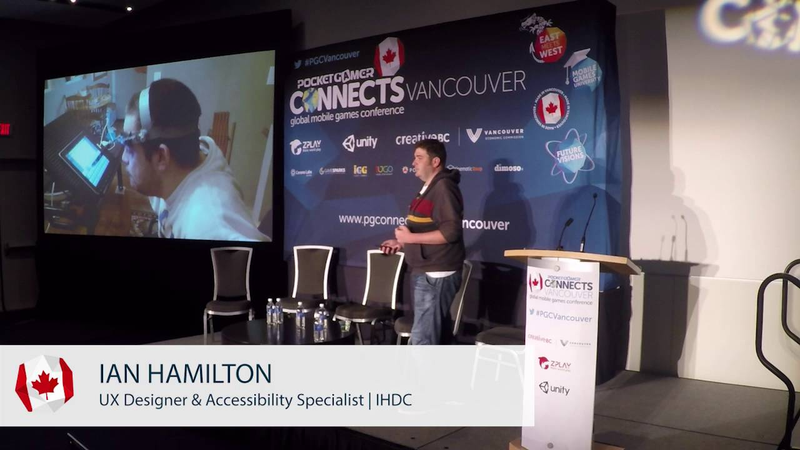
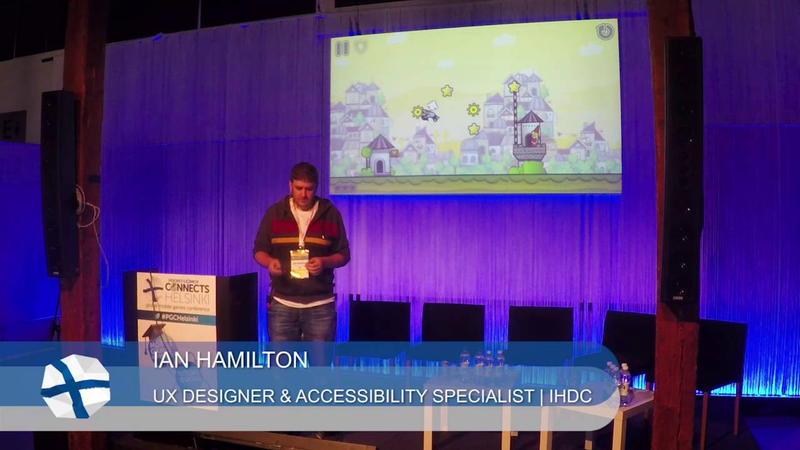
like it great so yeah um my name is Ian I'm a designer and an accessibility specialists and right that's what I have tea today a little bit about accessibility now when they say accessibility just to be clear I'm talking about accessibility and the same way as an accessible entrance or inaccessible hotel room so I'm talking specifically about disability I can start off with explaining a little bit about what accessibility is but to be able to do that I first need to explain a little bit about what disability itself is and for that i have this guy here to help me so looking in this picture I'm sure Evan in the room could have some kind of a guess at what this guy's disabilities you might be thinking
for example that he might have cerebral palsy in which case kind of he does have cerebral palsy but Cyril Posey is not actually a disability sober palsy is a medical condition and that's a really important distinction to make so what else then you might be thinking about the fact that he's in a wheelchair in which case again he is in the wheelchair but a wheelchair is not disability a wheelchair is a piece of assistive technology it's like a pair of glasses that's what actually helps him go about his day and he was going about his day just fine until he tried to meet his friends in this bar in encounter the steps and that's what disability actually is it's a mismatch between some in their environment so when summers medical condition comes up against some kind of a barrier the results in difficulty performing a day-to-day task and these kind of barriers whether it's
a flight of stairs in front of a bar whether it's a shelf that's too high whether it's red and green being used for the team colors and their death match these kind of barriers they usually put there by somebody else you know a designer's actually designed it to be like that which is this a bit for heavy thoughts get your head around that as designers as developers as contempt users we actually cause people to be disabled but there is also the flip side of it which is by being aware of what kind of barriers people can encounter we can actually avoid or remove them and actually prevent these disabling situations from occurring miss that process that avoidance that removal of barriers that's known as accessibility my accessibility is important it's important for all kinds of reasons but there are two main ones that I'm there talk to you about today the first one is the human benefit because what games actually represent is access to recreation to culture to
socializing wish you know these are things that so many of us just take for granted virtually if in your day-to-day life your means of accessing those things is restricted all the sudden games any games at all can then become a really really powerful punch beta to your quality of life and the second really really big reason it is slightly more mercenary it's just simple money because people with disabilities are a market and a big market as well so the actual figure very different country to country but it's Germany around eighteen to twenty percent the government statistics on disability and of course that's only covering traditional definitions as well it doesn't include things like color blindness which affects Apes and the male's difficulty reading which affects fourteen percent of adults search every way you look at it it's big big numbers which equates to big market much equates to big amounts of money to be made or thinking about some money to be lost
which kind of touches a bit on this talk about revenue because the good news is if you think about accessibility early enough in the process there's a lot that you can do very very easily and cheaply to prevent you from missing out on those revenue streams I can seem a bit intimidating at first the idea about all these kind of different conditions and stuff that people have but really there's four main groups which is difficulty seeing difficulty hearing difficulty taking in and processing information and motor which is your ability to generally speaking in gaming means operating controller so I've got for you is just a quick taste or so a few examples of some of the kind of considerations you can making a game for those groups there is enough time for everything but I'm gonna give you your resources whether you can have a look at to learn more so starting with vision now the first thing that come it comes into people's heads when you think about vision is blindness and
actually blind gaming is a thing particularly on mobile and it's jeter technologies like this so this is voiceover which is iOS has built-in screen reader so every mobile device has soft like this built-in well basically turn it on and it changes how the gestures work on your phone everything you know me do with one finger nail do it too so you scroll with two fingers that frees up one finger gestures so using one finger you run your finger over the surface of your device and it will speak out the text label of any interface element that's on there so you can basically use your finger like an eye and see the layout of the screen it's really really cool tech however I'm not going to talk about too much because it relies on picking up native interface elements so if you're developing natively amazing amazing stuff you basically get for free if using an engine doesn't current currently work but most people who've got difficulty
seeing aren't blinds and even actually most people who are blind most people legally blind actually do still have some degree of residual vision left there's all kinds of different conditions and different effects it has but basically how you address all these wide range of different conditions is through licking its size and through looking at contrast so this example here is a classic example of what not to do so this is a friend of mine who made this game and he loves me going around telling everyone about how about this so basically you can see here the mechanic of this game involves the character at the bottom left swinging in between those codes and you can see even on a big screen like this let alone when it shrunk down to three inches it's quite difficult to tell what you're supposed to be doing and that's where 2020 vision the big screen let alone with even a mild amount of impaired vision and the course this look familiar to ever and even if you don't have impaired vision because of course this is what things
look what things look like if you are playing in direct sunlight on a small low quality screen on power saving mode so you find it a lot that a consideration you make to help out with some kind of physical impairment also helps me pull out with temporary and situational impairments as well so this was in the early stages of the game so he realized the problem and this is what he ended up with so you can see fairly straightforward changes but huge huge difference so everything is much clearer much larger and in particular it's really really obvious what you're supposed to be interacting with and what you want and then to get step further again so what he's got here is a configurable ever of contrast basically all he did was stuck a rectangle in between four grounds of the backgrounds and allowed you to tint that from transparent all the way to white all the way to black completely configurable contrast and that took him about 15 minutes to
implement most of which was spent trying to get that slider to work so that kind of thing I mean this is this is really you know that the pie ends the vigil accessibility even if you're staying for this if you just stayin for everything being decent sized decent contrast then many many more people will be able to have an enjoyable time with your game so next up hearing I obvious thing again for hearing is subtitles subtitles are really really important in games obviously for people who got physical difficulty hearing but also again temporary situational reasons people who are playing on public transport with our headphones people are playing on a device that's got tinny speakers people who are only able to play when the baby's gone to sleep so they have to play on me to avoid waking up so so many reasons why people play the subtitles turned on so it's no surprise really to
see data like this now I have to give a disclaimer this is a no way scientific research this was a straw poll done on the website of about 500 people but even so it tells a story to record subtitles used by so so many people and it can make such a big difference that people's experience it's worth doing a good job on them but nobody does subtitles in the games industry are terrible and I do you mean in your games and this isn't just coming from me so this is from one single thread on the air gap if you want to see the entire threads then the links up there at the top we're still eating at the idea right gamers in general are really really not happy about the state of subtitles and games you can see here as well many kind of things that people complain about really really not rocket science at all and they've been totally totally sold in other industries to like TV DVDs there's really good standards
available and how to do this kind of stuff but even if you just take care of two things for two things that people complain by the most are subtitles being too small and it being too difficult to distinguish them from the background so this is what you're aiming for this is from a game called Bertram fiddle which is kind of a point you pick adventure game on mobile so you can see here it's in a really really clear mixed case font rather than capitals and it's very very clearly separated from the backgrounds and that's a decent size so really really not difficult to do this is what you'll be aiming for as a minimum now say as a minimum because there's actually different use cases for subtitles so you've got people who are completely deaf you need to be able to understand every single words not miss out a single one that into the scale the one subtitles will be really big really clear they've miss anything you also have the opposite into the scale which is people who might for example have substance has turned on because audio
mixers and games are unpredictable or because English isn't the first language so they just want to refer to them occasionally if they miss a word that ends our scale people want them to be subtle and unobtrusive so actually for certain groups each single one of those would be their preferred option which leads a bit of a problem right which one do you go for well this is a digital medium you don't have to go for one of them just let people choose themselves are we actually starting to see the first couple of games that allow people to do this so this was from life is strange so you can see they have a choice of subtitle size and also the letter boxing which is that black box they allow people to turn them on and off as far as I'm aware this is the only game to ever allow that setting to turn letterboxing enough and it's so easy and makes so many people happy and
its standard like you look at netflix look at youtube they all of this kind of settings so if you want to be really really at the cutting edge of innovation in the games industry let people turn that black box on the there's all kinds of other things you can do as well like I said there's there's loads of really really good answers about everything from how many characters either having a line how you communicate different people speaking all that kind of stuff if you check out this URL there's a list of always kind of good practice but like I said even if you just do there's two things make sure people can see them against the background make sure they're decent size you'll make a lot of people happy so the last day I've got for you is mater so ability to operate a controller so obviously this covers again physical impairment but also for example if you're playing in a subway paying one-handed playing on the bus bumping around that's really easy if you're
developing for mobile to fall into the trap of thinking that you know if someone has a mobile device they must be able to do all the mobile he kind of things but actually isn't true so this example this guy here this is a common setup he has his tablet mounted in a fixed position on his wheelchair so you can do pretty much everything on it perfectly well apart from he can't use the gyroscope or moving them again so this guy has a head pointer again he can do pretty much everything on that device and there's a really empowering device for him as well however he's not really gonna be doing many simultaneous multi-touch gestures so what you can do but is the first thing is about avoiding unnecessary complexity and that's the key word and there is unnecessary because you know if your game really really does require complex controls if it really does require five fingers on the screen at the same time that's fine but it's
always we're thinking does it the other way is through providing some flexibility so this is an example from need for speed most wanted and you can see basically to hear how it works is you can start your steering gesture from anywhere in the entire left hand side of the screen same deal of breaking center with nitro anywhere in the entire top to bottom very very large area and the reason why this was done in this particular game was because this game is built in Melbourne and Melbourne has a very very overcrowded tram system so they want the people to be able to build play the game on the tram regards to which awkward position ended up crammed in him actually that flexibility helps people disabilities as well so as the guy was speaking to who plays need for speed hey pesky he really really loves games he doesn't have the motor ability to be able to operate a controller all
you can do is play on the touchscreen however he has the lie down and prop the tablet up on this stomach and hold it by the top edge that's the only way he can play any game at all and because of that flexibility that was built into need for speed you can control it just along the top edge of the screen that flexibility allowed him to play that game sandy for speed is one of the only games he can play it and that has made a huge difference to his life and flexibility can mean something else as well so this is a game called into the dead is anyone familiar with this they take us you should play it it's basically endless runner running through a field of zombies and trying to dodge them as they try and eat you now the controls for this for most of development were tilt so you tilt tablet from side to side to dodge in between the zombies now right towards the end of the velopment their user researcher persuaded the rest of the team for
accessibility reasons to offer some alternatives and this is what they ended up with so say this is specifically for accessibility reasons the rest of the team agreed to because yep okay fair enough there will be some people like the guy for tablet fixed to the wheelchair he won't guilties the gyroscope burkas there the designers they know what fun is they'd all see considered these things before discounts them because tilt was much more enjoyable so they knew that pretty much everyone was going to use tilt and they would just be you know that small percentage of people who couldn't use tilt who would use the other options virtually they track the data and the usage data they got for these options was twenty-five percent 25% 25-cent twenty-five cent so what they thought was you know an altruistic act to join benefit small number of people that actually made the game or more enjoyable experience for the seventy-five percent of their players who prefer not to use till so that's what the examples I've
got time for today but like I said there is a resource if you check out this it is Game accessibility guidelines calm and it's got lots more examples of this kind of stuff covering everything from dyslexia to colour blindness and all kinds of things but before I go I've got one last thing for you which is a bit of crowd participation because I know how much everybody loves that so what I would like please is a show of hands so I would like anyone who is planning on giving up playing games when they reach the age of 65 to put their hand up okay I was hoping there's going to be no takers so the reason I'm asking that is because those stats that was talking about the start another eighteen twenty percent once you reach over 65 that's that is actually fifty percent so something is relevant to us all so by thinking about this kind of stuff you're not only increasing your bottom line you're not only improving people's
quality of life you're actually helping to put design practices in place now that allow all of us to continue playing as we get older thanks we have any questions refer got time for one if there are any one question oh there's one at the back right next year hey thank ice we'll talk just one question regarding how does a disabled or people who cannot play normal games to find the game that has these features so I'm guessing right now people aren't a plane because they know it's not fun for them and how can that be changed and and how is the market even tapped through these features it depends a little bit so the questions about how people find games I think it's um depends a little bit on
the demographic so blind gamers for example will spend a lot of money on just buying anything they can just on the off chance they might be able to play it because it got so little available to them it's worth the risk but Jamie speaking yet that's a really really big problem people who will go out and buy a game can't play it the waste of their money and that might be something is unlimited income as well so it's a big problem that's changing a bit now so this steam refunds process that's really useful people to try again and see if they actually play or not but really it comes down again it comes down a bit so the previous thought that Nick was giving about marketing actually letting people know about these features it doesn't take very much I mean all you need to do is you know just write it in your feature listing and your press release on your website it'd be great if the you know if things like iOS and steam and stuff will allow you to filter based on those they don't yet steam lets you actually filter based on subtitles but sit until then just honestly something as simple as just concluding in your feature listing zone here familiar with a game called Hugh so its color based platform that's just released last week
but they included literally just says in there and they got there in their press release 10 features one of them says colorblind mode and as a result they've had like 20 different reviews which of all showcase the color bar mates where there's all that kind of stuff so that not only allows people to know that they can buy the game it's also really good free marketing for you as well especially if you're doing it on stuff like on your website you've got a bit of extra free SEO juice as well from people searching those kind of features yes really good question I think we're gonna have to wrap it up there but i'm sure he ends around if you have any more questions thank you very much you
Summary
Accessibility in mobile gaming is defined as the removal of environmental barriers that prevent individuals with medical conditions from engaging with digital content. Rather than viewing disability as a personal medical condition, the industry should recognize it as a mismatch between a user and their environment. By designing with accessibility in mind, developers can prevent these disabling situations, thereby expanding their market reach and improving the quality of life for a significant portion of the global population.
The business case for accessibility is substantial, as individuals with disabilities represent a large, underserved market. Statistics indicate that approximately 18% to 20% of the population in many regions live with a disability, with additional segments affected by color blindness or reading difficulties. Furthermore, accessibility features often benefit the broader player base by addressing situational impairments, such as playing in bright sunlight, in noisy environments, or while multitasking. Data from case studies suggests that providing flexible control schemes and customizable interfaces can significantly increase player satisfaction and engagement across all demographics.
Key areas for improvement include vision, hearing, and motor control. For vision, developers should prioritize clear, high-contrast interfaces and scalable text. For hearing, robust subtitle options—including adjustable size and background contrast—are essential, as they serve both deaf players and those in sound-sensitive environments. Regarding motor control, developers should avoid unnecessary complexity and offer flexible input methods, such as allowing gestures to be performed across larger areas of the screen. Implementing these features early in the development cycle is cost-effective and serves as a form of future-proofing, as accessibility needs become increasingly prevalent as players age. Ultimately, transparently marketing these features helps potential players identify accessible titles while providing developers with valuable SEO and positive brand recognition.