1 free read left. Create a free account for unlimited reading + AI research.
Create free account
How to make your mobile games more accessible to people with disabilities
Key insights
6 takeaways- 01Accessibility is a critical business opportunity that addresses an underserved market while improving the user experience for all players, including those with temporary or situational limitations.
- 02Developers should categorize accessibility efforts into four primary domains: vision, hearing, cognitive processing, and motor control.
- 03Subtitles should be customizable to support not only the deaf and hard-of-hearing community but also players in noisy environments or those playing in a non-native language.
- 04Visual accessibility is best achieved through high-contrast interfaces and scalable, legible fonts, which also mitigate issues like screen glare or low-power mode visibility.
- 05Motor control accessibility requires moving away from rigid inputs toward flexible, user-defined schemes such as remappable controls, touch-anywhere zones, and alternative input methods like gaze-tracking.
- 06Integrating accessibility standards early in the development cycle is a cost-effective practice that ensures long-term industry sustainability as the gaming population ages.
Ask AI about this video
Transcript
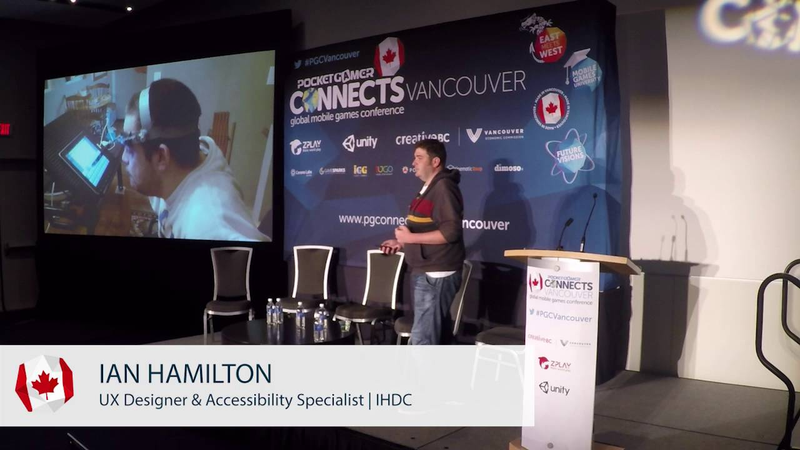
now you're talking a little bit about some of the reasons why accessibility is important I'm also going to give you a few examples features that you can implement in your games the first thing to explain a little bit about what accessibility actually is and to do that I'm first going to explain a little bit about what disability actually is and state that i have this chap here to help me so looking at this picture I'm sure mr. people in the room would be able to have some kind of a guess about what this gentleman's disability is so what that actually is that's making them disabled see might for example be thinking about perhaps he has cerebral palsy in which case you'd be correct in
that he has cerebral palsy however sober palsy is not actually a disability cerebral palsy is a medical condition and that's a really important distinction to make so what that was going to be then you might be thinking about his wheelchair but again the wheelchair isn't a disability any more than a pair of glasses are a disability this a piece of technology that actually helps him go about his day and he was going about his day just fine until he went to me his friends in this bar in encounter the steps and that's what disability is this when someone's medical condition encounters some kind of a barrier that causes difficulty going about a day-to-day task and these kind of barriers whether it is some steps into a bar whether it's a shelf that's too high whether it's red and green teams and the death match these kind of barriers are generally put there by someone you know someone actually designed it to be like this which is a bit of a heavy things get around those
designers as developers we actually cause people to be disabled there is the flip side to that as well which is the three being aware of what kind of barriers there are we can actually work to avoid them or remove them this that process that's known as accessibility annison there's all kinds of reasons why it's important thing to think about but there's two main big ones let me talk about today the first one being the human benefit so what games actually represent is access to culture to recreation to socializing these are all things that so many of us take for granted right but if any reason your means of accessing those things is in some way restrict than death day life that then means that games any games at all can be a really powerful contributor to your quality of life and then the other reason there's a bit more mercenary it's just cold hard cash
because the statistics on disability they're quite staggering so I mean the official government statistics around eighteen percent of the population and that's just what falls under kind of traditional definitions as well that doesn't include colorblindness eight percent of males difficulty reading about fourteen percent of adults depending in the country so it so every way you cut it as big numbers involved which translates into big markets which translates into money to be made one is he lost and if you think about it early enough in development there is a lot that you can do very very easily very very cheaply sometimes even for free something like deciding not to use a small font cost you nothing so I'm going to give you a few examples of the kind of things that you can take into account and it may at first seem a bit intimidating in all these various different kinds of disabilities and stuff but actually there's only four
broad groups foot apply to mobile so you have vision ability to see you have ability to hear ability to take in and process information and that's the ability to control the device there's also speech as well but that doesn't really factor into mobile very much so give you just a few quick examples I'm also going to give you a resource at the end that you can go to to learn more as well so starting with vision now the first thing that Jeremy comes into people's heads when you think about difficulty seeing is blindness I'm actually blind gaming is a big thing on iOS and particular are hundreds of games that are completely accessible to people who are completely blind there's quite often jeter software like this so this is called voiceover it's on iOS there's also equivalents on windows phone and on Android as well so let's get any smart phone any tablet has got a setting you can flick which changes how the gestures work so you can bet you run your finger
over the surface of a phone and it will speak out the label if any elements that you run your finger over so you can basically use your fingers and I to see the layout of the screen it has really really cool software however it currently only works if you're developing natively so it looks for the labels the native UI elements engines don't currently empty us and currently support it but it's worth still mentioning what I actually want to talk to you about for vision was something slightly different because actually most people who have got difficulty seeing aren't blind even most people who are blind do still have some residual amount of vision left the reasons for this cover you know a wide wide range of conditions so things like that chair so things like glaucoma cataracts astigmatism all kinds of different conditions but they all come up against the same kind of barriers which relating to size and relating to
contrast and what I've got here is an example of what not to do so this is a game called epic Eric how much a friend of my mate he loves me going around talking about as game being a bad example so anyway basically this mechanic is based on the little night in the bottom left swinging in between the cogs and you can already kind of see that even on this big screen it's not really that clear what you're supposed to be doing and then if you add even a moderate amount of impaired vision becomes more difficult again I'm actually I'm sure planet if you play games and these circumstances because this doesn't just relate to physically impaired vision now this is also a game looks like if you play on a tiny screen interact sunlight when the phones on power saving mode and that's something you really really commonly see with accessibility is the cunning considerations you make for some physically impaired group actually helps
to avoid barriers for all these other kind of situational and temporary conditions as well so this was early in development he realized this was an issue and this is actually what he ended up with by the end so you can see everything is much much clearer in particular really really easy to see which things you supposed to be interacting with verses which things you aren't and then he actually took it a step further again and implemented this so what this is is basically he just inserted a rectangle in between the foreground on the background and up the top right there you can see there's a slider so you can basically tense that rectangle from transparent all the way to black all the way to white and actually configure the contrast and that feature took him 15 minutes to implement almost all of which was just trying to get us started to work so that there are a few other examples of games that dudes kind of configurable contrast but that's really kind of a pinnacle even if you
just concentrate on this kind of stuff make sure that things are decent size decent contrast then loads more people are going to be able to have an enjoyable experience with your game so next hearing there's one particular aspect of hearing accessibility that I'm going to talk about which is subtitles or captions depending which country from my people use captions for all kinds of reasons the obvious one being essential if you can't hear also the game might have an unpredictable sound mix English might not be your first language so you find accents difficult you might be in a noisy room on the cheap tablet with tiny speakers he might be on public transport on a mobile device with no headphones so all these kinds of different reasons why people rely on them so it's not really a surprise to see data like this now this was completely unscientific it was just a straw poll on Cena but things you see
from other sources just two other straw polls and the egg and that kind of stuff it paints a similar kind of picture because subtitles and captions are so commonly used and because they can make such a difference to someone's experience obviously they justify having time spent on them they justify being done well which is a shame because they aren't universally across the games industry compared to other industries subtitles are really really bad and ID mean in your games as well which is kind of a bold claim to make this not me he's making this claim so this is a few quotes just from a single thread on NeoGAF so you can get your idea right so gamers generally aren't very happy at all about the state of subtitles and games but the thing is it's not rocket science you know that the two most common things that people complain about you know sometimes its pacing stuff for that but
the two most common things are than being too small I'm not being able to distinguish them probably from the background and those two things are really really easy to fix so this is what you're aiming for so you can see this is from a game called veteran fiddle and you can see here it's using a clear easy-to-read font in mixed case rather than four capsules which is really important as well decent size and really really clearly distinguished from the background as well because this is what you should be aiming for as a base level I say base level because actually there are different use cases for subtitles so you have some people who are completely deaf he rely entirely on subtitles for their understanding in the game they need them to be as bold and clear as possible so they never miss a single word then at the other end of the scale you have people who can hear just fine but how the site autos up just the
glance I occasionally in case they miss a word because in explosions going off at a time something like that I've at into the scale people want this subtitle to be unobtrusive so actually each one of these three examples is the desired optimal option for a certain group of people so what do you do which one do you choose was a pretty simple answer to that you don't have to this is a digital medium you can just keep people a choice and this is what it's done the standard on the other industry so if you look at youtube netflix they offer options to customize the appearance at the subtitles now we're actually starting to see a couple of games now they're starting to introduce these kind of option so games like a walking dead and life is strange assigns option to offer a choice oversized but it's still really rare so if you want to be at the real pinnacle of innovation in the games industry throughout that black rectangle
to be turned on or off and I'll make a lot of people happy tonight's mater so that's the last last area during a talk to you about today and when you're designing for mobile it's really really easy to fall into the trap of thinking that someone has a mobile device they must be able to do all the standard moment by the kind of things right actually that's not the case Ted this guy for example this is quite a common set up he can see he has his tablet mounted in a fixed position on his wheelchair so he can actually do pretty much everything on that tablet but he can't use gyroscope next this chap so he is using any head pointer so you can see basically it's a style that's attached to his head so again he can do loads and loads of stuff on that tablet it's a really really empowering device for him as well however he's unlikely to be doing many
simultaneous multi-touch gestures and then of course you have all the temporary and situational things as well to might have someone who can i pay with one hand because they have a broken arm or because they're holding on to a handrail on the train because they've got a beer in hand also somebody who can't manage to hit small interface elements because they're playing on the bumpy bus all those kind of things as well so what you can do about that well the first thing is to avoid unnecessary complexity and the key word there is unnecessary so you know if your game really really does require you to have you know five fingers on the screen at once that's totally fine but just always think is that really necessary could that be simplified could there be someone turn to watch then the other side of it is offering some degree of flexibility so in console and flexibility of controls generally means button remapping you know so people can't physically reach some location on the controller let them move the buttons
are out on mobile it means something slightly different so this is basically your equivalent a button remapping on mobile and this is from a game called need for speeds I'm sure plenty of you played this so the reason why they've come up with this design is because this is a game out of Melbourne and Melbourne has a tram system that's really really busy and crowded so they wanted players playing on a tram system to be able to play in whatever cramped up position they ended up in so you can start your gestures from anywhere top to bottom left to right in the entire left turns half of the screen for your steering same thing with the other controls you got the entire top to bottom any point until we can start you're moving from so you can control it in all kinds of different methods as I said this was developed for people who using it on public transport Ashley I spoke to some of the last year who has really profound motor impairment he loves games he can't play in the console he there's no other
physical strength to operate controller he can't sit up his lying his back the only way he can interact to the game is to lying his back prop a tablet up on the stomach and hold it by the top corners he can play this game ting see all these controls can be operated along the top of this actually makes need for speed one of the few games that he can play which makes it one of the few means of independent rat recreation that hasn't his life so all the sudden that makes this game really really life-changing there is also another side to flexibility so isn't in here played this game yes there's a couple of knots cool so this is game called into the debt it's basically an endless runner where you're running through a field of zombies trying to dodge in between them this is the selection of options they provide so for the vast majority of development process there was only one option which was till we clear the designers are
consider these different options the knee tilt was gonna be the most fun it's the one they found the most fun so they just had that but right at the very end of development their user researcher persuaded them to include these other options for accessibility right those guys are show before his people who can't physically operate gyroscopes the rest the team okay fair enough we'll put those in they put them in Bob viously as then you tilt is the phone they're expecting they may be ninety percent of people to use tilt just the fraction than people who really can use to it with use the other ones and then they track the data the data they got for each of those control methods was 25 25 25 25 well like 2624 that kind of thing so basically what they thought was going to be an effort to include a tiny niche percentage of their audience who actually made the game more enjoyable experience for the 75 percent of their players who actually preferred not to
use till so that's as much time as I've got four examples but this is a free resource it's game accessibility guidelines calm if you have a look on there it has all kinds of other examples so things like color blindness dyslexia looking the stuff and I have one last thing before I go which is a bit of audience participation because I know how much everybody loves that it won't be painful I promise I just like to see a show of hands I'm likely to raise your hands if you are planning on giving up playing games by the time you reach the age of 65 they take us okay so the reason I'm asking that is because those figures i was talking about at the beginning you know that like eighteen twenty percent when you're over 65 that number is fifty percent so by thinking about this kind of stuff you're not only helping a bottom-line not only helping people's quality of life you're helping the industry put in place design
practices now throw allow all of us to keep them playing as we get older thank awesome as ever and I I think you've got to give you guys a chance released ask a question anyone got a question you want to ask somebody found a wearable technology process for wearable technology all I've really thought about wearable technologies being VR which presents all kinds of interesting opportunities and barriers which the same with any coming in tech is the same with touchscreens the same with with Kinect gestures that kind of stuff sofa VR basically is the same kind of things I was talking about providing options you know so the optimal way of what the designers think is fun may well be using to vive controllers but that relies on somebody having to working arms two working hands and the full set of working fingers so if there could be some other kind of option you could
provide allow people to play with the controller something about the other side from the opportunities I mean you've got things like giving the option of someone to control using I just try to think of the name lands ends surveillance played lands owned like the control method then that we look around and just used well to move around the environment that means people who can't use their arms at all have not got the opportunity to interact so losing their head there's better year basically those two sides of it yeah cool and because we're a little behind i'll have to carry on but thank you very much never fails to deliver in terms of getting people to think about this kind of stuff i know i'm glad to happen with us everyone's got any more questions just just hit me up afterwards
Summary
Mobile game accessibility is a critical design imperative that addresses both the human need for inclusive recreation and the significant business opportunity presented by a large, underserved market. Accessibility is defined not by medical conditions, but by the barriers created when those conditions encounter poorly designed environments. By proactively removing these barriers, developers can improve the quality of life for players with disabilities while simultaneously enhancing the experience for the broader user base, including those facing temporary or situational limitations.
The mobile gaming landscape can be categorized into four primary accessibility domains: vision, hearing, cognitive processing, and motor control. For vision, developers should prioritize high-contrast interfaces and scalable, legible fonts to accommodate various visual impairments and environmental conditions, such as glare or low-power modes. Regarding hearing, providing customizable subtitles is essential, as they serve not only the deaf and hard-of-hearing community but also players in noisy environments or those for whom the game’s language is not their primary tongue.
Motor accessibility requires moving away from rigid control schemes toward flexible, user-defined inputs. Implementing features like remappable controls, touch-anywhere zones, and alternative input methods—such as gaze-tracking or non-gyroscope navigation—allows players with physical impairments to engage with games independently. Data indicates that these inclusive design choices often benefit the entire player base; for instance, offering multiple control schemes can significantly increase engagement even among players without disabilities.
Ultimately, accessibility is a scalable practice that can be integrated early in development with minimal cost. As the gaming population ages, the prevalence of disability increases, making these design principles vital for the long-term sustainability of the industry. Developers are encouraged to utilize resources like the Game Accessibility Guidelines to implement these standards, ensuring that games remain accessible to all players regardless of their physical or situational constraints.