1 free read left. Create a free account for unlimited reading + AI research.
Create free account
Optimising your mobile game using scriptable render pipelines
Key insights
6 takeaways- 01While the built-in pipeline is a stable legacy solution, it lacks the extensibility and active development support provided by SRP, making LWRP the recommended standard for modern mobile projects.
- 02LWRP improves mobile performance and energy efficiency by utilizing constant buffers to group meshes sharing the same shader, which significantly lowers the overhead on device thermal limits and battery life.
- 03Developers must convert custom shaders from CG to HLSL and implement constant buffers to achieve compatibility with the SRP architecture and enable batching optimizations.
- 04Transitioning from the built-in pipeline to the Lightweight Render Pipeline (LWRP) with experimental batching can drastically reduce draw calls, as demonstrated by a decrease from 26 to eight in a sample scene.
- 05SRP allows for efficient custom effect implementation through pass injection, enabling developers to execute custom render passes at specific points in the rendering sequence, such as after opaque or transparent objects.
- 06Camera stacking and complex post-processing effects, like screen blurring, can be achieved with minimal boilerplate code by leveraging custom render passes within the SRP framework.
Ask AI about this video
Transcript
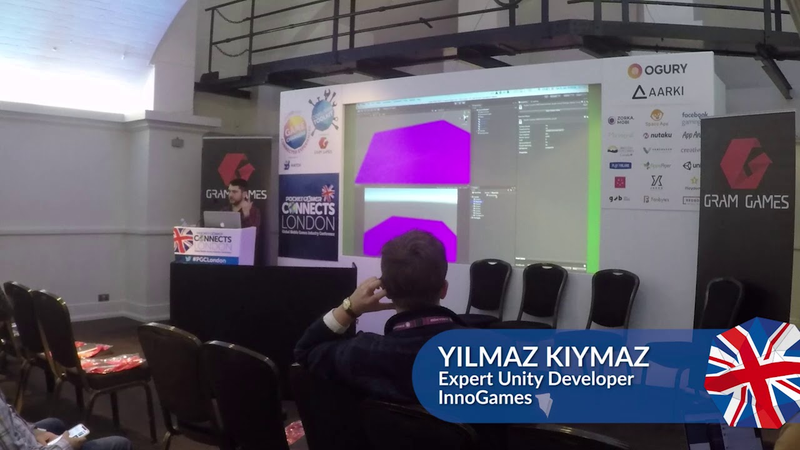
[Music] thanks for joining me everyone like a good intro will going to be today talking about script or rendered pipelines and why they are so interesting for mobile game developers I'm UMass Camus I'm from innoGames in Hamburg Germany you might know some of our titles let me actually switch over to the presentation here okay you might know some of our titles such as forge of Empires elvenar warlords of turning which was recently launched tribal wars grepolis tribal wars 1 & 2 of course and the West
so let's first get a round of hands in the room how many of you have looked into descriptive render pipelines already few hands go up how many of you have upgraded one or more of your projects to use either the lightweight running pipeline or the HD rendering pipeline ok couple more hands it's good so most of you probably already know that the built-in render pipeline in unity is kind of a black box and has been for many years it has always been difficult to extend and make little tweaks here and there we had to resort to many different workarounds that weren't very maintainable over the years to be able to do something different when the render pipeline so as a solution to this unity has come out with scriptable render pipelines and you probably already know that there are two scripted render pipelines that unity is making available via the package manager already the High Definition render pipeline which is targeted towards PC and console for games with high graphics requirements and a lightweight rendering pipeline which is targeted for games with low graphics requirements and also for mobile games there have already been
some good unite talks on these topics such as the United Way in 2018 unite la 2018 both from Unity themselves that do a great job at introducing people to these different pipelines and what scriptable render pipelines mean in general so I won't go too much into what these are I will rather specifically focus on the lightweight render pipeline and how you can why it makes sense to upgrade to it if you're making mobile games so why should we optimize our mobile games by upgrading to lightweight renin pipeline you might be saying well I'm already hitting 30 FPS or 60 FPS on the devices that I support what sense does it make for me to further optimize well the thing is unlike on desktop or console we're hitting the target FPS is enough on mobile you actually have to worry about not draining the battery of the user too fast or letting the devices get too hot because people do complain about that it reflects on your reviews and etc so it's always worth it to optimize further to improve your battery usage some of you might be familiar with this
view or an Xcode that shows how much of an energy impact your app is having on the device at the moment so unity unfortunately even when you run an empty project an empty build on a boat on a device it already has kind of a high battery usage so you always have to make sure that your code and your graphics aren't pushing the device too hard so what we're going to look at is how we can convert a shader that was written for the built-in rendering pipeline into one that is compatible with the lightweight running pipeline because the talks that I mentioned talked about how you can upgrade your project if you're using the standard shaders that come with unity but they don't talk about how you might upgrade your custom shader that you've written for your mobile game which we have to do most of the time to get the performance we need so we're gonna switch over to the other scene that you saw in the beginning here's a little C ground plane and five farm animals that I grabbed from the asset store for free and the interesting thing about these is they all share the same material and the material is named
vertex color which should give away the fact that these models what's special about them is that they're using vertex colors for the kind of texture you see on them there is an actual text 2d texture that's being used to paint them and I have a shader here that is compiled with the built-in render pipeline what's been there for most of the time and I have some properties here to show you what features this shader has so this shader can be affected by the ambient lighting in the scene if I drag the slider you can see the result that the ambient lighting goes away it can be affected by diffuse lights so if I turn it all the way down you can see all the diffuse light all the light from the directional light has gone away and the shadows have gone away and then there's the vertex colors so if I turn that off you can see there are no vertex colors on the meshes anymore this is a very simple shader I chose the shader because first it's a very reasonable approach to how you might want to style
your game on how you might want to create art assets for a mobile game this virtually requires doesn't have high performance requirements and also it makes it simpler shader simple and to show that how to apply to the light returning pipeline it makes that simple as well so if we were to switch over to light returning pipeline which you do by going to actually have it right here don't project settings and then graphics and then dropping in a lightweight render pipeline asset right here that's how you switch your project to use language and in pipeline I have a small shortcut here that I did for this presentation where I switch over to it you can see in the bottom left corner it says let lightweight render pipeline if I switch back if I can it's a built-in render pipeline I turn in pipeline everything's pink so this is usually what you see when you first put your light returning pipeline asset in there none of your shaders are compatible so everything is pink which is the hidden internal error shader that unity is using to show you that something's wrong
so what can we do to actually make our nice vertex colored models appear with the light returning pipeline the first easiest thing might be to use a new shader graph and it's relatively easy we're just going to go ahead and do it right now I'll just go to my shadows folder create a new shader with a PBR graph PBR sense or physically based rendering we don't actually need physically based rendering in our game but with the new lighter attender pipeline and the shader libraries they actually did put a lot of defines in place to strip out a lot of calculations if you're not using it so in theory you shouldn't be paying for things that you're not using but we'll come to that a bit later so I create a new one I want to give this specific name so I can switch over to it and then wrong name okay empty shader graph shader has a PBR masternode what we want to do is just
feed in the vertex color of the mesh into the albedo channel so we create a new node search for vertex color and then feed it into the albedo and for it to produce pretty much the same result as our previous legacy shader we just need to set the smoothness to zero save it and then we go back and change our material the one material that every mesh in the scene is using to use this new shader graph shader which is right here and just like that our project is now using lightweight random pipeline is actually rendering the scene correctly and if we kind of switch back and forth you can see at the bottom left I'm switching between built-in and lightweight render pipeline and you can barely notice any changes I hope let's make sure in the scene view let's get it up and close a little bit so what you can see some differences is the shadows appear a little bit different and that's just because of the way they're handled the shadow bias parameters that determine at which point they stop intersecting with the geometry that's a little bit different but besides that
the mesh themselves actually looked the same the lighting looks the same besides the shadows so okay this is nice and well we have our scene working with the light or the item pipeline with this graph but when you're making mobile games you always want to write your custom shaders to achieve the best performance right especially if you're making a game that has high graphics requirements so it's always good to know how to write shaders by hand and we're actually going to take a look at that now what it would look like to make a shader that's compatible with the light returning pipeline luckily I have one pre-made here I just want to double-check that I'm switching to the correct one yes so we first look at the legacy one and then we look at the new one and see what it takes to convert a shader to be lightweight I don't pipeline compatible
so here's our legacy vertex color shader how many people here are familiar with writing shaders in unity like this okay good number of hands go up if you're not too familiar don't be too scared it's just a hundred lines of shader code and it's really not that different from writing regular seashell code you should be able to follow along and if you don't ask questions at the end no problem so here I just declare the properties at the top that I showed you in the beginning to be able to turn on and off the ambient lighting diffuse lighting in the vertex color that's that we have one sub shader with two passes this is the forward base pass and bottom at the bottom we have a shadow caster pass so the meshes can cast shadows into the scene this pass takes care of receiving the shadows so here we don't have many options specified in the past such as zero write and color mask and this and that which is immediately get into the cg program we say our vertex shader is named vert as you can see here our fragment shader is named frag which is down here multi compile for base enables
the shadow casting abilities shadow receiving abilities and then what I try to do with these shaders and the one that I'm going to show next is I try to minimize the number of include files I use so everything that is done in the shaders is obvious as possible right here instead of using magic methods from unity there are a few here and there so he include the unity CG that's CG include file which is like the base include file and then the auto white which has a couple of nice helper methods for lighting and then weari declare the properties that we declared up top which is necessary for the cg code to work this is for the main light color and we have two structs one is for attributes which is what unity provides us in the vertex shader to work with and the varying structs which is what we calculate in the vertex shader and gets sent over to the fragment shader so the vertex shader is pretty standard we calculate the clip space position of the vertex from the object space position that we're given just a built in unity method that does that we calculate the world space normal from the object space normal again built in unity method we
directly pass over the vertex color from the input that we get out to the output and it will automatically get interpolated by the GPU here's a macro again from unity that transfers the shadow coordinates and vertex Sh spherical harmonics is for being able to evaluate the ambient lighting so again built-in method shade sh9 where you just pass in the worldspace normal and then you get your ambient lighting so all of these are fed into the output structure and then we just return it in the vertex shader then we come to the fragment shader at this point the GPU has done the job of interpolating this data for us per fragment in the fragment shader we normalize the input that we got because when normals are being interpolated they can get unnormalized which means their dis their length is no longer one so when you re normalize it you get nicer and more correct lighting so we do that and now we can't get something called NL which means if there is a light in my scene and it's hitting my mesh at a specific angle the specific pixel that I'm trying to calculate what is the angle there to the light which
affects how bright that pixel will be so that calculations done here then we multiply the color of the light with this factor with the shadow factor and this diffuse contribution I just added there to be able to turn it on and off and then we add the ambient light to the directional light and finally we get the vertex color normally we could just use input dot color directly but here because if this slider I added I'm just interpolating between the actual vertex color and just white which is 1 1 1 and in the end we multiply the diffuse color with the vertex color and we return that I won't go to the shadow caster pass because it's very standard you will you can just copy it out of an existing unity shader like this so this is what the shader looks like the interesting part is just like 4050 lines what does it take to make this light weight training pipeline compatible to convert it over so let's open that one looks pretty much the same I mean if I switch back and forth you can see it's more or less the same the first difference we see is that the CG program line has
changed for HLSL program they're kind of just like different flavors of each other so there isn't that much difference so instead of starting with a CG program and ending with an N CG we now start with an hlsl program and end with end HLSL not that much different again we have a couple of pragma statements these are kind of specific to the light regina pipeline and i just basically copy them over from an existing lightweight render pipeline shade here we specify our vertex and fragment shaders and again we have an include file and what's interesting with this string is that the light returning pipeline comes in as a package right so it's not something directly in your assets folder it's here in packages so how do you then reference some file that's in a package and this is how you can do it nope just type packages are them the whole path down to the in this case the lighting library and then what you have to do with the script of the
render pipeline shaders if you want them to batch properly is you need to use these C buffers which stands for constant buffers and what light the script or a new pipelines can do with their new experimental batching is that they can put all of these into a linear array and render multiple meshes in the same path so with the previous built in renderer you could only batch together meshes that would use the same material with the same properties more or less with the new script or under pipeline and the batching that they have it's possible to batch together many meshes that share the same shader the shader very specifically so you can batch together many more meshes done before and we will actually be able to see it in a little bit so just like before so instead of just putting them like this we have to wrap it with a C buffer start and end no problem the attributes and the varying structs are pretty much the same actually almost exactly the same except for the names of the variables and then we have the vertex and fragment shaders here that do very much the same
thing so the name of the methods the internal unity methods have changed a little bit at which you can find out in the shader libraries of lighter pipeline but besides that it does exactly the same thing so you don't really need to change much one thing that threw me off when I was converting my shader is in the built-in render pipeline when using CG you could use the fixed what's the word precision specifier which is valid but in the new script we're under pipelines there is no fixed in HLSL so there's 1/2 and float and I think another one but I just converted all my fixed precision modifiers to half and that's it and basically that's it there isn't much else to it what I would like to show you is what the package looks like so here's the lighter tandem pipeline package and here it has the shaders there's a list shader which is the PBR shader and then there's a simple let's change so basically what I did to be able to create this light weight random pipeline compatible version of my shader is I opened the simplest shader
and copied stuff in from here but the thing is if you look there's a ton of stuff in here there's all these pbi related stuff like shininess and gloss map and specular map which I'm not using in my mobile game right so I had to cut all that out and the other thing is all the different passes they don't have the vertex and fragment shaders in here they get included from another file simple lit forward pass so if we open that over here you can actually see the struct and the vertex and fragment shaders here but basically then these guys include some other include files such as here and then you have to go in there and copy some stuff over so what I'm still trying to find out is is there a way to extend built-in shaders without having to copy everything over and then just modify a little bit and then you forget what you modified and have to include comments everywhere I ask this questions to the integral extreme but haven't got an answer yet but hopefully it will improve yeah so I'm going to demonstrate to you what the new batching how much of a difference it makes so switching back to the if I can build to render pipeline if
you go to the frame debugger for this view it takes 26 draw calls to draw it so if you step through it it draws the shadows and then draws the meshes and then draws the sky box in the UI on top of it if we switch over to the lightweight render pipeline it goes from 26 down to 18 batches or draw calls so that's already by switching to the new render pipeline we're saving a bunch you can see it's using less draw calls to achieve the same result and then if we then turn on the new experimental scriptable render pipeline matching which you can see at the bottom right corner it's on it goes down to eight draw calls so we started with 26 now we're at eight which is like one third draw calls and of course it depends on what you're seeing composition is like but this is a really really great saving and what happens you can see is all the meshes are drawn in one for shadows and also for the scene all of them use the same material and then you can see they all get rendered in one pass and it's as simple as that so great
savings to be had by upgrading to the lightweight random pipeline there is the caveat that for specific cases for very simple scene setups where there's just like one directional light and not much else going on on the scene the lightweight tournament I plan performs worse than the built-in render pipeline now but since it's still being worked on whereas the built-in liner pipeline is not being worked on that's going to improve in the future so it makes sense for you to already be looking into upgrading your project to the standard pipeline I said render pipeline a lot we have time three minutes okay one last thing I want to show just as an example is the new custom pass injection you can do in the script of render pipeline which makes it a lot easier to implement post-processing effects and other effects especially the camera stacking is not available or not supported in the lightweight render pipeline you can't have one camera render some stuff and then have another camera render after that one this is not supported so people are asking then how do i implement this effect where I draw this with a different camera well you can inject
custom passes and this is very simple and I find much more convenient and more performant I have an example here now we run a pipeline on my camera I have a blur pass script if I just enable that you can see the scene got blurred and we have a simple shader that does this but the way to do this before would have been much more complex than it is now so let's take a quick look here's the blur pass and the key thing is that it uses an interface I after transparent pass so it this causes this class to get called right after the transparent objects in the scene have rendered and there's equivalent eye after opaque pass for example and I after skybox etc but we want to blur everything after all the transparent objects first opaque objects and then the transparent objects are rendered into the scene this get passed in queue method will get automatically called and then you can then return and it's scriptable render pass where you do something it looks like a lot of code but it really isn't it's mostly
boilerplate and then what I do here is get a new command buffer and get a new render texture temporary render texture to copy the screen contents into and then using a blur shader which I could open right here which is basically just averaging the neighboring pixels and then returning the result we can just put that back into the screen buffer and then we have a blurred result and it's very simple in the there's a cleanup which just returns the temporary render texture and that's about it so again just about 100 lines of code to be able to implement an effect where you're blurring the entire screen but you could also animate the parameters and then you could have it fade in and out so this is just a quick look into light returning pipeline what it might take for you to upgrade your project to it especially if you're using custom shaders and how you might be able to also port over your processing effects post-processing effects that you might be using for your mobile game that's it for my talk thank you for attending if
you have any questions I will take [Music]
Summary
Scriptable Render Pipelines (SRP) represent a significant evolution in Unity’s rendering architecture, providing developers with granular control over the rendering process. For mobile game developers, the primary motivation for adopting the Lightweight Render Pipeline (LWRP) is to improve performance and energy efficiency. Because mobile devices are constrained by thermal limits and battery capacity, optimizing rendering pipelines is essential for maintaining high frame rates without negatively impacting user experience or device longevity.
The transition from the built-in rendering pipeline to LWRP involves converting custom shaders to be compatible with the new architecture. This process requires shifting from CG to HLSL programming and utilizing constant buffers, which enable experimental batching. By grouping meshes that share the same shader, developers can significantly reduce draw calls. In a demonstration using a sample scene, the transition from the built-in pipeline to LWRP with experimental batching reduced draw calls from 26 to eight, representing a substantial efficiency gain.
Beyond basic rendering, SRP facilitates more efficient implementation of custom effects through pass injection. Features such as camera stacking, which were previously complex or unsupported, can be replaced by custom render passes that execute at specific points in the rendering sequence, such as after opaque or transparent objects. This approach allows for the creation of post-processing effects, like screen blurring, with minimal boilerplate code.
While the built-in pipeline remains a stable, legacy solution, it lacks the extensibility and active development support of SRP. Although LWRP may occasionally underperform in extremely simple, single-light scenarios, its ongoing development and superior batching capabilities make it the recommended path for modern mobile projects. Developers are encouraged to move away from the "black box" of the built-in pipeline to leverage these performance optimizations and maintain competitive, high-quality mobile gaming experiences.




















Comments