1 free read left. Create a free account for unlimited reading + AI research.
Create free account
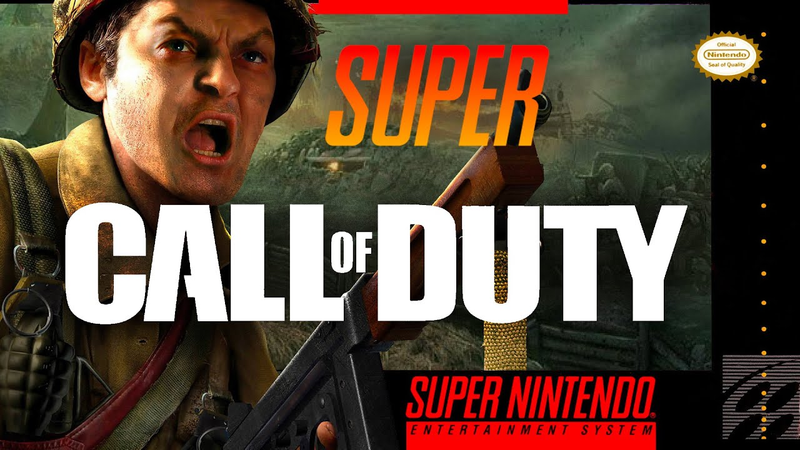
I made Call Of Duty... but it's 2D
Key insights
6 takeaways- 01High-quality 2D art is achieved by prioritizing silhouettes, color gradients, and layered depth over complex sketching or painting skills.
- 02Visual coherence should be tested by blurring the scene or viewing it from a distance to ensure the abstract foundation is solid before adding fine details.
- 03Depth is established by utilizing foreground elements, parallax effects, and the strategic application of fog to separate gameplay layers from background environments.
- 04Environment construction relies on building structures from simple geometric forms like rectangles and rounded pills using tools such as the polygon lasso.
- 05Character design complexity must be balanced to match the simplicity of the surrounding environment to maintain overall visual harmony.
- 06Rapid prototyping of complex concepts is enabled by finalizing static art before implementing dynamic elements like rain and sun shafts via engine-specific particle systems.
Ask AI about this video
Transcript
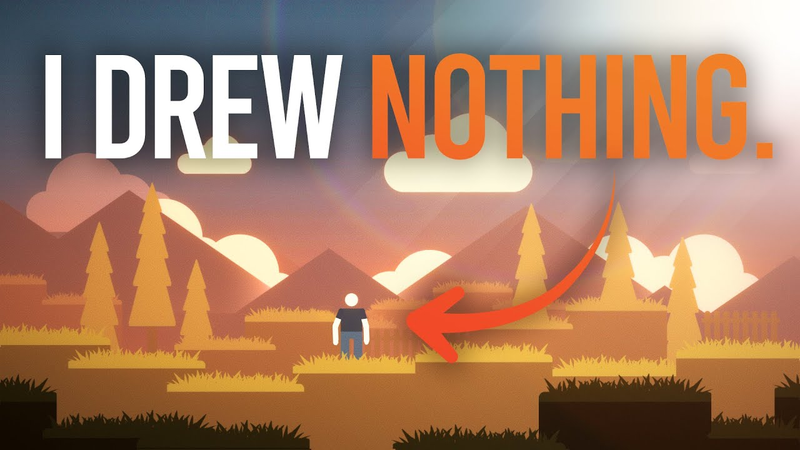
there's nothing that annoys me more than when people say they're not artistic enough to make good 2D art or feeling like somebody's keeping you from making 2D art because they know how to sketch and they feel like you should know how to sketch and you should know how to paint well something I want to show you and I'm going to do this with a Call of Duty Recreation I'm going to make Call of Duty 2 into Call of Duty 2D one of the things I want to show you is how simple it is to make 2D art you can see here that I'm just using very basic colors in fact I'm only using about three or four colors here I mean I'm using different shades of it making it lighter and darker and more saturated but you can see at the top leftand corner here I've got a gradient from light light bluish gray to dark green and then also this little brown Bridge here we're blowing the bridge as you can see I'm just using very very basic shapes using the polygon lasso tool and also just these stamps of square that I've created they're really
brushes but I like to call them stamps cuz that's kind of how I treat them I just sort of stamp on different layers here as you can see we're sort of having a gradation coming towards the camera we've got this grayish light blue in the background and then coming towards the camera becomes more saturated and more green and I'm just color picking from that gradient at the top leftand corner now I'm using the stamps that I've created for grass just sort of stamping them on each layer notice how everything is very silhouetted right now and that's because I want the abstract to look great if it looks good in the abstract if it looks kind of like a very simplistic photograph and it kind of looks real in a strange simplistic way we're definitely on the right track I don't like adding detail until it looks great in the abstract that means the colors make sense the depth makes sense and things just look realistic if you blur your eyes and zoom out I think that's a really effective technique to use when you're creating 2D art just zoom out blur your eyes and if it looks like a photograph you're definitely on
the right track by the way guys you can take your artwork and using the link below it's my totally free 2D game kit you can take that game kit combine it with your artwork and have a 2d game inside of unity pretty fast a lot faster than if you had to build your game from scratch this is my free 2D game kit below I used this game kit to make a game for PewDiePie in 14 days I've also remade Bioshock I remade Skyrim with this game kit cyberpunk so if you're interested in downloading that it's totally free there's no gimmicks just click below I'll send it to your email and you can use it however you want you can make a game and make a million bucks off that game or maybe just make personal projects I really don't care it's my treat to you click below to download that game kit things look good in the abstract so I'm going to start adding some detailing here just using some very basic shapes again I'm a big fan of basic shapes honestly I'm kind of creating 2D art the same way a 3D modeler might create 3D art using very basic shapes and slowly making them more and more detailed right here I'm just using rectangles to create the power
lines and I love the gradient tool you'll see me use the gradient tool a lot when I'm creating my artwork I'm simply using the gradient tool to make it look like there's drop Shadows on [Music] everything also I'm a big fan of noun project you've seen me use this in previous projects right now I'm using this very simplistic Tall Tree from noun project and noun project is an awesome plugin it's very very cheap subscription you can just put the plugin inside of Photoshop and use it to create these tall spindley [Music] trees I'm also using noun project to create some fences here just very simple
fences making some of them look a little bit more broken a little bit slanted and now I'm just adding very subtle details [Music] here now don't underestimate the value of foreground elements I've talked about this before if you want your game to pop and this is especially true with like Hollow Knight if you want want your game to pop if you want it to have a lot of depth and feel Moody add a dark foreground and just start adding details in the foreground this is especially important and very beautiful when you've got a parallax effect and that means the foreground moves faster than the camera itself now that all the layers are generally created the colors make sense I'm going to start adding in some fog I usually do this with my artwork about halfway through what I'll do is I'll actually put fog behind the ground the player can walk on and just slowly
adjust it to every single layer because often I underestimate how much detail the ground the player can walk on actually has and it starts blending in with the [Music] background what you don't want to do with 2D games is you don't want the ground the player can walk on to blend with the background because well the player's not going to know what they can jump on especially if you're creating a platformer in this case I'm not too worried about the background blending with the ground but I did want to make it look a little bit more distant and also I just wanted it to look more like Call of Duty 2 which is Call of Duty 2 has a ton of fog it's very moody it looks like a well obviously a wartime game so it looks like there's a lot of [Music] smoke here I'm just adding some details zooming into the very basic shapes and starting to cut out I do this again
about halfway through the piece of art and I just start cutting out very simple squares rectangles sometimes triangles from these basic shapes again if you start with basic shapes once you're about halfway through your piece of art you can realize oh you know what I can zoom in and start adding details to these basic shapes the human eye is really good at thinking that everything is detailed but subconsciously we actually see very basic abstract shapes the world around us is very simplistic it's not necessarily the detail that makes things look good it's actually the very basic smooth shapes the circles the squares so you want to focus on those and I'm even doing that here with the sandbags the sandbags are just a simple pill shape a rounded rectangle and I just stacked them on top of each other added an inner Shadow a gradient so everything in this scene is just a very basic shape practicing with those basic shapes and then slowly adding detail and fog and Lighting
really will make things pop but it's those basic shapes at the very beginning that are the foundation of this entire piece of art now I'm actually throwing in some textures that I downloaded from the unity asset store this is a fairly pricey pack of textures but it's so valuable because you can just throw it into the project and make things look a little bit more realistic welcome to basic training comrades if you wish to survive you will do exactly as I say now walk over to until that day will I pick up those weapons all right I'm creating the protagonist now just a very simple silhouette that I got off of noun [Music] project now I'm adding some shading added a gun and a helmet and just very subtly adding these very simplistic Shades it's very important that your artwork that your protagonist that your
character matches the simplistic world that he's surrounded by most Indie developers when they're starting out they spend so much time creating a detailed 2D character but the problem is is that when the camera zooms out the character looks way too detailed and the world is much more simplistic so you can see here I've tried my best to create a very simplistic character with subtle details that make him look iconic and make him look like a soldier [Music] now I'm just adding some blood particle effects some bullets and also some blood splatter I found this on noun projects plugin and this is something that I'm going to do mainly for concept art purposes inside of unity what you would do and Unity is the software we would
actually throw this piece of art into what you would do in unity is you would use the particle [Music] system the same is true with the rain here I'm just making a simple concept to see what the rain might look like what the sun shafts might look like but you would do the sun shafts and the rain with a particle system in unity and that's the built-in particle system that's proprietary to Unity now I'm just adding some subtle effects some basically postprocessing effects inside of Photoshop to get an idea of what this piece of art might look like if you're bringing this artwork into unity and maybe you're using my 2D game kit to bring your art into Unity you would ultimately use a post-processing effect and you would get this look and that's just the postprocessing effects that Unity has to offer this is ultimately what Call of Duty 2 would look like as a 2d game
[Music] thanks for watching guys if you want to see more videos like this be sure to leave a like subscribe and also just remember you can download my free 2D game kit you can take artwork just like this put it into my 2D game kit I'm going to save you a ton of time it's totally free you can use it however you want download it below it is my treat to you I'll talk to you guys later cheers
Summary
This analysis outlines a methodology for creating 2D game art by deconstructing complex visual scenes into basic, abstract shapes. The core thesis posits that high-quality 2D art does not require advanced sketching or painting skills; rather, it relies on the effective use of silhouettes, color gradients, and layered depth. By prioritizing the "abstract" look of a scene—ensuring it remains visually coherent when blurred or viewed from a distance—developers can establish a solid foundation before adding finer details.
The process emphasizes a systematic approach: starting with simple geometric forms, such as rectangles and rounded pills, to build structures like bridges, trees, and sandbags. The workflow utilizes tools like the polygon lasso, gradient overlays for drop shadows, and external icon plugins to maintain consistency. A critical component of this technique is the use of foreground elements and parallax effects to create depth, alongside the strategic application of fog to separate gameplay layers from background environments.
The approach also addresses character design, cautioning against over-detailing protagonists. To maintain visual harmony, character complexity must match the simplicity of the surrounding environment. Once the static art is finalized, the workflow transitions into game engines like Unity, where developers can implement dynamic elements such as rain, sun shafts, and blood splatter using built-in particle systems and post-processing effects. This streamlined pipeline allows developers to rapidly prototype complex concepts, such as a 2D adaptation of a 3D military shooter, by focusing on foundational shapes rather than intricate, time-consuming textures.














Comments