1 free read left. Create a free account for unlimited reading + AI research.
Create free account
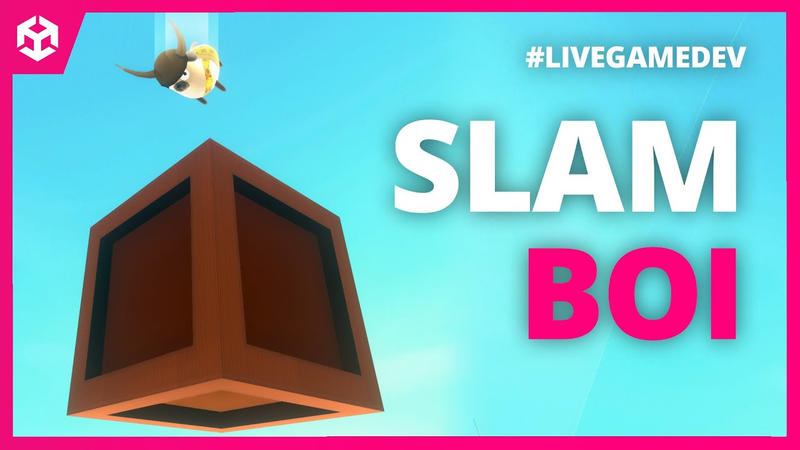
LIVE REPLAY: Adding BREAKABLES to our DOG game
Key insights
5 takeaways- 01Implement a modular health-based damage system using Unity’s BoxColliders and C# to allow for the reuse of destructible objects across different game levels.
- 02Trigger environmental feedback—specifically audio cues and particle effects—immediately upon object destruction to reinforce player agency and impact.
- 03Design stylized debris effects by configuring particle systems with precise parameters for gravity, rotation, and lifespan, drawing aesthetic inspiration from titles like The Legend of Zelda: The Wind Waker.
- 04Utilize iterative debugging and offset adjustments to synchronize underlying physics logic with visual destruction effects for a seamless player experience.
- 05Ensure visual accuracy by calculating the precise center point of an object’s collider to serve as the origin for spawned debris and particle systems.
Ask AI about this video
Transcript
hey guys it's thomas i make indie games for a living you know that come on in come on in come on come on come in today's gonna be really really fun guys we're gonna have a great time we're gonna jump inside of my side project my little mini game i'm making about a little doggie here and we're gonna talk about how to make breakable boxes that you can pound on like in super mario 64. let's go [Music] and by the way guys i wanted to let you know that my brand new course easy 3d is totally free right now click below to enroll for free and you'll immediately be taken to the program where you're going to learn how to make your very first 3d game and here's the best part you're going to do it fast you really don't need to know anything about unity or code or 3d modeling it's
really kind of easy and it's totally free click below to make your very first 3d game i can't wait to see you succeed right let's not waste any more time my goodness geez ad read after ad read after ad read all right so what we did yesterday um and what felipe worked on yesterday who's my 3d modeler we all had a good time yesterday this is our little playground here we've got a lot done we've got pounding bang oh don't want to do that hold on we've got pounding let me turn on the music we've got bounce ability we've got collectibles like this bone shoot you throw them we've got collectibles you can really
grab and fly we've got rotating platforms that will actually have friction which is really cool thank you jason wyman for your youtube tutorial about that so overall things are going great and then more importantly the most important thing that we're working on today or we worked on yesterday i want to show you the final result is the ability to dash so we can dash over there so lots of fun stuff honestly these are 3d platformer games they are my faves i love these games and felipe made this cool bridge yesterday he made these bugs yesterday he made these beautiful trees we're gonna get him to blow in the wind here in just a little bit and by the way guys if you're interested in learning how to make 3d games there's a free course for you below totally free course on how you can start your very first 3d game um so be sure to check that out no gimmicks just click
below take the course it's that easy all right so that looks pretty cool right we've got a pretty cool looking doggy game i'm thrilled with this game i'm having way too much fun making it it's making me nervous honestly i'm worried i'm in a honeymoon phase here but i'm having a blast so what we're gonna do today is we're going to make breakable boxes so the first thing i want to do is i want to come up with a script name what would we call it would we call it a box would we call it a barrel would we call it a breakable box no we call it a breakable okay that's what we're gonna call it um unless is there a damageable entity script no no we're gonna call it breakable okay that would have been a cool name for the unbreakable sequel it should have been called breakable um all right hey gordon all right let's see here guys let's start our line
of code here what are we going to need well we're going to need a serializable field right what a serializable field mean serializable field means that even if it's private you can still access it in the inspector a lots of box colliders in this game i'm a big fan of box colliders and sphere gliders in this game so we're gonna have a box collider what else we're gonna have health it's gonna be a integer not a float what's the difference between an integer and a float a float can be like 0.1.3 1.7 it's a decimal number right integer is a whole number we're going to also have a graphic that is removed okay now maybe we want to be able to destroy the objects entirely that might actually work um so why not actually a particle system
that's instantiated that is associated after death i think kind of like that that works for me all right we're also going to need a script called break void break what on earth no no unity no break private void break there it is okay what what am i doing there we go all righty so we have all these beautiful things here particle system is good to go health is good to go box glider is good to go so we're actually gonna have a function called break but we're also gonna have a function called it's gonna be public and this one should probably be public as well let's be honest and this is gonna be called public void hurt
me why am i not calling it hurt why am i not calling it hit because when you're using words like that verbs like that i like them to be very specific so that i don't get confused so for example if the player was calling this function and it was hit well what is it hitting is it hitting the player is it hitting the box no it's hitting the breakable so it's hurt me okay we're going to have an integer here and it's going to be the hert power and all we're going to do is health minus equals hurt power now i want a time out here serialized field we're going to have it a float and it's going to be hurt timeout okay and let's give us a little bit of a comment here just for clarity how and you guys know i love when i'm doing my comments i like to use questions okay how long should i be invincible
after i am hurt so that's actually going to be hurt timeout max this is going to be the hurt timer hurt timeout timer we could call it hurt timer we might be able to do that i think that's fine hurt timer now i want to be specific hurt timeout timer the doesn't need i don't think we need any comment there now some of you some of you are really into doing very simplistic variable names and the debate is between morons like me and professionals like you the morons they say i'm going to use long variable names that are very very descriptive because i want people to be able to read this and me personally considering a terrible terrible memory i want to be able to read this next week and go okay i know what that is
so hermit hurt timeout timer is afloat hurt timer or hurt timeout max is going to be well how long so i would say half a second half a second okay we're going to create an ienumerator all right so let's go ahead and create an i enumerator so i'm going to go to unity or google and i'm going to type ienumerator unity i'm going to copy the ienumerator script here with the yield in it guys what does an ienumerator do an ienumerator allows us to put a yield which will allow for just some time to pass okay so part of me actually feels like um well let's see here we don't need a timer we just need a timeout max
and then we also need a variable it's going to be a private variable it's going to be called float or no bullion um what's going to be called um able to hurt or better yet uh invincible i don't like that word able to hurt is better invincible implies that you can't break the box at all ever but this is private so able to hurt is going to be by default is going to be true and the question is can the player hurt the box okay so now we're going to go to our i numerator and all we got to do is we got to say this able to hurt equals false and then weight the total amount which actually is just going to be right here which is timeout hurt timeout max we're going to wait that many seconds
and then we're going to say okay now i can be hurt this is going to be the ienumerator is going to be called um set able to hurt and i would say why not throw a bullion in there nah i don't care here's what we're going to do we're going to say set invent 10 set temp invincible invincible is that how you spell it come on thomas what are you doing here let's take a look google is this correct yes it is set temp invincible all right so he gets hurt right and then we start the co routine set temp invincible so that will start and the hurt will occur well we want to make sure we wrap this in if able to hurt then go ahead and hurt me okay boom
break is going to occur if health is greater than if or if health gets smaller than zero or equal to zero then break me otherwise set temp invisible right we don't want temp invincible to be there uh well yeah yeah we don't want temp invincible to even happen if health is greater than zero then what we do is we just say able to hurt equals false just for clarity here just to be absolutely sure on break so there's no extra hurting happening then what we also want to do is we want to destroy this game object but thomas but thomas you shouldn't destroy it you should disable it because you might want to save the save it and you can't save a destroyed object well there's not going to be any saving in this game uh within the context of um
a a level you'll start a level you'll collect a star you'll get kicked out of the level and you have to go back in and we'll all reset so i'm not going to worry about it okay all righty all right let's keep going guys and by the way those of you just joining us if you haven't downloaded my free 2d game kit below it's totally free my treaty you use that game kit to make a game like i did in 14 days i made a game for pewdiepie in 14 days with this game kit i actually got to play it with pewdiepie which was really really cool it's my treat to you download it use it however you want you can even store it on your computer use it next year make a million bucks off the game you create with it i really don't care it's my treat to you check it out below if you're not into 2d games check out my 3d course below it's totally free all right so we've got set i'm i'm gonna do something here that i've never done before or at least i rarely do um
i'm gonna try and write this script the majority of it and get it working without even testing it okay so the next thing we want to do is we want to say public void on collision enter we're going to say if collision dot game object is the player.instance.gameobject if that's the case um that's not enough is it uh you also want to say and we're going to do two parentheses and player.instance is dashing or player.instance is slamming okay so i'm of the opinion i'm not sure which one we'll start with which which ability we'll start with in
the actual game um okay that is set to okay so dashing we need to set it to public so we'll do that really quick yeah i'm not sure which ability you start with um but by the way dashing for example a a variable like dashing here let's see here where is it we don't want it to be in the inspector but we'd want it to be public okay um so we're gonna do that with dashing we're also gonna do it with slamming as well we're slamming but yeah i'm not so sure why what where's slam it's called pounding i feel like is pounding is a bit strange so we're going to change that from is pounding to just
pounding okay that's a weird delineate is that a word delineation i'm just going to have it pounding okay search for it there it is let's change it to pounding just for clarity here because you'll notice that dashing is not is dashing it's just dashing so let's make sure our variables are consistent in their naming conventions okay all right pounding is pounding equals false once we get this done then we can go back to the uh the breakable script here there's another one i think that's everything um yes now let's go back to the top here we'll definitely need to sort through all this crap here there's a lot of stuff
oh it's public good okay public so now we're gonna go back to our breakable script and we're gonna say is pounding so if we're pounding or we're dashing and it hits the box go ahead and hurt me okay now we're getting an issue with hurt me because we need to specify the hurt power so what i'm going to do is create a new variable called um dash hit power uh you know i don't know i think i'm gonna call it dash or pound power okay i know that's a weird variable name i know that
but i don't care it makes sense to me um we're going to set it to 10 how about how about yeah 10 and let's just assume let's think here i always like my my health to be in values of a hundred so we're gonna do a hundred so 100 means that if i hit it it's going to take all the health away so you'd break a box immediately basically the health by default is going to be 100 on all of these breakable objects here okay so we're going to hurt the box if we're dashing or pounding we're going to hurt it by a value of 100 this will occur right there and then if it's smaller than or equal to zero it's just going to break me it's going to destroy the game object entirely let's also make sure that we go audio so
actually it's going to be player audio source player dot instance dot audio source dot play one shot and it's gonna be uh let's just do a generic box break sound one of my favorite things to do lately is i don't really like having game manager scripts i kind of like everything in one massive player script i don't know why i don't like digging around but jumping between different scripts i like it all in one place um obviously i'll probably change my mind here but let's go to all of our different sound effects here and we can you can even categorize this you know you could say i mean how do you do a header here let's let's google it really quick unity inspector header header attribute so what we can do here is we could say this is our sounds section so that it's not confusing player sounds
see and then right here we could do something like movement which isn't true so i'm gonna just put other um so that that's great for now you know um we'll put the audio source in there as well what was i doing oh you know what i don't want to do it in there what i want to do is i want this to be box break sound this is going to be instead box break sound is going to be um this is going to be my yeah break sound that's it so there's a break sound and there's going to be a hurt sound okay guys so serialize field audio clip and it's gonna be uh break sound this will also need a hit sound
okay because guys this breakable script is going to be used with unity okay with uh enemies hey north game studio how you doing buddy mr josh how are you doing today ah you all don't want to see me put no spray in do you all righty oh yes yes i promise it was no spray um all right we've got a break sound so the break will play that sound
um the if the health is not smaller than or equal to zero then let's just go ahead and play the regular sound right i don't want it to play both so we're gonna do a hurt sound okay um or really hit sound you know what i'm gonna i'm gonna stick with my syntax here or my uh naming conventions hurt me sound right because hit sound is like well is it for some reason is it hitting the player you know so hurt me sound good and then set temp invincible very good very good let's see here that should do and then the final thing is we're going to instantiate those particles so it's going to occur right here
um instantiate particle system uh the parent is going to be null the position uh well yeah transform.position and also quaternion identity so we're gonna uh well why is this happening what's going on there we go okay all right that should do and we also want to say if particle system exists right we also want to say you know if the break sound exists then play the break sound right um you really want to be careful here with any null references
that you're getting here same here if hurt me sound exists um yeah okay this is a pretty beautiful script i don't i don't think there's anything wrong with it so let's go ahead and drag this onto the boxes and we'll see if it works okay i i was talking about this yesterday when i'm working on a game i get really fussy and frustrated when something doesn't feel good immediately i want like instant uh what's going on here that needs to be pounding i want i want to get instant instant game feel to encourage me to keep working on the script so i like the sounds and the particle systems to be all basically ready to go before i even test it out so let's see if that works here uh box collider good also something we want to do here is um
no i think we're good 100 health is 100 particle system is not set up yet um i think it shouldn't be called particle system it really should be called break particles uh what particles should be in should be instantiated i love man when in doubt put a question next to a variable and that will actually describe what it does um so what particle systems should be instantiated on death on break good you know i had fun this morning guys i had a really good time i went out to my buddy's property and we were uh went turkey hunting today which was really fun um has anybody ever done that it's really really fun okay uh let's see here breakables put a
breakable script on there all right break sound so let's see if we have a breakable box if we don't i can just snag one from my previous game we don't i'm curious if they have some good ones on art list i'm tired of reusing the same ones over and over from my games so let's find a different one here sound effects box break sucks sucks you can just look at the waveform and see how sucky these are let's type in barrel these are horrible you know that's just bad let's find something from father okay father
is the other game that my team is working on and we're gonna find the i gotta go into the actual uh file structure here really quick and then i'll show it to you inside of father what we're gonna do is we have these assets here sounds and there should be a breakable sound in here there it is box hit and box break i'm gonna copy both of those copy that five five five copy that five five what's that from that's uh starcraft isn't it box breaker box hit those should be good let's let those import and then we'll drag them in to the actual audio clip here so box break and then hurt me sound is box hit okay now this is great because we can use this breakable script on pretty much anything we want right um
that includes enemies even so we're gonna put breakable on the enemy script we'll just attach it or on the enemies themselves alongside the enemy script okay great breakable script is looking good so far i'm tempted to just go ahead and test this i think overall we're good here let's just go ahead and put a particle system here uh it's just going to be the what's a particle system that we can use that was instantiated ah yes if we go to the bone here we have a particle's generic poof we're gonna instantiate that for now okay all right guys let's test it out see if it works this is fun i've never really written an entire script without testing it so if i just jump on it no problems
it's kind of hard to do now good it works awesome okay that's crazy well now we know that we can write scripts fast all right but it needs to look a lot better so that's the next task the next task sofia anaga says hello thomas brush your channel is great because its videos are so engaging i subscribed today that's awesome welcome welcome hope you're doing well by the way guys those of you new to the channel be sure to subscribe leave a like leave a comment but more importantly i want you to benefit from the free stuff i have below game kit totally free i'll send it to your email you don't have to download it it'll just be in your email forever whenever you need it uh 2d game kit
totally free i used this game kit to make a game for pewdiepie in 14 days also i have a new 3d course it's a free 3d course i also have a paid one but this one's free totally free on how to get started with making 3d games in unity so check that out below see if it's something you're interested in all right fellas oh what we want to do here is we want to study let's study the the breakable boxes on um well i think wind waker so let's go to a wind waker um it's like a it's a level what's that level it's a fortress forsaken fortress and let's take a look at the let's play because i remember there were some really cool barrels and boxes on this level okay we can get inspiration
pick up those barrels and throw them come on pick it up i love this game we're going to scrub through until we find one there we go there it is oh thank you okay let's write the time code down the time code is 1433. all right so we've got dust particles and we've got wooden particles so the first one we're going to do is wooden particles okay so let's open up uh photoshop we're going to do 1080 by 1080. you can always scale it down later don't worry but it does need to be a square at least that's what i think um we could do a cube mesh but we're not gonna do it so we're gonna do something like this
so all i'm doing right now is holding shift to create cool angles here let's cut this piece off here there we go so that is our wooden piece we want it to be the exact color as the barrel okay we don't want to be messing around trying to come up with our own random colors but we can just copy and paste it so there's our wooden piece if we reference wind waker here you'll notice i mean hey let's just take a screenshot right we can bring it into photoshop when in doubt guys just reference other games it's okay it's okay you don't have to stress you're not stealing anything you're just getting inspiration all right so you can see here there's basically just one or two pieces i'm fine with just using one but what they've done here is they've created
basically a three-dimensional look to it so i'm going to take that go a little bit darker here okay and i want it to be pretty significant and there we go all right friends there we go filler in and now we've got a three-dimensional looking board huh and that board is now going to be used as a particle now there's two ways to go about this and think about this we could do a whiteboard or we could do a colored board my theory is that the particle my theory is that we'll we might want to be able to reuse this particle okay so i'm i might consider actually making
this gray so that we can color it later in unity okay so let's let's consider that as an option here so let's actually color it gray and then we'll color it later in unity file save as we have all these different particles here i'm going to call this wood not bud wood broken wood i can't whoa broken wood particle for some reason i'm having trouble writing that's kind of scary all right okay we have our wood particles while we're at it let's just go ahead and get the poof particles and i'm actually going to use these across the board
okay so actually those proof particles we've already got i just realized they are the same as our step particles so what we're going to do is i'm actually going to take those generic particles let's see here generic there it is particles generic proof we're going to duplicate these it's not going to be a variant it's going to be its own thing we're going to call this particles wooden break would break okay so i'm gonna put it right here okay and this is gonna help us sort of visualize it and then we can apply all the prefab changes here so what i'm going to do is loop it 25 hit play and we're going to have it loop just for now hit play there we go and i'm going to increase the size it's
going to be a sphere the gravity modifier is going to be very small 0.02 we're going to start large 6 by 4. go um we can't change the alpha or anything like that which is fine i think that's a little too big there we go i think the particles probably need to be a little bit bigger so something like six by twelve no six by ten that's kind of cool maybe a little bit less five by eight there we go um there we go and then we're going to create a sub emitter and the sub emitter let's drag it all the way back up we should have pasted as a child yeah let's do that let's paste it as a child where are we
there it is edit paste it as a child zero out of position uh it's rotation we could probably zero that out we're gonna set the scale to one and we're gonna set the the renderer to not a mesh but a billboard and the material is actually gonna be a wooden uh where's the wooden piece here we'll go to our art other or no no textures and it's gonna be broken wood particle and we're just gonna drag that onto the object here there we go um now let's specify the broken wood particle and also specify the emission rate let's see here we're going to set let's actually not make it a child currently there we go i want to be able to see it first um so now what we're going to do is we need to make sure that that broken wood particle is alpha is transparency and we're going to remove the mat for
the psd that's going to make sure that our transparent edges are clean here let's make sure we delete no we're good there hold on yeah what we're going to need to do here and let's call this particles wooden pieces what we're going to do here is we're going to go to the sprite or i'm sorry the particles there we go and we're going to do standard surface we want it to be faded or i'm sorry transparent correct hit play oh boy ah change the albedo to broken wood particle for some reason i'm getting some issues here let's try fade usually this works particles standard unlit and then increase alpha entirely there we go we want it to be lit though that's
that's the thing we do want it to be lit so let's make it lid again see what we're getting here uh particles standard surface there we go okay okay we want it to be lit and then we also want to take that brown color i think we could probably as long as we turn off lighting or turn off the effects you don't want effects on because there's color changes there we can actually pick the color here and sort of tweak it and move it there we go to get it to match awesome okay now we're gonna have it blow up sort of explode so the start speed will be something like 10 by 20 for now we're going to say gravity modifier to 1. there we go and if we watch the wind waker where was it it was right here we could test and see is there any collision there's no collision so they just break really quickly
and we're going to do a cone not a not a sphere the reason we're going to do a cone is because i really want to have control over it going a little bit higher let's say change our pivot um hold on let's see here yeah we'll set it to zero here we go oddly enough um no yeah okay we'll just make it go straight up here negative 90. and now it's not bad i feel like it should have a little higher uh angle there we go start speed to all the way to 30. maybe increase the angle now okay pretty cool i think that's good enough for now you know what i want to do
i actually want to save that as a prefab because i think we might want to use this sometimes so i'm going to pull that over here it's going to be particles i'm going to do an original prefab particles wooden pieces and then there's particles would break i'm going to put this one inside of this one it's not going to loop um it's going to play on a wake that's totally fine with a count we're not going to do 25 we're gonna do like 15. um and then the this one is particles would break we're going to keep it named that that's fine we don't want it to loop we don't want any rate over time we just want 25 or maybe even just 15 here so if we hit play you see both so you can see that the wooden pieces sometimes they're just way too big so i think 10 to 20 is totally fine let's make sure some of them aren't too small though yeah and we do want rotation over time so we're going to do an angular velocity of negative 360
to positive 360. okay so we're going to see it flip in all sorts of directions now well that's the theory right i probably need to go maybe even negative 1000 by 1 000 am i not seeing something here there we go separate accesses let's try this wow so for some reason we're not seeing a lot of rotation let's see here okay so negative 300 by 300 negative 300 300 negative 300 by 300 hit play
cool that's not bad um but we'll see we'll see okay so now i'm going to take this wood break and i'm going to apply all now this exists we're also going to add a destroy me okay destroy me script is already there we're going to remove it from this one hit apply and what's going to happen is it's going to destroy after two seconds right so we can delete that now and put it inside the actual box script the breakable script remember and we're going to do particle wood break and let's take a look okay so it's not big enough yet something i'm seeing is it's parented i believe hmm let's figure out what's going on
here i feel like i i should be able to see more of it so let's double check okay let's figure out where it is where it is particles would break clone it's right there okay so we're gonna we're gonna do a little bit of cleanup here particles would break yeah it's very it's very fast so let's do one second and then this one one second as well hit play there we go and the spinning is super fast too and the gravity modifier is super fast too so i feel like it needs to be a lot slower okay and also the spinning is a little too fast too so negative 150 by 150 negative 150 150 negative 150 150 we're changing the speeds here for the rotation now let's hit play
all right so i'm seeing hmm i think i've got it figured out here let's uh also we want the let's see here where is its origin point where is its actual position it's at the bottom so that means what we need to do is find the center point for the box collider so let's go ahead and basically let's let's google search find center point find actual center point for game object box collider and then unity will yeah how to find the total how to find out the center of a box collider in uni 3d usually it's a really quick script when you when you google things nowadays and i say nowadays because about 10 20 years ago i'm sorry 10 13 years ago because i think i started maybe no no it was probably 10 years ago when i started it um you'd be it'd be really hard to find
answers like this you get the center of the collider by doing this vector center collider center okay so let's find the actual usually it's pretty easy to finance like this hmm let's see let's figure out what that value is okay so let's do a little bit of debugging let's do unbreak debug.log we're going to do collider
box collider dot center okay let's figure out what that value is if it's not it's i don't believe it's a world position i believe it might be this right here um so i want to get what is that why is that such a weird number ah yeah okay so it's it's got an offset value there of 0.5 yeah let's figure out what the center point is let's see if we can get it showing up in the console here basically i want to be able to spawn these particles exactly in the center so it's set to 0.5 still looks pretty good
Summary
The implementation of a robust breakable object system serves as a foundational mechanic for enhancing player interaction in 3D platformer environments. By utilizing Unity’s core architecture, including BoxColliders and custom C# scripting, developers can establish a health-based damage system that responds dynamically to specific player inputs such as dashing or slamming. This modular approach ensures that destructible items—ranging from environmental props to enemies—can be easily integrated across various game levels, promoting code reuse and efficient prototyping workflows.
Central to this system is the integration of sensory feedback, which is critical for establishing satisfying gameplay loops. By pairing health logic with triggered audio cues and particle effects, the environment becomes more responsive to player actions. The aesthetic design of these effects, specifically drawing inspiration from the stylized debris seen in titles like The Legend of Zelda: The Wind Waker, involves creating custom textures and configuring particle systems with precise parameters for gravity, rotation, and lifespan. This visual polish transforms simple object destruction into a cohesive, rewarding experience.
Technical precision remains a vital component of this development process, particularly regarding the spatial alignment of visual effects. Accurate spawn logic, achieved by calculating the precise center point of an object’s collider, ensures that debris and particle systems originate from the correct origin. Through iterative debugging and the adjustment of offset values, developers can achieve seamless integration between the underlying physics logic and the visual representation of destruction. These combined efforts demonstrate a systematic approach to building interactive game worlds where environmental feedback reinforces the player's sense of agency and impact.















Comments