1 free read left. Create a free account for unlimited reading + AI research.
Create free account
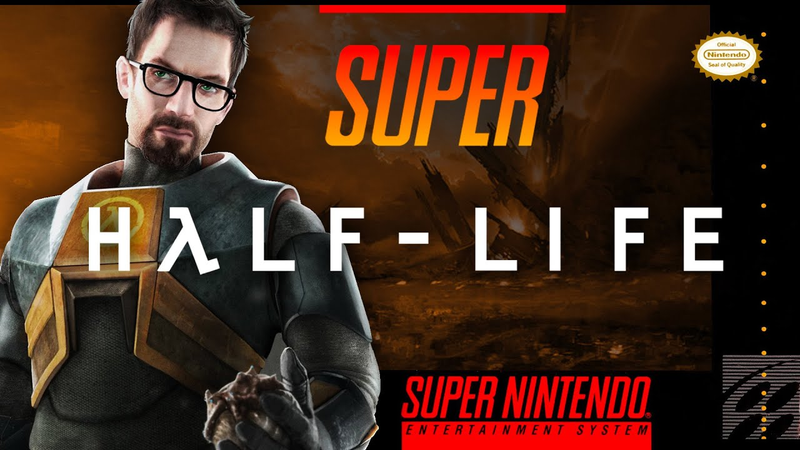
I made HALF-LIFE... but it's 2D
Key insights
7 takeaways- 01Increase asset creation efficiency by using custom brushes, stamps, and foundational shapes from resources like the Noun Project to build complex cityscapes.
- 02Maintain visual cohesion in 2D environments by applying consistent lighting rules, specifically using 45-degree highlights and lowlights across all assets.
- 03Improve the aesthetic quality of incomplete illustrations by applying post-processing 'band-aid' effects, including bloom, sun shafts, and fog.
- 04Use iconic landmarks, such as the Citadel, to ground the player's perspective and provide a sense of scale within the game world.
- 05Establish atmosphere and contrast by prioritizing foreground elements, which are essential for grounding the player's perspective and setting the mood in darker game environments.
- 06Maintain visual clarity in 2D character design by using minimalist, silhouette-based models that emphasize the scale of the surrounding environment.
- 07Apply a final color grade and noise layer to 2D assets to simulate professional game engine post-processing effects found in tools like Unity.
Ask AI about this video
Transcript
I'm a huge fan of efficiency whenever I'm doing 2D art for 2D games. And so, right here, right off the bat, what I start with is what I'm calling stamps. I mean, all it really is is just creating different brushes. So, for City 17, where we're creating Half-Life City 17 in particular, I have five different brushes here, and I'm just sort of stamping them and coming towards the camera. Now, determining what color to use for each layer is actually a very simplistic process. You'll see I have that little colors image at the top there. It's ink dripping down. That's just a fun way of me putting my colors on screen for you. And you'll see there's a gradient from blue to green. And so, it's a bluish sky, blue-grayish sky coming towards the camera, and it becomes more saturated and more green. Now, you'll also notice here I'm using basically a stamp of a tree, and that's from nounproject.com. I highly recommend noun project because it's like a really
low-price subscription, yearly subscription, but you can choose from all of these different images and shapes and icons. And so, you see I was able to just get a tree shape really fast and put that into the scene here. Speaking of saving time, I'm a huge fan of layer styles. So, you see here I have a 45° angle highlight, a 45° low light, and it's on the edge of every single layer here, along with sort of a gradient making it look like there's sun shafts going across each layer. Now, I'm adding a little bit of fog because, honestly, this is where I was getting a little disappointed with what I was working on. This happens with every illustration I'm working on. And you'll probably feel the same when you're making a 2D game. It just doesn't look right. This to me looks like, I don't know, a stormy day in Egypt. It doesn't look like City 17 at all. So, it's totally okay to play around, even though you've set up your colors and your rules, it's it's totally fine to play around and get things looking a
little bit better because no one's going to know on the outset exactly how things should look. So, I'm messing around here, changing the shape of things, and this is important. I decided, you know what, I need to throw in something of relative scale. In this case, it's the Citadel rising into the sky, and that really helped me get an idea of scale of what I was actually working with. The way that I like to do clouds is I just do a very weird-looking oblong shape, and then I blur it to the right with some motion blur, and then I add some Gaussian blur. By the way, if you want to take art like this and just throw it into Unity really quick and make a 2D platformer, you can just download my 2D game kit below. It's totally free. There's no gimmicks here. It's my treat to you. Just click below, enter your email, and I'll send it to your email totally free, my treat to you. Sometimes when you have shapes on a layer, it helps to just start imagining what those shapes are. So, you'll see I added some darkness to create a roof shape,
and also some of these windows here, I just placed squares. It's really important with with windows, by the way, to be very clean and precise with them. Otherwise, they just don't look like windows. Oddly enough, the human brain only recognizes windows in 2D illustration if they're placed nice and squarely on top of each other. Now, this is my favorite part of doing 2D illustrations. What I do is I take a very simple gradient, and I'll just place that along the edges of the buildings or the ground or the mountains. And I'm always using straight lines for all of my shapes, whether it's
gradient shadows or in this case, the helicopters, right? The helicopters was just a basic 45° angle or 90° or 0°, and I created a helicopter. Now, if you're ever ever nervous about your illustration is just not looking right, just throw in some bloom. So, you'll see here I added some bloom where that sun is behind the Citadel. A bloom is just diffused light. You'll notice that it's in front of every single layer. And that's how bloom, that's how diffused light works. It's always going to sort of scatter in front of the layers. That's what makes it look so realistic. Just adding in some fog here, again, same principles as I did with the clouds. Also, some sun shafts. Sun shafts are kind of a band-aid for me. If I'm not liking an illustration, I just throw in some sun shafts or you might call them god rays. And then just a little subtle darkness to make it feel like there's storms in the distance.
And finally, finally I got working on the ground. This is really important. This is the ground the player can walk on. With ground that the player can walk on, you want to make sure that it's it's dark or saturated, that it really pops. And also, you notice that I added a very subtle lip. And that lip is just done with it a gradient going downwards, and it created this lip that it looks like the player can actually walk on. I'm also throwing in some city elements like vents and pipes, just very simple rectangle shapes and circle shapes. And also tried to mimic a few of the power lines you might see in City 17. And then threw in some of the wires. If you're ever confused when you're making a city for a game or you want to make it look a little bit more mature, a little bit more, I don't know, AAA, just
throw in some wires. I always love throwing in wires cuz it just makes the scene look so much better. Now, you notice that I deleted all of my trees. I actually found a bush on Noun Project. I squashed it and then faded the branches into a zero opacity towards the top of each bush and sort of stamped them around to make it feel a little bit more, I don't know, creepy and like the dead trees you might see in City 17 in the original game. Took a little bit of liberty here and just created a interesting-looking industrial power line. Again, threw in some of the wires to make it feel more mechanical, more haunting. And the foreground is something you really shouldn't disregard when you're working on your 2D art. I used to always think of the foreground as an afterthought, but it really is what makes your scene pop. It's what
adds so much contrast, and if you're making a creepy game or a moody game like Half-Life, the foreground being completely black is such a special and important, uh, I don't know, motif to your artwork. So, never ever disregard the foreground in your 2D art. Oh, and before I forget, I think you dropped this back in Black Mesa. Good luck out there, buddy. Finally, it's time to work on Gordon Freeman. All I did here was went to Noun Project. After a crash, I went to Noun Project, found a standing man, added some hands, a crowbar, shrunk his head a little bit, and just made him look like a silhouette. Added the orange chest plate, and that's all I really did. And the reason why I kept it so simple is because when you're making a 2D game, it's really important to remember the camera is not going to be super close to the player. So, keeping him simple and minimalistic is
one efficient with your budget, but it's also great for the player because they can feel like there's so much scale in the world. All right, I'm just throwing some finishing touches onto the scene here. And you'll notice that I'm making a lot of changes, going back and forth, back and forth, guessing and checking the final color grade. You do this in film, you also do this in video games with a post-processing effect in Unity. So, I'm just going to get it looking perfect inside of Photoshop to get an idea of what I want it to look like in Unity. Added a little bit of noise to the scene, adjusted the colors just slightly, and then finally just flipped
it, added a main menu, and this is what Half-Life 2D would look like. Honestly, I want to play this. It looks looks pretty awesome. Got Gordon Freeman holding his crowbar. We've got the walkers in the background. We've got the Citadel. Honestly, pretty proud of this one. All right, guys. If you enjoyed this video, please leave a like, subscribe for more videos like this, and just remember you can download my free 2D game kit below. It's totally free. It's my treat to you. You can use it however you want. You can make a million-dollar game or a personal project. I really don't care. It's up to you. I just want you to be successful in your indie game journey. Click below and your email and I'll send you the kit. Talk to you later. Cheers.
Summary
This analysis outlines an efficient workflow for creating 2D game environments and character assets, using a reimagining of the Half-Life 2 setting, City 17, as a practical case study. The primary thesis emphasizes that high-quality, atmospheric 2D art can be achieved through iterative design, the strategic use of simple geometric shapes, and the application of post-processing techniques to simulate depth and scale.
Key technical findings highlight the importance of efficiency in asset creation. The process utilizes custom brushes and "stamps" to build complex cityscapes, while external resources like the Noun Project provide foundational shapes that can be modified to fit a specific aesthetic. The methodology relies on layering, where consistent lighting rules—such as 45-degree highlights and lowlights—are applied to every element to maintain visual cohesion. The author stresses that foreground elements, often treated as an afterthought, are critical for establishing contrast and mood, particularly in darker, atmospheric games.
The workflow also addresses common challenges in indie development, such as managing scale and visual clarity. By incorporating iconic landmarks like the Citadel, developers can ground the player’s perspective. Furthermore, the use of "band-aid" effects like bloom, sun shafts, and fog is presented as a valid strategy for salvaging illustrations that feel incomplete or inaccurate. Character design is approached with a focus on minimalism; by keeping the player character simple and silhouette-based, developers can maintain visual clarity while emphasizing the scale of the surrounding world. The process concludes with a final color grade and the addition of noise, mirroring post-processing effects used in game engines like Unity to achieve a polished, professional aesthetic.












Comments