1 free read left. Create a free account for unlimited reading + AI research.
Create free account
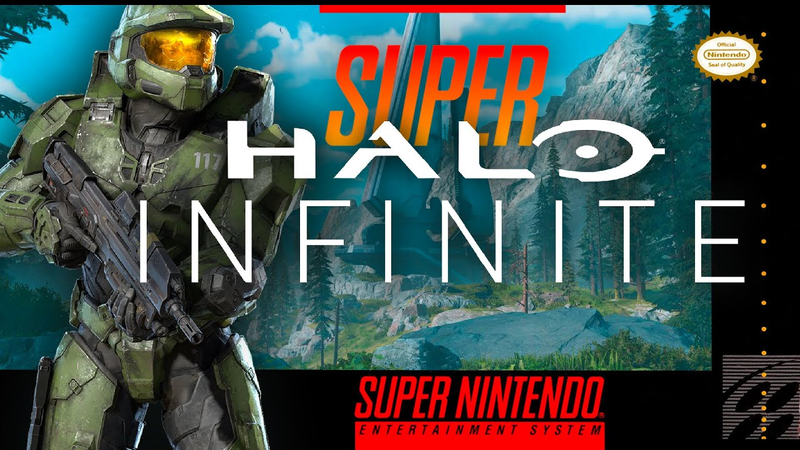
I Made Halo Infinite ... but 2D (PIXEL ART & GAMEPLAY)
Key insights
6 takeaways- 01Atmospheric depth in 2D environments is achieved by applying a color gradient that transitions from lighter, desaturated hues in the distance to darker, more saturated tones in the foreground.
- 02Modular asset design allows for complex level creation by using tiling sprites for backgrounds and reusable components for foreground elements like terrain and debris.
- 03Real-world references for textures and shapes are essential for enhancing the realism of pixel art and maintaining high visual fidelity.
- 04The project utilized a collaborative workflow within the Unity engine to bridge the gap between high-fidelity 3D design and 2D pixel art execution.
- 05Complex 3D gameplay loops can be successfully translated to 2D by modifying existing game kits to accommodate specific weapon behaviors, such as projectile mechanics.
- 06Character animation efficiency is maintained through basic sprite swapping, which creates the illusion of movement by alternating between limited leg positions.
Ask AI about this video
Transcript
Hey guys, my name is Thomas Brush. I make indie games for a living. I love Halo. I love Halo Infinite. So, we're going to jump inside of Photoshop here and we're going to make a beautiful masterpiece of Halo Infinite as a pixel art 2D game. By the way, my program Full Time Game Dev is 50% off for the holiday and also for New Year's. So, if you're interested in joining the program, joining over 2,500 students worldwide, and getting 50% off this massive program where I teach you everything I've learned in the last decade of becoming an indie game developer full-time, click below. Otherwise, I'll see you after the video. Be sure to stick around to see the final result. [music] So, I think a lot of indie game developers struggle with artwork because they don't really understand the, I guess, math or the rules behind hue and that's just color changes and how that interacts with lightness and darkness changes.
What I do, because I'm kind of a layman when it comes to artwork, what I'll do is I'll take a screenshot from an actual games, in this case Halo Infinite, and then I'll take colors from that screenshot and I'll create a gradient out of all of those colors. You can see the gradient there at the top left-hand corner. So, in this case, as we come closer and closer towards the camera, we're going from this light blue to this dark dark green. So, that's the rule that I'm following. So, that's sort of the combination of hue and lightness. Things become different colors slowly. They go from blue to green, but they also get more and more saturated and they also get darker as they come towards [music] the camera. That rule creates this shifting horizon, right? It makes it look like there's a lot of depth, there's a lot of fog and atmosphere, which Halo is really known for, especially in its outdoor levels. Now, the second thing I want to take note of as we're taking a look look at this time-lapse is I'm creating modular art here. Um Um, background elements are not modular art, okay? Those are actually going to be looping or tiling
sprites that just go left to right. But, the trees here, the ground that the player can walk on, even these stones, and also the dead stumps, these are all modular pieces of art. Everything else is going to be tiling. By modular, I mean we reuse these sprites over and over and over again. Now, the third and final point that I want to make note of, um, when it comes to the illustration here, is I actually referenced a lot of actual images in creating this artwork. [music] I think a lot of artists, 2D artists in particular, they're afraid to reference real things because they feel like they're cheating. Well, I referenced, [music] um, a pine tree and some stones, and also just screenshots from the game, and everything [music] became more realistic. I sent the project files over to my buddy Gordon Arbert, Gordon Arbert, uh, link in the description if you want to follow him. He basically took all of the artwork, cut it into various pieces, put it into Unity, and then he also animated the characters.
So, whether it's the Grunts or the main player, to animate, all he did was create an extra sprite of the legs moved, and we just swap between those during walk animations, and it surprisingly works. [music] He also coded a specific type of shooting functionality in my 2D game kit. By the way, you can download that 2D game kit below, it's totally free. And he also coded the needle gun, what is it, the needler? Um, and this is the final product. Oh. [music] [music] [music] [music] [music]
[music] [music] [music] Alert, Covenant dropship inbound.
Summary
The process of translating a high-fidelity 3D title like Halo Infinite into a 2D pixel art format relies on specific technical strategies to maintain visual depth and atmospheric consistency. By utilizing color theory, developers can replicate the sense of scale found in large-scale shooters. Specifically, establishing a gradient based on real-time screenshots—transitioning from lighter, desaturated hues in the distance to darker, more saturated tones in the foreground—effectively simulates atmospheric fog and environmental depth.
Efficiency in 2D game development is achieved through the implementation of modular art assets. While background elements are designed as tiling sprites to create a seamless horizon, foreground objects such as trees, terrain, and debris are constructed as modular components. Reusing these individual sprites allows for complex level design without the need for unique assets for every environmental interaction. Furthermore, the integration of real-world references for textures and shapes significantly enhances the realism of pixel art, countering the common misconception that referencing external imagery diminishes artistic integrity.
The technical execution of this project involves a collaborative workflow between an artist and a programmer using the Unity engine. Character animation is simplified through basic sprite swapping, where alternating leg positions create the illusion of movement. Combat mechanics, including projectile weapons like the needler, are implemented by modifying existing 2D game kits to accommodate specific weapon behaviors. This approach demonstrates that complex 3D gameplay loops can be successfully distilled into 2D environments by prioritizing modularity, color-based depth perception, and iterative animation techniques.
















Comments