1 free read left. Create a free account for unlimited reading + AI research.
Create free account
How the Android Framework Monitors, Processes, & Triggers ANRs
Key insights
6 takeaways- 01Granular observability is necessary to distinguish between systemic OS-level triggers and specific code-level inefficiencies to improve overall app stability.
- 02ANRs negatively impact Google Play search rankings, organic traffic, and revenue, making them a critical performance metric for mobile developers.
- 03Standard stack traces often point to the wrong culprit because they capture the state at the moment of the dialogue rather than the root cause of the main thread blockage.
- 04Effective debugging requires capturing data throughout the entire duration of a main thread blockage rather than relying on a single, end-of-event stack trace.
- 05ANR thresholds vary by component: 5 seconds for Activities, 10–20 seconds for Services, 10 seconds for Broadcast Receivers, and as little as 1 second for Content Providers.
- 06Visualization tools like flame graphs are essential for identifying specific bottlenecks, such as inefficient shared preferences usage or misbehaving third-party SDKs.
Ask AI about this video
Transcript
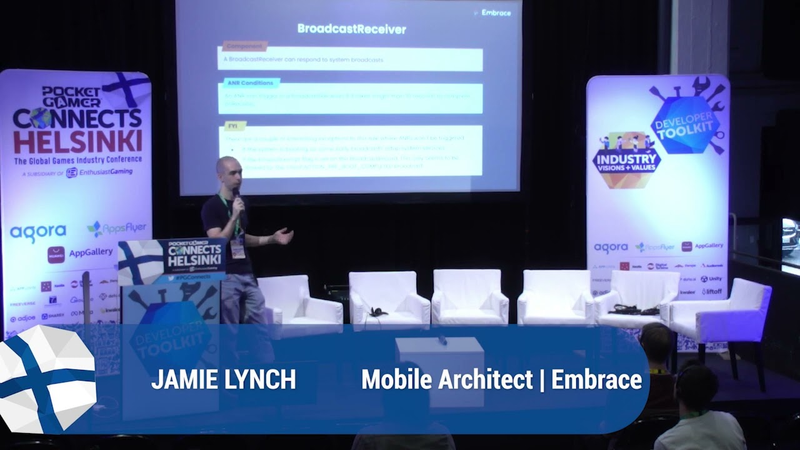
[Music] thank you [Music] our next session checks glasses Jamie Lynch fantastic So Jamie good to meet you mate give it a shake of the hand thank you for that thank you for coming mate so we have how the Android framework monitors processes and triggers anrs hopefully you're all set to go yeah can you hear me take it away thank you for that we yeah you're coming through loud and clear by the way
cool thanks for coming everyone so we're going to talk a little bit about how the Android framework processes and ours and what it means for your game so a little bit about myself I'm a mobile architect I embrace um and it bases a mobile observability and analytics company and one of our focuses on is on improving customers a r rate as that can really affect your business um we take a fairly unique approach to NR data covering uh which we're going to show you about uh now so first off I just like to say why we're here and why a andrs are a problem so basically this is from Google's Play console for their a r vitals so effectively if you're app or game Falls below a certain bad behavior threshold that is your app is freezing too much uh you get punished by Google and there's several consequences to that
um so if you go above that bad behavior threshold you get a lower Play Store ranking so your game shows up um much lower on search results and you get less revenue and less traffic as a consequence um and that can all lead to various things so less in-app purchases if you're selling uh selling money in your game and just a general uh perception of your game so there's a few things we think uh are stopping developers from solving anrs because it's a really hard problem particularly if you're like using a game framework um but the two main reasons we see are those limited data to solve anrs and when you do actually get the data you need to solve anrs there's a bit of a knowledge Gap amongst developers on um how to actually use that data in solving the problem
so I'll just go over the agenda of this talk briefly um so we're gonna firstly we're going to cover what the current a on our data is that's collected by Google um what we think the limitations of that are secondly we'll dive into how the Android OS itself actually triggers anrs and what that means for your game uh thirdly we'll talk about how the Android framework collects a r data and um and how that is stored on the device and then finally we're going to talk a little bit about how anrs can be solved so let's cover that first item what the current a r data limitations are we'll start firstly by going over the difference between anrs and crashes um so most of you will be familiar with like crashes is effectively a coding area ever but immediately is going to kill your app so in this example maybe a user is going to go to the checkout and
there's some sort of bug and that immediately terminates your process and here's an example of an a r which is quite different really but it's treated the same and we'll go into that more in more detail later so in an Uno example a user might go to your checkout screen to purchase an item and any one of these things could happen you could have a slow Network call which blocks the main thread you could have some third-party ad SDK which is misbehaving um there's all sorts of things really which can slow down your main thread but they all lead to the same thing to an A and R which can hurt your business so a little bit about how Android actually provides for data for an anr um so effectively the Android OS just gathers a single stat Trace at the end so in our example here we have an app running normally then the user does something intensive like maybe loading a
new level in your game during that period for main fight is blocked so the user can't interact with a device so they're tapping it but nothing happens and if that goes on for about five seconds Google will effectively capture a stat trace of the anr and at that point a dialogue shows up a user can choose whether to kill your app or wait for it to resume so in our opinion this is kind of getting uh the symptom and not understanding the root cause of a problem because really with Google you're getting a stack Trace right at the end of year NR whereas really you want to see right at the start to see what triggered uh the main fed being blocked for so long so let's go over our second item how the anrs have actually triggered um so we have a few uh we basically dove into the Android source code and had a
look at what the threshold for triggering an A and R is and it's commonly held amongst Android developers and probably on the web that if you block the main thread for about five seconds uh your app triggers an a r but that's not actually the case um we'll go through that in a bit more detail but effectively all the different components of the Android OS um like activity service broadcast receiver they all have different thresholds for triggering an a r from within each component and we can talk a bit about what this means for your game um so the Android documentation on what an anr is and how it's triggered is kind of lacking but this diagram on the right effectively uh gives you a very high level um high level idea of how the Android OS schedules work in your app so this applies even if you're in a game so normally in a game you would mainly only
care about an activity but you may have third party ad sdks or equivalent which are using a service or a broadcast receiver and effectively the Android operating system is going to schedule work in each one of these four components so if you've got a level it will be in an activity on Android and the Android OS will perform work whenever the user interacts with a interface for example and if that work builds up to take too long it's effectively going to exceed a Time threshold um I mean Android OS monitors this on a background thread just with a simple timer for Amber threshold is different for each component if that threshold is exceeded um so we'll go over some examples of that shortly then basically the Android framework calls NR helper app not responding and kicks off triggering and in our
so we'll just go through how an a r is actually triggered for all the components briefly so an activity that's effectively some sort of screen where the user can interact with it so that's probably what most people who are familiar with Androids are familiar with um and the condition in which an a r can be triggered in an activity is basically of input dispatching takes longer than five seconds so it's an interesting little uh Nuance there but if your main fire is blocked for over five seconds and the user hasn't interacted with it so not tapped it then nowhere actually happens um if you think about this it kind of makes sense the user needs to be interacting with the app for the dialogue to actually show up because otherwise you can kind of get away with it uh now we'll go over a service so to recap a service on Android is just
something that can perform a long-running operation in my background um and there's basically two places where an a r can be triggered by the OS you can have a foreground service which doesn't call start foreground in under 10 seconds so that's a bit longer than reactivity and you can also have a service which doesn't start or bind in under 20 seconds or if your app is in the background over 200 seconds so it's quite interesting how the thresholds are a little different for this um we haven't been able to find a concrete answer for why that's the case but we believe it's basically because the work's happening in the background and has a different CPU priority next we'll cover a broadcast receiver so broadcast receiver is a component that effectively responds to a system event so you can register a receiver for many things for example when an SMS is received or when the
connection changes your game might want to know about that and an AR triggers in a broadcast receiver if that was it would be on receive method takes longer than 10 seconds to complete uh there's a couple of rules around this uh so for instance if the OS itself is booting then Matt gets ignored but by and large they're kind of an edge case finally we'll just briefly go over a content provider which is probably less common as a source of anars but it's interesting nonetheless so a content provider is effectively something that gives content to multiple applications on the device so all devices have a content provider which gives you contact information for example and there's a very specific condition where an anr will trigger if get provider mime type the function doesn't respond within one second and there's actually a concrete
recommendation from Google that you can effectively use get provider mime type async method as that runs uh the um task on a background thread so you've you've seen those four components and they all kind of are interacting at the same time so you may have multiple activities and dozens of services and broadcast receivers all competing for a main thread and this leads to quite an interesting scenario where if you have maybe dozens of components they're all competing for resources on my main thread and they can effectively starve it and uh your main focus doing so much work for a kind of slows down and triggers an A R and in our example here we've got a broadcast receiver responding to some event which might be doing some sort of file input output and is taking a long time and then right at
the end we have an activity which is trying to do some intensive work too but it's taking much faster and the important Point here is um in the broadcast receiver even though that is taking the majority of the time the NR which you would get from Google is effectively just going to show the activity as we culprit um which can be really really confusing so we'll go over briefly how the Android framework actually collects AMR data now uh so this diagram kind of summarizes the internals of the Android OS and how it captures a trace file which is then used by Google uh in the Google Play console so first off the a r threshold is exceeded so your app's basically doing uh too much work um and then that calls into a and I help her not responding within the Android OS and that will basically cause a trace
file to be collected so that will contain loads of information like stat traces thread traces and process information and after that's done um there's some further um but some further OS calls which basically alter the state of a process uh but ultimately we get to this point on the anr dialogue uh the NR dialog will pop up the user gets to decide whether to kill your game or not and um the anr contributes towards your Google Play console and our rate so let me go over briefly now how we can actually get better data to solve a and rs so the first thing we can try is just collecting more data so with Google um and the Android OS you effectively just get the last sample here yeah uh
one of the approaches we've taken at Embrace is basically to start tracking samples much earlier when the main thread is blocked so that you're able to get a better picture of what's happening over the whole duration of the A and R and this kind of shows uh what that looks like at Embrace so we effectively have a flame graph which shows you what is happening in an a r so this is for a jbm anr which um so if you haven't seen a flame graph before effectively the length of each component and the flame graph tells you approximately how frequent or how long each method took so in this example you can see there's something to do with shared preferences which is taking quite a long time and we feel this can be a really good way of servicing information about anrs which can otherwise get hidden when
you're just relying on a stat Trace gathered right towards the end um so here's another example about playing graph um so Embrace we effectively uh capture those anrs in a single View and we've over several benefits to that um we avoid having to group um on yeah we avoid having to group on things which might not particularly be appropriate appropriate for your app and you can um you can get the whole picture effectively and choose what you need to prioritize so let's go over some uh takeaways from that uh so we covered up a start that a RS can effectively produce a really poor user experience but beyond that um if you go above the Google Play and of uh a r metric for Android vitals then
it can directly impact your business and your game um you will not show up as a featured app in my Play Store for example and you won't show up in organic searches so you tend to get far fewer players installing your app and therefore less Revenue uh secondly we've uh gone over Harvey Android OS itself actually um collects information for anrs and it kind of treats them the same as a crash when it's completely different so crash is something which just terminates your application pretty much straight away and use impact is very clear whereas whereas an a r is more of a pernicious performance problem it's hard to track down and you really need a lot of data to be able to solve them the Android framework monitors a RS differently for each component so we've gone through a little bit about what the different timings are and some of the
reasons behind that so you can approximately say that usually an anr will happen if the user's interacting with your app for five seconds but there are other conditions in which an A and R can trigger for example if you're doing too much work in a service in the background and finally we hope you sh we hope um that we've shown you that having data um basically helps you solve this problem and helps you better understand what anrs are happening in your game thanks for listening um if you've got any questions please let me know we've got a couple of minutes um you can also send them to my email address how much what mediation solution you use
impact anrs and what what are your recommendations on this uh I didn't quite hear that was it uh I didn't quite have a question yeah okay um my question was about mediation solution uh and how much does it impact uh the one you choose in our rights um so you're talking about third party at sdks and that's all is that correct um yeah we've definitely found that um when a customer installs vmbase SDK into that app that it's fairly common but like um a third-party ad SDK or some other third party SDK will show up as one of the main contributors of anrs and I haven't just knowing that information is really valuable because you can then decide to switch it out if you need
Summary
Application Not Responding (ANR) errors represent a significant challenge for mobile developers, as they negatively impact user experience and trigger penalties within the Google Play Console. Exceeding established ANR thresholds leads to lower search rankings, reduced organic traffic, and diminished revenue. While crashes result in immediate process termination, ANRs are complex performance issues often caused by main thread blockages that are difficult to diagnose using standard stack traces alone.
The Android operating system monitors and triggers ANRs differently depending on the specific component involved. Activities typically trigger an ANR if input dispatching remains blocked for five seconds. Services have varying thresholds, such as 10 seconds for foreground services or up to 20 seconds for binding, while broadcast receivers trigger an ANR if the onReceive method exceeds 10 seconds. Content providers can trigger an ANR in as little as one second if the getProviderMimeType function is unresponsive. Because multiple components compete for the main thread, the stack trace provided by the OS at the time of the error often points to the wrong culprit, masking the true root cause of the blockage.
Effective ANR resolution requires moving beyond the single, end-of-event stack trace provided by default tools. By capturing data throughout the entire duration of a main thread blockage—rather than just at the moment the dialogue appears—developers can utilize visualization tools like flame graphs to identify specific bottlenecks, such as inefficient shared preferences usage or misbehaving third-party SDKs. Prioritizing granular observability allows teams to distinguish between systemic OS-level triggers and specific code-level inefficiencies, enabling more accurate debugging and improved app stability.




















Comments