Each row is a game or company this document names, each column a document, oldest first. A mark means that document names it. Select a row to see those documents.
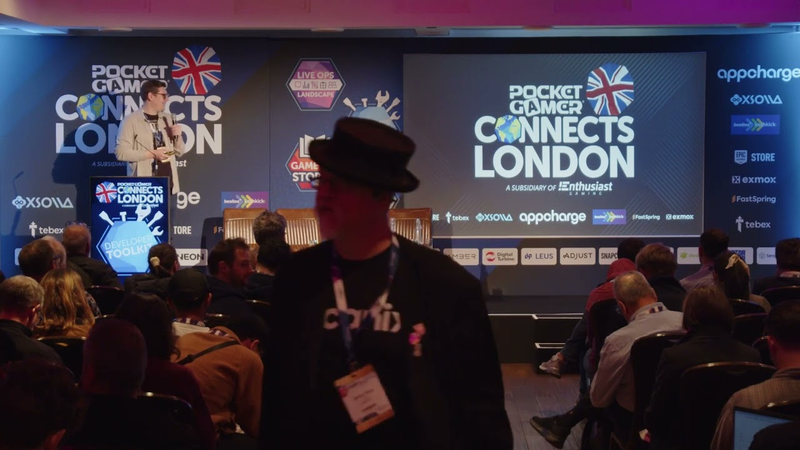
Uh first of all, I want to thank you allthat you came here. It's 5:00 p.m. So,most of the guests are probably in theirtrains and you're here. So, I'm reallyappreciate that sothat you want to spend some time with meand hear about the trailer productionsand how we do it in at 11 bit studio. Uhso, when people think about trailers,they usually usually think about theediting, music, or or cool shots thatyou can see in thefinal edit that you you you can check onthe Facebook. But really, in reality,the gameplay trailers usually success orfailmuch earlier in the state of theproduction.They fail in planning mostly incommunication and building communicationaround the trailers,in unstable builds which I'm going totalk abouta lot today. And in missing tools and
production chaos that comes with it all.So, today I want to talk about thepractical side of building trailers andtoolbox behind the scenes that we faceeach each day in marketing.So,how do we make a killer trailer?Let's start with the what trailer isn'tbecause trailer isn't just a marketingasset or material.It's basically the first time playerwill encounter your game. So, this isthe like first impression. You know thatyou have only one first impressionusually and how powerful the firstimpression can be. And mistake oftreating trailer like an ad and list offeatures,logos, or taglines brings youto the place that it's becoming just anad. And trailer, in my opinion andopinion of my colleagues from marketingand probably most of you,trailer has to be felt. It has to be anexperience of its own and it has to be
designed like the the great in-gamemoments in your games.It has to have a clear objective andwhat do you want to achieve and what doyou want to player to understand and ithas to have some emotional hook thatwill keep playersuh to want to hear and see more of youryour game. And in the end, it needs tohave some satisfying payoffso they want to make uhthey want to see more of it. And if youhit all three, the gamer the trailerisn't just showing your game. It makesthe player feel that they've alreadystarted playing. Uhand one moredigression, the gameplay trailers hasthe most uhuh conversion rate on your wish list.So, keep that mind the the playergameplay trailers are pretty important.So, be gobefore I go forward, I want to share oneof the trailers I had the pleasure toproduce with my team. Uh I won't spoilwhat it is, but you canyou can guess because I'm from 11 thestudio and we have one powerful IP, so
let's enjoy this moment.I hope it will work. Stewart. Honorable Stewart. Stewart.Stewart. Oh, blind Stewart.Do you hear us, Stewart? Do you hear us? Stewart, are you listening?Stewart? The great storm wiped the world clean. Let's take it back. But how? The Stewart will choose our path. Stewart, build us a better home. A home for everyone. Stewart, we still lack so many things. People are starving. More people, more mouths to feed.
They treat us like animals, left tosuffocate. We need a place to work. Who else will feed our families? Stewart, the smaller you will kill her. Stewart! WHERE ARE THE HOMES YOU PROMISED? Can we all receive equal rations? Hospitals are not a place forexperiments. Free education for our children. Children stable growth. City for THE CITIZENS. STEWART, HEAR YOUR PEOPLE. WE WANT a say in how we run this city. THE TIME OF TYRANNY HAS ENDED. Our delegates will make sure of that. Let them vote. Yes. VOTE. STEWART. DO YOU HEAR US, STEWART? STEWART. What about us? What? Impossible. Stewart,did you hear that?The cityThe city was not
Yeah, I think you could all guess fromthe beginning that was the Frostpunk 2because of thewhite and the city.Yeah,my name is Yakub Wolodarski and I'm anexpert project manager at 11 bit studioand I'm responsible for bringingto life the campaign for the Frostpunk 2and I'm responsible I was responsiblefrom the beginning until the release andthen now after after releasing the game.So, bringing the DLCs alive. And besidesthat, I'm working on some external 11bit projects. So, the publishingdepartment like Crop, Death Hall, TheInvincible and I'm responsible for thewholeuh event department of the of the 11 bitif you if you can call it uhan an event department. Uh I tried it tocount how many trailers I produced. Ilost count at 100 or something becausethere are many formats thatduplicate the the idea.
Yeah. So, jumping into topic, today I'mgoing to talk about the basics a littlebit. So, the trailer life cycles and thetypes of trailer during the marketingcampaign andproduction process of the game. Thenwe're going to go through the main phaseof the production for the gameplaytrailer. So, the pre-production andproduction and I will share you with yousome uh best practices we have at 11 bitstudio whichare which brought the the for examplethis one trailer aliveand they're worth to share.So, let's talk about thelife cycle of the trailer because gameusually don't have ajust one trailer. Sometimes it has, butit depends on your strategy and yourgoals you want to achieve. Uh butusually it gets manyand most of them serves a differentpurpose at a different state of the gamejourney. Uhyeah, so let's begin with theannouncement trailer. It's kind ofobvious because you announce the game tothe worldlike the name indicates. It's usuallyway ahead of the marketing campaign.
So, it's important it's very importantto announce the game with a plan.So, not too soon. We've made thatmistake a lot that we announced the gamelong before the main campaign startedand then we went underwater andalmost players almost forgot about ourtitles.So, don't that make that mistake.Remember to plan. I will be talkingabout the planning a lot because theplanning is the backbone of themarketing and the development, ofcourse. Uhso, the announcement trailer is usuallyCGI. So, its main purpose is basicallyworld world building and setting thetone of the game. So, we won't bejumping into it today. Uhbut we'll be talking about the gameplaybecause this is the most anticipatedvideo asset that that the playersare waiting for. This is the like a realdeep first deep diveinto the the gameplay. So, this is themoment where the players can meet thecore systems of the game, some part ofthe game loopfor the first time. So, this is the most
anticipated and like a more more mosthot topic at at the main marketingcampaign. Usually then you have thereleasedate reveal, which is always interestingtopic because it's notnot always or or theit's changingquite a lot of times becauseit's almost never a final date, but it'smore like a first attempt tomark the release window of your titlesin the players' minds, basically.It of course is depending because thethe launches get pushed and iterationshappened like this is how the the gamedev industry works is always iterating,but it's revealing the strong signal tothe community that the game is realand we are moving closer to to release.But it's rarely the final date likereally final date.But remember that it's anchoring thedate into the minds of of yourcommunities and on the players.And then you usually have the launchtrailer, which is a big hype moment forfor the just before the release. And
this is themoment any when you shout out to your toyour community and to the players thatthe game is out, so buy it and play it.Uh so, you want to convince the the theplayers that that you're here and thisit is worth it toto check you out your game.Uh usually the the most important thingis that gameplay trailerlike a launch trailershould be treated as a stand-alone assetbecause you can assume that most of theplayers saw saw your campaign, but mostof them really didn't.They they maybe they saw one or twoparticular assets.But if you assume that they didn't, youwill create thelaunch trailer like a game in thenutshell. So you will put all thecampaign in one asset and you willassume that okay, this is the only timethesomeone going to see it. So I will likemake it game in the nutshell trailer ina nutshell.So this is the most important
maybe not the most important but one ofthe most important moments for the game.So there isAnd of course after that you have somepost launch and wide possibilities whenthe gameplay gameplay is your basictools for communication because all thewhen the game is outall the system areworking and you can practicallypractically show everything because it'sgoing to be on the YouTube next dayprobably.Shared by some influencers orthe gaming gaming communities.So this this serves like differentpurpose because you can use it as aknock lightsThank you for the dev some devcommentary about the mechanics or thegaming club and many otherformats.Yeah and I tried to gather someexamples of what we did for theFrostpunk. Of course there are likemaybe 20 here but there are a lot of lotof more of them.So this is not like closed catalog.
When you when you want to promote yourgame after the release you have toconstantly work on on communicationfor the for for your game. Of course forexample the dev hold is much smallerone. It only basically seveneight because I've missed the launchtrailerhere.Yeah and that's the end of the basicbasics actually.So let's jump forward into thepre-production phase so like a mainphase ofcreatingactually all of marketing assets becauseit's only about the trailers, but youcan stick with every marketing assetsyou're working on with this plan andwith these steps basicallybecause it's important to keepconsistent on your marketing campaign.So, starting always with the coremessage. So, basically, it's an answeron what do you want to say to yourplayers because every trailer, everyasset should have one or two strongideas behind it. You can try to fit
everything about your game in one asset,but we did it that mistake once, sodon't go that way. I will tell you aboutit in a in a few slides. We alreadytried it. Don't do it.It's a disaster.So, summarizing this,one or two core messages, so it's a keytakeout for your marketing asset.And for example,we divided marketing plan for theFrostpunk into the six bits. Of course,those bits can change during thecampaign because we iterate, we change,we we are answering the communitiesneeds.We cooperate with development teams, sothe plan is like constantly living.But, we assume that for example, thebit three is going to be about the scaleof the gameand the turmoil which can lead us intothe downfall. And basically, the bitnumber three was the gameplay traileryou saw on the beginning of mypresentation.So, I think I think we did a good
bit four, for example, was about theHouse of Delegates, so the basicallyParliament in the in the New London, thesocial tree, and the the research. Andthe last last onewas we assumed that it's going to beabout the scale of the game, so coloniesand about more about the factions.As I was saying before,you want player to remember you'recommunicating in the end, so don't saytoo much because we did it onceUh uhand if you try to do that you willoverload the your audience with the twomany messages.Before we release the the gameplaytrailer you saw in the beginning,we spent it like 8 months or somethingor maybe even more on trying to fit alot of communicates in one one singleasset and we tried to show that the cityis like much larger than the Frostpunkone so you don't deal with the with thebuildings you build you deal with thedistricts and then we wanted to showthat the city has some problems and
there are factions and those factionswill help youwith solution for for this problem andfor example the hungerand then will they will be voting onsomething and there is some kind ofparliament and then the city tend tothreat. It was completely unreadable.There were too many communicates andeven if our own company when we weredoing the corridor check of of thetrailer, people were saying like I don'tknow what what's this about even thoughI know the game. So, we learned that'swhy you don't do it. Pick up two or onecore messages and stick to them.And the other is kind of obvious. It'splan your campaign way ahead. Don't waitfor for 3 weeks if you need something in2 weeks. Tell it tomorrow to yourpartners, to your development teamsbecause you can check if the if yourplan isadjusted to what the production making.For example,when I was doing the slidesbasing on our last year plan what thiskind ofmy production plan, I was checking in
Julywhat I'm going to be doing and I knewthatwhat was the plan for November andDecember. So, I was way ahead with theplan even though it's not like superdetailedbut I could take this and try to alignit with theour producers atdevelop development team for theFrostpunk 2 because thenwe could compare our plans and alignthem uhuh even more. So, the assets that we'regoing to be working on, for example, in3 months will be ready would be readyfor the marketing campaign. And if theywere not, we should change the plans orthey will change the plans.Uh and after that,if you can see here, this is thepipeline for the Frostpunk 2 production.I think it was about the DLCs. Themarketing is a part of the developmentpipeline. So, we are in constant contactwith ourproducers fromIt's a floor below, basically, becausewe are on fifth floor, they're on fourthfloor.So, we know what they are doing
when we planparticular assets for the marketingcampaign. So, so we can align our plansand work on the same features that wewant to talk about on during ourcampaign.So, when you when when you have theplan,we can start working on the trailer,actually,because before that it's like riding awater ski. It means nothing because youdon't know what's planned in the indevelopment.So, how you do it? You create abasically storyboard or the shot list.So, you take the USPs of the game andwhat you want to show in the audience,and you look for the scenes matchingbasically your USPs in the game. And ifyou if you had that, you will probablyhave a storyboard. This is thestoryboard for the launch trailer of theFrostpunk 2.As you can see, we divided the wholetrailer in three few acts. We wrote downthe USP, the voiceover, the tone ofvoice, the pacing. So, it is a basicallyno-brainer for the video editor, and itworks like instruction how and what we
want to communicate in this particularasset.And if you have that, we go further.Yeah, because it's a long process. Andthis is more of the project managingthing.So, the next step is to define thestakeholders and close the iterationloop. Why to define the stakeholders,basically? Because you can think thathey, it's a marketing thing, but it isnot.You have the game dev, you have thebusiness development.So, there are a fewgroup interested in your basicallymarketing assets, not like directlyworking on them, but cooperating you,and you have to keep them in mind.So, it's defining theuhstakeholder means that you don't consultthe whole group of 50, 60, or 80 people.I've been there.Don't do that. Sometimes it helps. Iwill talk in thein theend of my presentation about that, thatsometimes it help atsome point. But basically, when you areworking with your with teams, you shouldchoose oneperson responsible for taking decision.And then, he will be the filter of
everything that comes out for from thosegroups around you. So, they will wagetheir decision, they will wage theirfeedback. Is itIs it really important to implementthat, or is it not?Of course, in the end, you have thefinal decision maker to stakeholders whowho decide if if those feedback groupsfeedback really really should beimplemented into the gameplay trailer.And about the closing the iteration,it's about the working on plan. Becauseusually, when you you create this myproduction plan fora launch trailer,you plan some pre-production phase, ofcourse, the script, thevoice over recording, the the screencapturesscreen capture session, and thesubmission for your partners, reformats,etc., etc.But there is a place when you you whenyou havegot together the feedback from from thedecision makers.And if you know who's the stakeholder,you should show them the plan, and tell
them that they can interact here, butnot over there. Because there, you havethe reformats, you have all the thingsyou have to do post postlike post-production uh, for yourassets. So, uh, this is very important,actually,because there will be if you show themthat at the beginning of the process,they won't be surprised that, theycannot iterate more, they cannot, uh,put any more changes. So, you keep theproject like in line and you you hold itclose. Uh,I learned that hard way, of course,because this is the only way to, uh,learn something, really.Uh, because our game director,uh, Lukasz Juszczyk, from the from theFrostpunk 2 team, uh, he said once to methat, uh, he can iterate foreverendlessly. Yeah, it's it's a it's aprocess that, uh, often happens in thegame dev. Uh,so, he can spend likeall over every every day he can iterate,uh, because something change in the inthe build or or the game is evolving,etc.Uh,so, if Iwill I would tell him that we are
working working working and then,uh, I would tell that, "Okay, you cannotdo that anymore." He would be surprisedwhy? Because he he didn't know what wasthe process. And if you if you if you gothere with with your plan that, "Okay,Lukasz, we have to finish,uh, the feedback session by the whateverdate it there is."Uh, then he can plan his own work. Hecan, uh, check what features going to beready, uh, which the whichfeedback is really matter for for thisasset because he knows that what we wantto communicate. That's This is how it's,uh, work because it's work with theplan. Uh,yeah, so,uh, summarizing the the pre-production,so, if you define the message, you uh,plan and you have achievable plans andthen you execute your plan, you willprobably, and I'm sure of that,uh, that you going to succeed in the inthe pre-production phase of theof the project.Uh, and that brings us into the thirdpart. So, like the main,uh, production. So, when you sit down to
the table and start editing. And forthat, you basically need some tools. Andusually, those tools are marketingbuilds for the game. And what do youneed for to record successful gameplaytrailer? Uh this is important as hellbecause not everyone hasknows that there is some there issomething like that something likemarketing build. Usually you have the QAbuilds, daily builds, but they arechanging constantly. So uhtalk to your development teams, to yourproducers, or if you're a producer ordeveloper over here, uh know thatmarketing build for trailer is amost important and basic tool forcreating successful gameplay trailers.And how should they look?Yeah, they it should be marketingbranch, like I told told before. Uhnot a QA branch, not a separate branchuh becauseNow, why? Uh because we need a separateenvironment which is stable uhand created specifically for
marketing capture phase of the of thetrailer.Uh it have to be predictable uh and donot crash like every day or every secondor when we play because that's reallyhow uh QA and daily branches works. Souh they should stay will be stable for alonger period, not receive dailyupdates, and contain some uh things I'mgoing to tell you in in next few slides.Because in the end the goal isn't haveto newest version of the game whenyou're recording. This is not the mostimportant thing. You have to have aversion that is reliableanduh the version on you can actuallyfinish the trailer.So the first thing uhlike I said it have to be staystable branch. I think this is the mostunder underrated production tool in thetrailer creation because theuh breakdown branch is a is a part ofthe development job and it's always likehappening often I would say. Uhbut when you when you're capturinggameplay and thebuild crashes every time you waste your
energy and the momentum for for forbringing trailer to life. So, we canspend like 20 minutes setting up theperfect shots and then lose everythingin a second because trailer suddenly forno reason explodes.That's why we in marketing prefersfewer new features,fewer risky updates with which happensevery day on the other branch. So, thisbranch is likededicated for usbecause that means significantlyfewer crashes during during our job.Because then we could pre- predict thebehavior of the branch and the behaviorof the gameand repeat thecapture conditions during gameplaycapture sessions and in the end lesstime spent fighting the build instead ofmaking real trailer.So, summarizing this thein production trailer basicallystability is more often valuable thancutting-edge content and new featuresthat we probably don't need because wefound it the other way.
And the another huge quality of lifeimprovement for tail trailer productionis working saves, of course.So, because the starting beginning everysingle time fromcapture one combatSorry,encounter animation is like paying thisif you do it constantly because you haveconstant recapture and anotherrecapture.So, lessless loading loading screens or crashes,sorry, crashes.So, you can place camera or or themoment directly before the importantmoment or you can changeyour gameplay with some preparedresources or units. Oh, this wascrashed, actually.Allows you to instant replay thegameplay sequences. So, it's reallysaves hours of production time.Because when you're recording, so youtake a multiple takeswith different camera angles or you're
iterating the timing or the pacing ofthe scenes.Uh, so if the saves are not working, youhave to do it like manually every time.So it just saves you shitload ofproduction time. Uh,small things make sometimes the hugedifference. So in marketing build, don'tplace thedevelopment watermark directly intobuild because we need the clean footagefirst and all the disclaimers can beaddedlater in the post-production. It's smallthing,but it brings like more this cinematicfeeling of the video asset.Uh,and this is one of the most importantthingI I get I'm I'm guessing thecinematic camera because gameplaytrailer is not a raw gameplay footage.It needs to be cinematicwith a spacing and visual story buildingof the game. As you can see,Frostpunk is a top down usually,
but if you if you have the cinematiccamera or free cam, you can show it incompletely different anglebecause that allows us to create moredynamic dynamic shots, controlcontrol framing, control the cameramovement,highlight the scale of the game,atmosphere, or some emotions behindthe scenes. And present the gameplay inmore cinematic way, not just thegameplay it isbecause sometimes the difference betweenthe this looks like a gameplay or thislooks like a trailer is just a camerawork in the end.And of course, we want to stay as muchhonest as we can to thegameplay experience because this is allabout the trailers and how the trailersalso bring the experience andfeeling of the game, but still in theend this is a trailer, so we need alittle of the Hollywood movie magic.Uh
Yeah, Freak Show that was Okay,let's go to another one.This is This is the very importantfeature to toearn some time and get some time and notwaste it on grinding the the process.So, because the trailer production isnot a normal play play through, right?You don't want to spend hours gatheringresources or grinding the progression orsearch for one missing quest item justto record the 10 seconds gameplaysequence.That's why the item and spawn resourcesare incredible incredibly valuable toolsfor marketing. As you can see in theFrostpunk, I will repeat thatvideo, we have a wonderful consolemade by devs andco-produced by us, so we can we can likemanage the whole city from oneone one place basically, so which isconsole, and you can you can changeeverythingin it. So, population, resources,
turmoil, number of people infections,you can rig the votes, which I will tellyou in on the next slide probably.So, this is this is the tool that makesus spend less time on fighting theprogression of the game andspend time on making better trailer inthe end. UhOkay,God mode would be would be nextprobably.Next one, this is the one of the mostusefulcapture toolsis toinstantly spawn or respawn enemies. Ofcourse, it's not in every game like forit's Frostpunk, it's it's irrelevant toto Frostpunkat all because there are no enemies.But, if you have that in trailer, thatmeans youcan encountercombat multiple times, use differentcamera angles with a different pacingwithoutreplaying
sections of the game if thesave game's not working oravoid loading screens constantly. As youcan see, the we have that in the devwhole title. So, we would want key bethat to to to to keyboard. He you gotrespond whole section of the enemy. So,you can enter the combat again and againand again again againwithout loading the game. So, that makeUh, this is the easiest way to recreatethe gameplay momentsand make the trailer better polishbecause you can focus on more moreefficientgameplay captures sessions.Uh,Okay, now the good mode I have talkedabout.Mm.This is because sometimesthe most powerfultrailer production tool is simply notdie every 30 seconds.I will tell you tell you how that did itwork in in in Frostbite actually.But let's let's go with the good mode.Becausethis helps a lot
with avoiding constantly reloads of thegame or recapture loading screensand failed takes caused by your somerandom gameplay gameplay mistakes.Because during the capture we often needto repeat sequence like I told youbefore many many times, experiment withthe camera movement,slow down pacing, or do cinematic shots.And without the good mode or the goodday,production would turn very quickly intothe die, reload, retry, repeat, die, andetc. etc.But the goal is not to make fakegameplay, right? Because it's notfaking. It just removes the unnecessaryfriction from the capture process andfocus on making the footagelooks best. And funny story,what is the Frostpunk example? Becausewe had this wonderful console forfor managing the city. We could add likeshipful of the resources, changeturmoil,add people, and whatever you want. Butwe didn't have a god mode. And the
Frostpunk is hell of a game and it's avery difficult. And during theproduction process, our video editorswere often kicked off as a steward ofthe city by the citizens, even thoughthe city was likereally well, but of course we we had towe had to prepare something with thehigh turmoil. But you can be cast off ofthe city. So there is vote vote oftrust. So we had to add the the godmode, so rig the vote votes. Yeah.So they won't kick you out of the city.So that's a completely different featurebesides all the resources managingand people managing things or orresearch things.Mhm.And the otherbecausesometimes UI and HUD is essential for ofcourse understanding the gameplay, butsometimes it completely kills the shot.Then the ability to toggle off HUD issuch an important tool because it allowsus to create a lot more cleaner
cinematic shotsand focus attention on atmosphere andanimation. And of course add a little ofthis trailer magic to the footage.Usually the best solution isflexibility.So like in the example of the traileryou saw in the beginning, that there areif if if you analyze it a bit,there are two types of scenes. There arethose without UI or HUD and thosewithout. Andwe are using HUD if you want to show theclarity and the mechanics of the game.But if you want to show some emotions,the scale, the cinematic moments and thethis feelingwhat what the what the Frostpunkat this example is.We are we we turned the HUD off becauseyou you want to immerse into the footageand feel that this is this is aFrostpunk not not entirely the game gameactually, but the Frostpunk look andfeel. So, more of a world world buildingand feeling of the of the of thegameplay.Of course, the gameplay should still
feel like a gameplay just presented inthe mostbest possible form in the end. So, usingboth of the footage without theUI and with is it's just just a tool ofthe communication.The other one which goes tomoreopen world games or large strategy gamelike Frostpunk itselfor titles with long progression loops istime-consumingnavigating the game.So, replaying the large sections of thegameplay, walking across the huge maps,or progressing through the queststhat that thingsthat thingsslows down production production reallyreally dramatically.So, level switchingand fast travel allows us to jumpinstantly between locations,access specific moments of the game forexample different actone and three for example in Frostpunk.
We we had a tool to switch between theacts of the game.And then you can prepareshots much faster.So, like I said, the less time spendingthe navigating the game, the more timewe can spend actually capturing what weneed.And sometimes it's not all aboutsome features, but some smart work out.I will give you one examplewe had for for the dev hall Uh, becausewe at one point we wanted to showcasea specific combo of three cars. And theproblem the game systemwith the game system was that it wouldrequired it requires basically a full 12card deckwhile only five of them wererandomly drawn each round of the combatif you if you know the game.And the desired combo was reallyunreliable and it was random anddifficult to capture like constantly andrepeatedly. Uh, so instead of rebuilding
the entire system, we simply createdlike a production shortcut and wetemporarily reduced the minimum decksizeof the card you going to you needed inthe deck. So it wasn't 12 anymore, itwas five. And it was randomlyfive got from five. Soevery time we got the the combo weneeded forfor the gameplay capture.So that allows us to trigger thatconstantly, immediately and speed up thecapture like really reallyfaster.So marketing build summarizing it shouldbe a stable build of course with nowatermarks with a like a must have freecam that's cinematic camera and item andresource spawner so you won't have tofight the progress. If you have someenemies and you have some combat theenemies spawn and respawn makes yourlife a lot easier. Of course the goldmode not to die every every second. Hadall had off if you want to create morecinematic view and level switch for
large open world games. And that bringsus tolast part. So how do we make a killertrailer without killing each other inprocess at 11 bit studio? So I will tellyou how does it work and how do we doit? Of course the fine thing is like Isaid in the in the beginning of mypresentation to set a goal and thenidentify the main takeaway of yourasset. And when you have that you can gowith the plan.And when you have the plan, align itwith your uhgame pipe game production pipeline,actually. So, you will be at the samepage while working onfeatures. Then, choosestakeholders and close the iterationloop, so they won't be surprisedwhat they're working on and when it whenthe work ends.Prepare your tools. So, basically,prepare your builds or let the producersknow that you're going to need marketingbuilds withspecific detailed features. And then,share your edits. This is the new one. Itold you that
not at the beginning that I will sharesome things becauseusually you don't want to share or thisthis is how it works. You don't want toshare like unfinishedproduct with the for example for the devteam.Usually, you don't you don't want to dothat. But in some cases and at somepoint, you should be sharing edits withwith with your colleagues because evenif 20 people see the same video for 100time, they could miss some detail. Andfor example, this was I think thetrailer for the DLC one or one of thepostlaunch assets for thefor the Frostpunk 2. We were so happy.We we finished the asset. We had likeone more week to work on it, but it wasfor 34 months or or some other things.And we were happy that okay, wefinished. And we are we shared it onSlack on for with the wholeFP2 team.And one of the developers said, "Butthere's something wrong with thisfootage. Just look at it." I was like,"What? It's perfect." "No, it's not. The
buildings are missing. There's onlylights. So, there were no textures."Okay.Yeah, we got that. 20 people seen thatbefore and no one noticedincluding the game director.But we still had time to to improve thatand recapture the the footage. So, atsome point it's worth to sharevideo edits before they are finishedwith the with the development teamsbecause they can seemuch more than we do even if they arethe game directors. UhAnd in the endtry to acknowledge the teamwork becausetrailer isn't made by the one personactually never.Recognize the input from the the wholeteam from the from the development teamto video editors to copywriters tocreative guys to project managers audiomaster sound mastering etc. Uhthis is this is thephoto I took when [snorts] we werepublishing theuhfirst gameplay trailer for Frostpunk forfor the Frostpunk. We gathered actually
not maybe not whole team because noteveryone wereat the office at the time and we watchedit together and that's that made peoplefeel some kind of ownershipand from that moment from my feelingI saw that the collaboration between meand my team and the development teamswent much smoother. Yeah, they were theythey were the part of the team and thetrailer was the part part of the of theproduction because if you acknowledgethe input of everyone involved in theproductionbecause they are the part of the trailerproject in the same way thevideo asset or the trailer is the partof the whole production because like Isaid in the end the trailer is just notan ad. It's a part of the game. Thankyou for listening to my presentation. Ihope you enjoyed it as much as I enjoyedpresenting to you. And I've been talkingfor almost an hour. I guess it's toomuch.So now the floor is yours. So if youhave any questionsI'll try to answer them. Thank you so much.
[applause] Thank you so much Jacek.Yes, I see some hands already here. Thank you very much for thepresentation.I wanted to ask aboutuh as you presented those differenttypes of assets of trailer assets do youprepare the trailers?Do you have anytips or pretty much like approximationon how long each of these you knowyou're aiming at you know in in terms ofthe run time the scale you know thingslike that? You mean you mean the how long theparticular asset should take strike? Yeah yeah yeahhow long should the run time be like Idon't know two minutes or something likethat you know like do you have some sortof guidelines based on your experience? I don't think there is a like a realguideline youyou can try tomeasure the focus time on the asset even
using the YouTube toolsbut I think you should take intoconsideration two things one thing ifyou are on the external event forexample the opening night life or thetriple Ayou have to fit in the time given by theevent organizers I think it's you haveonly one minute so you have to fit it inone minute.But on the other sideuh you shouldyou can try to okay enough from theother sideit depend on you basically because itdepend on what you want to communicateand if you want to communicate too muchlike I actually said at one pointthen you have you will have too long toolong trailer becausethe first trailer we produced and it wastrashed it it was like three minuteslong nobody wanted to watch it so itdepend on what you want to say to thecommunity andyou don't want to say too much youprobably you want to of courseit depends it always depends ondecisions you make and the plan you havefor the campaign and
how many assets you want to produce andpublish during during the marketingcampaignso so this is your decisionin the end it's it's not like oneguideline of course I would recommendnot gomore than 90 seconds because then thereis attention drop like significantly andpeople won't be watching the end of it.And this this is I think this is theone of the indicators. But in the end,it depends on what you want to say andhow you are saying it. Because it it canbe 30 seconds in maybe or maybe maybe45. It's it's completely fine. Sure. Thank you very much. Thank you. Any more questions? Thank you for the talk. UmI would like to ask you, do you also doCGI trailers at your studio? Uhnot at our studio. Usually it's made byour external partners. We we do
uh 2D trailers basing on gameassets andgame engine.Uh but yeah, of of course we we areusing the CGI trailers as part of themarketing campaign. If you if youwould look I I want to I'm I'm not ableto change it now.For example, the Frostpunk 2 had two CGItrailers. But it were made by theexternal company, right? We are we arewe are making games and we are makingmarketing campaigns as a as a marketingdepartment. Uhbut the CGI is a whole differentkind of area.