Transcript
[Music] hello guys coming in coming in hey today we're going to jump inside of unity we have a ton of stuff to do ton of stuff to do for the game big old fat list of things to do I got my coffee and hey wanted to say there's a link below if you want to learn how to turn your demo into six figures or just a paycheck now the truth is guys this is tough to do it's not easy but if you're interested in learning how to turn a demo into an actual paycheck I could show you how I've done it I've done this three times I've done it with every single one of my games and so I show you how to do it it's not some gimmicky webinar thing it really is going to be helpful I'm going to show you how to well I'm going to show you how I've done it and yeah so click the link below it could really change your life uh I think it's really
cool really helpful um but let's go ahead and jump inside of Unity come on come on let's wait for Unity to load I'll see you guys in three hours when Unity is done loading oh my goodness this uh let's see here Unity is taking forever to load which is hilarious that's the way it goes but today guys I'm just going to be put this out there today I'm not going to be as active with the chat cuz I got a lot to do I'll be honest I got a lot to do let's see here so what I would recommend doing is open up your software of choice grab a
cup of coffee and join me on our fun little journey of making games where's my image slideshow for some reason it's not working there it is wishless Twisted Tower okay is the link below to wish list Twisted Tower it should be hang on is there a link below to wish list with the tower guys by the way if you haven't wish just a twisted Tower that's my other little call out for you um go ahead and click the link below yeah there it is okay yeah wish list Twisted Tower there's a lot of cool screenshots up new screenshots that I just put up so go ahead and do that hey I didn't really like the eyes thing even though it was a clever idea from one of you yesterday I'm not I just don't really want to do it so what I'm going to do is I'm going to instead oh create a bone structure for our are
pointing teddy bear here and we're going to get the the teddy bear to move a little I don't have a pen okay Teddy should move just subtly right and all it will we'll just put a little trigger and you walk into the trigger and that's what makes him go okay it's going to be pretty straightforward okay let's go how many of you are working on your game right now anybody we're going to add an arbiture and by the way guys what I'm doing today all the way up until we launch the demo and I can't tell you when but I will say it's coming soon um something that I'm doing is I'm trying to make the game more
streamable in fact that's where my priorities are for the entire game the rest of the game it's streamability now does this mean I'm just prioritizing something silly or could it mean that actually all great games are streamable and that's my theory is I think that if I focus on making this game streamable that it will perform well with gamers in general because it's an immersive Sim and I love immersive Sims because they they play out very similar to movies uh sham oh that is good coffee Thomas it makes me want to Zen um so what I could do here is extrude this but I'm going to grab that and actually disconnect it from the relations
his relation there we go his relation should be actually um let me see here I think it should be bone yeah yeah yeah yeah so let's do it let's do bone there we go so that way I was able to disconnect it we'll do that there as well we'll extrude this over here same thing but you want to disconnect it for now bring it over here and then put it back a streamable game is a game that's interesting I mean I don't know what else to say um that's kind of where my head is whoopsie what why is it that when I extrude from here
it doesn't connect so that's bone so let's try and connect it to Bone here what that is so weird I really don't like that but I don't think I want his legs to move that's enough for me okay uh now let's go to top view here and this shouldn't screw up anything in the game just because it has an Armature doesn't mean it's going to that's the theory at least that doesn't mean it's going to screw up the game so we'll see but the the goal here is a very simple animation that fires with a trigger and in fact that kind of stuff is really great with immersive Sims that's my theory guys I talk so confidently the truth is I'm learning how to make a game like this I have never made a game like this before but I am I will be I will admit okay let's go ahead and parent this I will admit
I'm applying a lot of the principles that I learned from my previous games especially now for the story moments of this game um double plus says that you were going to bring up a Zin joke I am thinking about Zen all day every day slapping one of those lip pillows and just get sent to Wonderland all right I I hope that didn't screw it up yay it didn't look we have our Armature and what we're going to do is we're going to throw on a bone renderer um and then we're going to go you I have a tool called a bone finder here we go bone Lister drag it in and go to generate bones list yay look at that guys so now what I can do is the theory is I can rotate the arm okay it didn't work let's try again for some
reason the automatic weights did not work there we're going to go to pose mode it didn't do anything what let's clear the parent and we're going to do this that should have done it there we go save go back into unity and so we got a little screw up here that happened but that's okay no big deal we're just going to put it here and then here see now watch guys in this one in particular I can make him wait where is the bone renderer oh got to do the bone render again hang on
this is great just sitting here working I have this new goal for 2025 guys the goal is to spend a lot more time just sitting and working and drinking coffee making games but I I still want to be doing YouTube I Love YouTube um I just want to do a couple interviews with game developers and where the f it didn't list my bones and then I just want to stream a lot I really like streaming I need to get on Twitch don't I son of a what save I'm gonna copy guys why is it doing that oh no that's not good okay so here's
what we're going to do we don't have any of these over okay the transform value changed moving eyes changed can I revert all this so that's 750 revert revert revert okay good um we just need to make sure the light is 750 because what I'm going to do oh yeah what I'm going to do let's just put it back actually is I'm going to apply this I'm GNA have to do it this way I'm going to have to go to Bone liser drag this in there it is and hit apply that's the theory wait what why is that happening
so anyway I don't know why that's happening look the bone renderer keeps removing it what and look his tooth is missed missing we were so close guys so what I want is him to do this so for some reason we need to get that to be weight painted so let's go to our edit mode go to Weight paint mode select that first then this weight paint I'm going
to select this bone here there we go and all we got to do is paint this there it is that's all we had to do all right go back to object mode go to pose clear all save so now the tooth should follow his head there we go so we're not going to use the bone render cuz for some reason it's just not working so we're going to do something very simple here okay we're going to create a unique statue um there he is I'm going to go ahead and just add the animations here new folder we're going to call this animations or statue animations and inside of it I'm going to create a new animator
this is going to be called Teddy statue I'm going to drag it in here stick it right at the top okay uh we also need a new animation Teddy statue Idol no yeah and then Teddy statue um no we'll do Teddy statue position one one and then Teddy statue position two okay that's all we're going to do and this should be quick and quick and dirty let's see here um what we're going to do is go here and then drag in position one and then position two we're going to set position two to be his static position and then we're going to go to parameters here and we're going to go int
uh reposition is going to be set to True when we go to repositioned re it shouldn't be a reposition is a verb that would be a trigger uh repositioned is a noun it's a state of being and that's a Boolean so if reposition is true go here and we're going to do a nice Slow Five Seconds of and no exit time 5sec duration actually let's just do three second uh 3 second duration and he's just going to reposition that's it um so let's go here we're going to go to position one here and we're gonna have his head his arm will be down look at that we need to we need to weight paint a little bit we'll do it don't worry
this bone here his head is going to be like this we'll do some weight painting I promise what ah yes this is in uh The Wizard of Oz isn't it this is what the Tin Man does and then he'll go to position two l that we should be fine here um but let's go ahead and fix the weight paint so we need to remove any influence that's on this these straps here should not have yeah we need to remove that so I'm
going to use this and I'm going to go to Weight zero strength our strength is 100 there we go does that does that make sense what I'm doing here guys kind of it's going to be very subtle all right I think that's good let's go to pose mode here it's going to be so subtle you're going to be be able to barely see any of the weird issues with the weight paint so there's up there's down that is weird right there I wonder why the weight paint got so screwed up okay well anyway let's go let's go to this statue just see how it looks
I agree with Anders Edge Personal platforms are only valuable if you have a premium product to sell so like I sell courses as well as games those are premium and so it's easier to sell a premium product if you sell five of them you had a good month you know but trying to sell games that's tough all right all right so let's see here so we're going to set this to true and just see what happens I kind of like the idea of it just moving subtly you know what I mean let's just do that it's just and by the
way what does this have to do with streaming guys stat uh this is going to be called statue wiggle or Teddy statue wiggle subtle what does this have to do with streaming does anyone know what is what does this statue moving have to do with streaming yeah it's clippable that's that's a good way to put it if he moves every
like two seconds it's going to be very creepy they're like wait what and we'll slow it down too yeah so Andrew Edge says I can imagine streamers liking that and that part of their video getting replayed kind of like what you see with jump scares exactly exactly
yeah I I think you're right about it being triggered by the player I'm going to start with just this though for now okay guys is that all right and we're going to make it not static why doesn't the mesh collider move I don't know let's see how this looks Co-op yeah o
okay we're going to set it to Loop and then what I'm going to do to make it a little bit creepier here and then we'll make sure that this statue's on there's there's two parts to every level and so we'll make sure this statue is on the other side of the level so that people who play that side will so what I'm going to do is have it move just a little bit the entire time just ever so softly so he's just sort of moving barely just so the streamer will see the movement and they'll go what they'll say is he moving and then they'll stop and they'll be like wait what did he just
move then we'll do this one really slow that one's a little fast okay let's see how this looks oh is that they would do this in DSX yeah this is great
yeah oh I totally agree de mcoy I think this would be a cool I'm thinking about doing this for the final final boss sort of battle in the game is all the enemies are just these giant statues and they they shatter into pieces but they have like the same behavior it's just they're harder to kill in terms of their health that's all I could think of okay let's see it one more time for
question is will they get that Vibe when they walk in okay so first things first the way that we make this a little bit more it we're told we're basically need to tell the player hey this is important it's not important just hey take a look so what we're going to do is we're going to make the color very unique so like a vibrant pink oh that's beautiful intense and then we're also going to make it flicker we'll do subtle and constant and we're going to increase the range a
little bit and then we're going to do yeah like that yep reduce the intensity uh we're going to make it real time and then we're going to make this statue big so we're going take this uh the entire thing and we're g to go a little bit bigger here well I don't know I think the why sorry I just yelled I'm sorry oh jeez Unity is doing something weird today surprise surprise Unity is being weird okay I don't know why it just changed the color but all right all right let's hit play and take a look
unity's drunk yeah there look like why is it moving that a't that great guys oh that's horrifying I love that yeah and what we're g to do is we're gonna make a variant of this statue which is going to be called Teddy moving variant drag it in let's go check on the other ones though we want to make sure the other ones didn't get screwed up so this one oh my goodness we need to redo
that collider let's see if we can revert it oh gosh seriously we got an issue with our colliders guys because of the new all right let's search for the teddy character we need to revert that one just double check we're going to double check good okay so this side over here we have a Teddy right here yes wait no there we go what about here that's a duck um we could potentially just Swap this out
with the moving one golly I don't understand why his collider sucks let's just see if we can reset it and this one we're going to make it matchy matchy a little bit so I feel like that we need to go with more blue green yeah there we go and then we'll do that same color with the duck here okay
okay you walk in and there's a bluish color I wonder if we could do a green uh a blue color in here though and that's set to mix yeah I like the idea of the colors of the areas being a little bit different yeah okay and this is a select material we need to do blue yeah we can just make that blue at the top be smart with shadows guys even if it's not realistic I don't care you want to make sure you're
yeah there we go that is really disorienting that's great let's brighten it up just a little bit here we go all right let's see if that works on this side um this guy we really need a light so we can see him so I kind of understand why that was there actually so what we could do is actually just adjust this light I'm going to clear the bake really quick we're going to bring it down yeah we're going to bring the whole thing
down yeah there we go that's so good okay all right um we just want to make sure oh we did remake the incl occlusion calling yeah it's just Unity Shadows all right let's enter play mode and see if it looks good over here so there's this one if I press slash it should take me over here I just need to turn this area on
brilliant how's the collider collider feels good that's great guys we feeling good about this uh I honestly I don't think we need to do anything else you don't I don't think we need to do it ever again in the game it's just something to keep the streamers interested um Andreas or Andrew Edge I wanted to be done with this two years ago but I'm I am a uh I I don't we'll see but I don't think I
release Bad Games it just I can't do it if it's not great I don't release it so it has to be great okay that was cool I I am very worried though guys I'm going to just scrub through the uh levels really quick here this is called statue variant statue Teddy I'm really worried about the Collider that collider's good that one Wiggles a little but it's fine it's not like devastatingly bad let's go to floor zero and see if we can find one oh oh yes and the exterior as well so we need to go to the exterior level and fix that one I go
s what is this front entrance that's hilarious that's old it'll probably stay in the game too um don't save okay what do we got so this one's kind of screwy what I tell you oh no I don't get it I don't understand why the mesh collider is doing that what
do you guys know why that's happening it almost makes me just want to revert everything like is it really worth this I think it's because it's scale is negative okay but still I still don't understand why okay it's that yeah there we go that should do it but let's enter play mode to double check son of a I just don't want to deal with this for the whole game though let's enter play mode and double check
how do you move past the OCD part of game development uh for me it's something like you give yourself um big big Monumental like deadlines so like I've got a demo deadline that I'm just not going to let myself okay good that that worked I'm not going to let myself skip that all right that that's good let's go to floor zero it's frustrating I might as well just do it for the first chapter and then we need to move forward with other stuff so that one doesn't exist good okay we already did that Thomas what are you doing let's go to floor two streamable streamable streamable streamable streamable streamable streamable streamable streamable streamable
right oh good feel look good okay all right um we're done with that um game pad icons oh that is a big old fat to-do list uh remove stair term button I know where that is let me do that really quick there's a button I need to delete we'll do that no charbo we're probably not GNA look at much gameplay we're just going through the list of things to do that's gone yay and honestly this should be a onetime
button so let's go over here and take a look is this a onetime button onetime use only I get why I did that actually we need it in case they miss something so never mind we got to keep that crap okay all right we're not going to save anything here I guess we can go ahead and bake the light Maps so let's do that we're going to generate lighting here guys notice my light maps are baking at two texal that speeds it up significantly no Danny that gimmick is really
gone basically yeah it's gone um we're almost ready to upload the demo to steam it doesn't mean that it's going to be live but we are almost ready occlusion is baked that's good let's go ahead and Blake Blake let's go ahead and bake floor zero as well so floor zero floor one and the exterior are part of the demo that's baked okay let's take a look at exterior and then we're going to move on to a few bugs with glitch or a few bugs associated with the the Tommy Gun okay that's baked too all
right uh let's go to our tommy gun or sorry automatic light guys I could I could literally I could live alone on an island and feel like I'm with you guys because I I'm just talking to a a corner of my wall right now and I could sit here and talk for hours although it's nice to see y'all's chat right there I can see it is it a little dark ah it doesn't matter yeah dude Anders Edge there's no gameplay hook with this game it's a big risk I know there's no gameplay hook it's just a really good story really good story really fun uh wild atmospheric
environment and that's it I don't recommend it um the weapons are kind of wacky so that's that's kind of a cool gimmick but yeah trust me my Trin my Trinity hook uh my Trinity hook framework came about because of this game because I wished I would have if I could go back in time I would have come up with a core gimmick but I didn't so I'm going to rely on my forte which is story story story story story story story story story story story okay so let's take a look here secondary fire uh hold to shoot charge time is 3 seconds one 2 3 go
dude I kind of agree with you um you said honestly dude I I'm not I'm not for not having a gameplay hook or I'm all for not having a gameplay hook especially recently after watching some of Gavin stuff I feel like other appeal factors can be so much stronger yeah I mean it can be as simple as a really weird character you know and let's be honest though G Gavin did have a really strong mechanic which is chasing um getting chased by a train but I think what made that game really really streamable is just how weird the main enemy was you know so this this secondary fire is three seconds one two I'm going to make it 1.5 cut it in half max ammo to dispel we're going to do 15 and then we're going to pick we're going to slow down the bullet
time we're going to slow down the bullet time cuz it's um yeah um so let's see here let's see what our time scale is you can see it right here it's getting set to there it is so we're going to set it to 1.7 and we're going to try that out or 0.1 wait yeah 0.17 what am I talking 017 let's try this out you guys ready
so this is the weapon where you get to use bullet time sorry BR Brian says this is a game developer in it's local environment gotta stretch guys all right here we go you ready all right let's do this time this is your last chance no no it waits a little long too to get started plays the sound buildup it's kind of fun the way it was I just think it it went too
long ah yeah we're gonna we're going to speed up the weight for seconds no I think it's fine actually no this one takes too long okay um and let's go back to it that was that was really boring you know um so I think it needs to be something like right I think that's really all we want to do here automatic light yeah it's it's a cool it's a cool secondary fire but I I found myself not using it which is a big problem um when I was playing the demo we're going to make 20 the maximum or 23 the maximum ammo that we dispel and then we're gonna make the charge time a little bit slower so
two secondary fire delay I think that's cool let's do that what do we what are we uh what are we working on right now we're working on the secondary fire for the I have a huge list here of just bugs for the the demo by the way if you guys if you haven't wish listed yet wish list below all right let's do this tiny this is your last chance that's perfect so we need to fix the
um the buildup sound which is this right here and it needs to be how long uh I don't know actually I don't know how long it should be my theory is two and a half seconds we're going to do that uh is it a wave should be crap it's not
oh my goodness I put it in the wrong thing Thomas you are the [Music] worst you're an embarrassment to the game industry where is it it's just in the sounds okay good okay we got it all right let's do this
tiny perfect perfect buildup um I think we need a sound for that buildup I don't know I don't know if it's worth it I think we got a lot to do here and that's not really on my priority she really needs to S out her priority I don't think it's on my priority list okay let's vote let's do a little poll hang on tight guys let me let me open up uh
YouTube by the way if you haven't uh checked out that webinar below check it out it's going to show you how to get how to get your demo funded um okay let's move forward here um what am I doing oh we're doing a poll okay let's see here let me write it down should I the poll is should the game have icons for button hints and
actions yes no and this is as opposed to just text prompts so let me show you what I mean yeah we do you're right we need a riser sound I just don't know if I have the time for it do this tiny this is your last chance like that open weapon wheel and it says tab or loot Barrel e should it be icon oh sorry you can't see Hey Thomas loot Barrel should that have a little hand icon and then it has a e key icon yes or no that's really the question so let me post it yes or no or is that enough for the demo little hand icon with a
e yes or no there's a whole other question here which is do we even need to show which key to press icons will add double A this can't be it's been decades let's see here enter the Twisted Tower them Park to all my employees up and down the town power pleas on your silliest outfits and ensure the park is fully
operational let's give our new guest the Playtime of his life iconic Keys okay at the Twisted Tower we always treat our guests to an absolutely magical time okay let's think about this write this down I mean this is basically the only thing I have left on my list um it I don't know if it's a huge overhaul but it's something all right what do we got we got interact it's just a hand
icon honestly I don't even know guys I don't even know if we need any other icon let me think here what I mean what are the necessary icons there's there's there's there's action icons then there's key there's input icons there's a two two categories so let's do this tiny this is your last chance there's a hand icon right what else is there anything else that's necessary you do one there it could be a hand could could it just be a hand icon guys does it need to do we need to over complicate this can this just be a hand icon is is this is it okay to have a hand icon to talk to this little dude or should that be something
else you know what do you think t you think okay okay we don't need icons we don't need icons we just need the key if for some reason they remap the keys cuz that's the problem is we can remap Keys what do games typically do guys let's talk let's have a ation here what do games typically do here do they
even show the the key icon or is it just a a little hand that appears and if the player wants to know they have to look at the control scheme in the options menu you know oh we need to fix that we can't scroll this with the scroll wheel options doesn't scroll y'all y'all give me your thoughts there yes they show the the key let's I'm I'm trying to read the freaking chat let me close this
poll so what's the what are your thoughts here guys oh UI is such a pain Jason I I hear you I just think that some people might not want to do that no we print out the current what we have to do is is we have to we have an array of here's what the key string is and then here's what the key bind icon is for the string and then you swap it they should show the key okay let me ask chat GPT okay we're going to choose
one okay start a pole key uh control icon or action icon you can only pick one you can only pick one the key is more often you think so explain the difference a control icon is
hey press e or hey press space or hey press F uh an action icon is an arrow above the head of the person or a magnifying glass icon that appears and they just they go okay well I'm going to look up the control scheme on the options menu that's that's the difference ooo this is tough let me text Jason no hey Jason I'm on Discord what do you think oh my theory is is that we need we need
icons but if they change it to like P I have to have an icon for p simplistic icon set simplistic keyboard yeah but Jason okay so let me Jason says he thinks the single icon's enough what about people who get confused who have no idea what to press when they start playing is that normal for games what does Bioshock do
what does Bioshock do this should come in handy this can't be it's been decades all my like if I didn't have that R there people wouldn't know how to skip it after all at the Twisted Tower we always treat our guests to an absolutely magical TI but there's certain things they're just they're going to not not know like they're not going to know they're not going to know how to skip by pressing R I need I need I need a keyboard icon set and a Gamepad icon set and I need to map all of those and then they're all part of a big library and then they swap out
you're Jason Jason said you aren't Mario Party people have played a game like yours or have played a game before yours yeah but people are people want everything given to them at their fingertips because space is Jump Bart then they can guess trying to think here okay let's ask let's ask CH Chad gbt something here I I I'm curious if if there's a library that's built in seriously there might be is there a built-in library for input
and unity that are images of keyboard icons and Gamepad uni itself does not include a built-in library of images for keyboard keys or Gamepad third party asset pack keyboard icons gam pad icons high quality images for UI create your own I'm GNA do okay what is he saying here free controller key and keyboard prompts this is from Jason let's take a look Jason's being very helpful by the way guys if this isn't an image I'm I'm gonna go crazy it it has to just be an image
and they better be the same size let's open up in Photoshop and take a look I'm not going to cite these people in the credits and these are ugly but thank you Jason seriously thank you Jason here's what we're going to do guys we're going to do something Wild how do I do this how do I do this
okay I think I've got it it's it's that it's it's the simple fact that it just looks ugly okay so if I do this for example it it really has to do with it looking ugly that's that's the issue with the keyboard is it looks ugly the issue with gamad is G key key left or or uh key West gam pad Key West all that it's so ugly let's do this so we need to
just figure out a way to make it look pretty so for example if we go to interact and we change this to e to let's change it to insert okay so if I go to continue here it says insert so I'm fine if it's it just has a a rectangle that's rounded and it stretches based on the text so that's that's my theory um Jonathan says what I have now looks fine let's let's pull a gamepad out and see if it looks good with the game what it looks like with the game pad
how's it look with the game pad well I mean yeah Jason that's the idea yeah so look there's y but if I were to set the keybinds let's change interact to e or sorry e and then we'll set the this gam pad impact we're going to set it to select so if I go back click continue it says select okay so uh what we're going to do here we're going to make it look pretty the only icons that are a problem
is game uh this I'll show you um okay there's a couple things going on here um that we need to think about there's so many things going on here actually um are we going to port to console maybe and if we do we'll deal with it later so I'm not worried about perfect icons but I am let's change this back to what it was supposed to be I think was why um I'm worried about let's do this
tiny this is your last chance I'm just thinking this through I'm playing on the gay pad right now this should come in handy okay um first things first I don't like the idea of it's saying open door or interact with TV or pull lever or that's just stupid because you have to then you have to localize everything so we're going to go ahead and get rid of that entirely the only thing that's going to appear is is the button to press That's it um that's that's the only thing um which I think we're okay doing
so let's let's go let's start with here uh these barrels here if we go to interactable is there a text icon on screen descri description Barrel I just need a hand icon honestly for everything talking everything so let's think this through
hang on hang on all right let's do this tiny this is your last chance loot Barrel so all of that that does not need to be on screen at all so we're going to we're going to go to on screen interaction so first things first we're only going to show a hand that's that's the first thing um loot text oh gosh oh no
should show keybind it says oh look we can just turn that off show should show keyboard equals true um there it is okay should show keybinds right there that's fine we need a new oh oh there's so many different kinds of icons or so many different kinds of objects like this lever here is different and this is this is a interaction label that's a different
kind I don't want to see any of that I just want to see the hand appear and then there's the lever that's good that's an interaction label as well okay okay so the interaction label
all right here's what we're going to do this is a little complicated because the system isn't very good to be completely honest um what we're going to do is we're going to create a new icon it's just going to be a hand let's start there by the way guys if you haven't checked out that webinar below check it out it's going to teach you how to turn your demo into a paycheck and know it's not some random gimmick I just came up with it's what I do that's how I make games fulltime so check it out below all right let's find a hand icon in uh noun project take a breath Thomas no
I think it should be silly looking I want it to be a really clean hand actually changed my mind I wonder if they have a Mickey hand that would be funny hand with gloves just get a freaking hand dude we'll use this one for now see how it feels and all we need to do is we just need this this to appear that's all we need it just appears anytime you can intera with something it just that's all we
want okay there we go there's our hand all right we're going to put it above the cursor or the Crosshair you said first page there's a Mickey hand right there this is really ugly okay anyway all right let's go ahead and uh set up the Sprite size here we're going to need to move it down a little bit yeah we'll move it right here man I'm GNA just make games
completely different after this game because I've I've definitely encountered a lot of things I wish I did differently it's a little convoluted why am I doing a hand icon again why is this even necessary no I don't need this why do I need this I don't need this what in the world what am I doing I don't need that all I need is is the The Prompt um okay okay
what I'm trying to do sorry guys what I'm trying to do is figure out where so there's action text and then in parenthesis is the actual button to press all I want to show is the button to press yeah that's all I want to
show so this is an interaction label yes yes Jason I agree with you there yes I don't know I'm I'm having trouble finding where wow honestly I don't know I'm I'm having trouble finding where this actual uh the button string is being pulled from I don't know it might be in the lever
I don't know where it's being pulled from all right let's let let's just start with this guy here this is your last all I want to see is the Y that's all I want to see I don't want to see loot anything cuz that just means we're going to have to uh we're going to have to localize so let's just start with the barrel and maybe it'll all sort of start getting clear all I want to see is the Y I don't want to see loot Barrel okay interactable it says Barrel but where's loot coming from you know on screen description and then wow where is the where is the word loot coming from where is it coming from Barrel but there's no
loot wow okay where's this being used okay let's go to all I bet you it's in like our interaction script for the entire there we go dead contestant loot return contestant name okay dialogue starter nope woo man I hate this all right here we go there it is it's in the player object interaction got it got
it I see should show keybind is right there got it okay we'll start here first off man I want this should show keybind I want this moved up up here right underneath the onscreen description we're not going to have an onscreen description we're just GNA have the keybind I mean do I ever need to show an on-screen description not really I can't think of why I would do that I can't think of why I would do
that okay let's go to our ludes show key binds yes show on screen description don't all right let's see if this works all right let's do this tiny this is your great chance man that causes some problems that's crazy I'm going to get rid of on screen description entirely officially and when I get rid of it it's going to cause a lot of issues but I just don't think we need it all all this loot text why would I need
this the only reason why I would do this is when I'm buying something okay I think I understand bindings text there we go this right here okay so we're going to clean this up here hang on we're g to just remove this all we're going to show is bindings
text and oh Thomas come on man and then and then this is showing the Looting okay okay so this is looting objects this is looting dead bodies and this is oh looting uh uh enemy dead enemies this is looting dead bodies it's good this is only in one place uh dead dead uh contestants this they're different and then this is pickups oh thank God and this is um we don't need to see all that crap this is vending machine what is
this oh my goodness this is just generic interactables to avoid the oh my goodness we got so many more this is weapon pickups this is such a mess Thomas how did this happen buddy all right um this is the keybinds here get rid of that get rid of this this is
really what we're doing guys is we're avoiding a we're just avoiding issues with localization where every every single object has a different string um we really don't want that it's it's a big big convoluted mess for localization my theory is loc all all you should have in terms of text in your game is subtitles and menus um none of this stuff in game this is a mess so we're going to get rid of it all um action name we're going to remove that all this whole line here get rid of it get rid of this get rid of what is that bindings yeah okay and this is game
pad get rid of this crap this is all crap crap crap crap none of that we just need the binding binding the upgrade weapons no no no we don't need this no hover descriptions none of that crap it's a lot of fun it's a lot of fun to show the name of the Dead enemy that is true so I think the dead enemy we do want to show there's something fun about
that so what we're going to do here here's a here's a theory I have if you get rid of the verbs and you only show the name of of a contestant or I'm sorry the the name of a dead enemy you don't have to localize it not technically if it's Mr quackers it's Mr quackers that's his name so I'm going to do this what I'm going to do that's interactables that's looting objects loot text there's the uh loot text loot taxt loot so that's our dead enemies
okay oh this is a pain in the butt let's just get this simplified that's what we're going to do names of the Dead contestants I'm I'm actually just going to do for the contestants we're just going to do standard button really I only want the dead enemies to have names just cuz it's fun upgrade weapons we don't need that we don't need that pick up no no all we're doing is action bindings there and then yeah okay guys so we're gonna have pickup text and then we're gonna have a pickup icon but the icon is going to be text surrounded by a circle I I think I know what I'm doing
here guys let's double check oh man this is brutal I knew this was going to be brutal I've been waiting a year and a half for this to to for me to deal with this all right let's do this tiny this is your chance show on screen description said that it true all right let's do this tiny this is your last chance that didn't look right oh no it's right good yay okay the next thing is this it's going to be okay do we ever ever ever we have the loot text and then we have the
name it's never going to show parenthesis I don't know what the dollar sign does what does the dollar sign do guys I can't remember we're not going to worry about the enemies just actually we could probably just worry about the enemies really quickly just get it over with because what I'm going to do is I'm going to have a separate Tex field uh above it cuz what I'm going to do is I'm going to make this text I'm going to make it look like a button and I'm going to surround by a circle and it can stretch based on the text size and I'm not sure exactly how to do it but I'm pretty sure
we can do it I'm going to remove the word loot here and I'm just going to have the enemy the enemy name yeah yeah uh let's remove any parenthesis the dollar sign allows you to con con contact strings and variables what the dollar sign lets you add variables to Strings okay I think guys it's hard for me to explain what I'm doing here it's not that it's genius I'm just having trouble thinking of how to do to explain it essentially what I'm going to do is instead of creating custom icon Sprites I'm going to make the the I'm going to make the the text look like buttons um yeah the only problem is is
PlayStation dual shock so what we might need is a dual shock icon translator or just a game gam pad is icons everything else is just text and you just make it look pretty that's the theory um what does this say tips tips I could I'm I'm worried about the Crouch if you can't figure out how to crouch that's the only one I could think of that's like hey you might need to
like instead of it just saying C or control you might need like a down arrow all right let's go back to play mode here and take a look and then what we'll do is quickly fix the um contestant string all right let's do this tiny this is your last chance okay so we need that to position to the right a little bit open weapon wheel is going to definitely have to be some kind of interesting icon Piper why why is his name showing up object
name when I'm doing stuff like this it sends me into a little bit of a panic because it's like what if I need it you know um but I I I don't you know I really don't but let's go into FPS controller here and move that over and make it look pretty so there's the this right here is the uh info text I believe no that's info text okay what about tip text where is it why can't I select that I hate that I hate UI in unity is so frustrating okay that is something I don't know what that is pick up text okay we're going to it's going to
be uh yeah centered just fine and then we're going to put it like right here and you want to make sure that it um I think on the left side actually like that and what we're going to do is have it surrounded by a shape like a a rounded rectangle so it can scale and stretch and look really pretty should it be on the right or left side guys and we we needed to look good with every single uh the biggest one is the shotgun so yeah we have plenty of room yeah we need to move away over left
or right the biggest will be like select well honestly maybe enter if someone changes it you know backspace yeah so we're going to make it nice and wide and honestly it should be right aligned and it should be like enter insert uh page up I and I don't mind using a string
here because it's it's it's not console console they're really nutty about everything being perfect um command control yeah I think we're good okay so it's typically going to say something like e okay so there's that you think the right side left or right guys left or right I'm waiting why does it take so
long you want to see how Bioshock does it okay um that yep we that's a good idea let's take a look at Bioshock Bioshock I like infinites better um PC no commentary it doesn't even matter though guys because if they if they don't have icons showing up they teach it and that's the problem is I don't want to have to teach it yep they have text and icons it it it shows up down here
there's something fun about seeing the name of things in these World building games but in our case it's like obvious it's a hot dog or it's a cake or it's a cotton candy or a key that's not really where our world building is occurring and we're an indie game we can't localize this stuff it's out of
that's out of control what okay yeah down there X pick up lockpick we don't need that text so it's showing the icon all right so we're we're on the right track here I want it on the left side of my cursor um left to right do we want this on the left side of the cursor or the right side of the cursor let's see here let's do a
PLL should the let's do a poll should the interact icon be on the left or right of the Crosshair left of Crosshair right of Crosshair and think about what's standard not what you what what you like but what's standard what's normal for games all right so what we're going to do here this is so challenging we have
pickup text and we're going to have pickup descriptor right and this is going to say like Mr quackers is it worth our time to do this yes it is it's funny
okay what do we got oh that sucks okay 5050 well I'm going to choose the left side okay uh we're going to have our pickup descriptor here right there and then we're going to go ahead and just get this set up here um we're going to do a little bit of clean up for
sorry guys how do you think here for a sec I'm just thinking
I'm commenting out based on one of your uh one of you said Hey Thomas dude you need to comment this out instead of just deleting it because we might need it you're right okay okay uh we do have an issue with the Enemy component
though this is our enemies yep okay enemies matter so what we want is the enemies to have okay got it got it so we need to go to pickup text this is going to be pickup what was the descriptor it was pickup descriptor pickup descriptor text equals this right uh the question though is when does it get reset to zero it gets set to nothing um that's that's what I'm curious about but let's go to our player statistics here and pick up text where is that pick up text it's right here there it is okay and this is going to be pickup descript or
text and this is for typically only used for enemy when reading their names uh pickup text is this is the text icon Tech uh text icon this this is the yeah text icon for Gamepad hint I'm going to call this pickup input text and we're going to get messed up here it's going to screw up we're going to get a bunch of Errors so we got to fix it look at that woo this is just to keep things clear no one mours the
wicked oh Visual Studio what are you doing why this is such a mess I don't love it but we're going to just move forward with it anyway and the next project we'll worry about this kind of stuff all right now we need to go back to our controller go to our statistics it's for some reason this is stored in the player statistics the reference to this uh UI element which is
hilarious I don't know why uh and that's going to be our pickup descriptor it's going to be called pickup input there it is yep drag it there and then drag this one there pick up descriptor now the problem is this that's GNA show up for some reason yep okay set active true second okay got it got it got it so and this is going to be pick up um descriptor text set that to to false as well got it got it all right guys um good good good we need to do it here as
well this is such a mess classic Don't Panic that's the rule guys don't panic that gets set to false false false true that doesn't necessarily have to be true well what is this this is saying oh this is the upgrade so we don't need that
um for our weapons or for our enemies when we're looking when we're standing over an enemy okay uh I mean we should be good let's double check we got an issue here okay let's double check you guys ready I'm going to put an enemy right here and we're going to see if it works hey bruy how are you I see all right let's do this tiny this is your chance that didn't work either okay first off we had some weird stuff with the barrel this is an [Music]
enemy G get rid of this uh game pad okay so for some reason we're there's a lot going on um pickup descriptor text is not being enabled so we need to enable it here well no that's not necessarily true so let's figure out what's going on with the the Looting of the barrels okay that's the first question why is it that the barrels are saying loot you know
um that's so weird looks like we missed one you know ah yes there it is we missed that one good ah this one uh there we go what a mess hey but it works
right and by the way I knew this was going to take forever so I'm not I'm not like upset I knew this was going to be a pain in the butt all right let's do this tiny last chance says e but I want it to say Huggy Bear because I think that's funny that does feel so much better already what about this this can't be it's been decades since we had a guest super simple super clean okay but for some reason guys we're not getting yeah I got it I got
it it's right here this we need to be activating yep it needs to happen here pick up descriptor set game object set active to true same here so this is just for the enemies that's all it is um so that's great that should work so we're going to see the enemy name and then we'll see an icon below it well Ray give me a sec all right give me a give me a sec give me a sec Adrien you and me both buddy the code is trash it's very trash all right let's do this tiny this
is last chance e yay and we don't wanted to say loot we just wanted to say Huggy Bear that's all we want oh thank you Lord you are so good to me and I praise your Holy Name all right let's remove stop it whoa freaking Visual Studio I don't want that okay now let's ask chat jpt about getting a background we want a background Square uh for our text or icons I want a Sprite that scales with
the size of my text in a canvas with UI in unity how do I do this let's see what she says to create a Sprite that scales Dynamic with the size of your text and un need UI system you can use the following approach set up your canvas and UI elements blah blah blah blah blah add an image component as a sibling or parent of the text if you want the Sprite to act as a background make the image of the parent of the text object blah blah blah and then you have to add a script okay it's on update disgusting we don't want that but yeah this is that's the idea okay so let's do [Music] this we're going to create a new object here here and I'm going to want it to be just a a rounded rectangle something about it being
rounded is going to be really pretty I'm gonna even go so far as to say wouldn't it be great if it did this content size fitter okay one of my chat uh one of the people in my chat is saying I can use the content fitter if this is true you're wrong you should tell me how to do that and also you should thank the person in the chat their name is Mark Mark is absolutely right thank you Mark you can indeed use the content size fitter which is a built-in unique component but then why did you say the wrong thing create a canvas in your
Unity scene add text add an image component as a parent of the text select the image and go to concept content size fitter set the horizontal fit and vertical fit options to Preferred size if you want to add padding good good good adjust anchors and Alignment test it out okay so we're going to go ahead and get this to be our what we're going to do is we're going to make this rounded for now because I'm worried about it being a circle uh and then we're going to call this the we're actually not going to name it at all we're just going to put it down here chat GPD is very dangerous she's so confident you know yeah slice the Sprite I know well I I appreciate that you're right um we will do that let's go to our UI here I did not ask you to recompile the
oh my word input back drop okay so what what was what did she say this is our descriptor so what we're going to do is we're going to make an image why did they put UI all the way down
there it's so weird put it right here good there it is and then you put the input text there yay okay good so far so good and then we're going to put cont content size fitter what she say add image as a parent of the text component select the image add a Content size fitter set the horizontal fit and vertical fit options to prefer it size and then we need to add padding and how do we do that set Min width and Min height for a base size add okay if you want to add pad adding add component layout layout element by the way whoever who was that
again Mark you you are so wonderful thank you m hit M height 500 by 500 that did not work why is that not working for some reason we're getting issues here wait what's going on
here why can't I set the look there's no set that's so weird wait what usually you can set the native size why is that happening let's double check here usually you can set the native size of the Sprite isn't that weird look it's right there oh because it needs to be set to simple that's so weird wait what maskable is set to true for some reason that's
weird guys what is happening why is it a a maskable that's so weird why is it doing that why are you set to maskable because there's no Sprite Oh Thomas you didn't assign the Sprite buddy I don't remember what I called it there it is put backdrop duh there we go okay all right we got it uh that has a layout element but we're
going to remove that for now and we're going to set it to um let's go back in time here what was this is that that okay we don't want that Thomas bro come on man okay so she said add content size fitter to the image and it's going to be set to Preferred size prefer size okay so so far so good we're going to zero this out good uh that's content Siz fitter wait I added it to the wrong thing did
I copy component remove component yeah I added it to the wrong thing paast component as new preferred size by the way I'm so bad at this stuff guys this stuff is so uh you add layout to the text here so layout component layout element uh Min height which is going to be 164 by 164 okay um ensure the image and text anchors are correctly set so that the resizing behavior is consistent with your layout okay so if I add blah blah blah blah blah blah blah it doesn't do anything
why isn't it doing anything you want on both the image and the text really so strange it's not working girlfriend I would not add layout just a child component below the canvas of what don't forget to set all to middle Center and anchor the same way I am so bad at this stuff
um so you're saying the image is a child Goodness Me okay for some reason this isn't working let's see here for some reason this isn't
working let's troubleshoot why the content size F might not be working for you here's parent child make sure the image component is a parent of the text object the text object should be a direct child of the image okay we had it that way yet for some reason it wasn't working all right hacker man Sam says that is a how this guy makes some real slop I wonder if their games would be better if they spent more time on the game rather than social media well we can stop the stream do you guys want me to stop the Stream stream let's see here no I make slop all the time that's my that is my MO is slop it really is that's how I do
things let's see image is simple so I so it won't stretch ah okay sliced set it to sliced or tiled or filled okay almost there guys remove this [Music] the image doesn't have a border so we need to go to UI add in our little nine slicing hit apply and perhaps just perhaps it will
work most people who complain about slop don't ship I would I didn't say it out loud that's the ultimate question is I don't care how you make your game the question is is it out and if if yours is out that's awesome I'm happy for you um verify that the content size fitter components on the image okay set the preferred size gosh I don't know guys I don't understand how to get this working tiled filled no
simple text needs content size fitter too and does this need to be set to sliced okay content size fitter oh preferred preferred still not working James Henderson says if it's out is it good though well just look at my previous games and you tell me um text needs con SP too I don't know guys I've always had since like I started unity in 20 2012 I've had Pro trouble with this
um let's see here maybe we could do a YouTube video you want to Google it pretty sure content Siz fitter needs vertical and lay needs vertical layout group really I don't know guys this is tough yes okay so I you were right whoever said that um let's see here brenu thank you and for for the individual who was wondering why is Thomas streaming all the time he he needs to stop streaming look at what we
just achieved because I'm streaming thank you whoever said that that's why we stream we stream because we're making this together um let's see here so now we just need some padding okay so that how do we do the padding that's the next question there we go oh thank you Lord all right 15 and it looks beautiful too the nine slicing works great want it to be nice and clean on all sides so look now it's going to look like a a button okay we could even add a drop shadow to this if we wanted to and I'm going to make the color match and sorry if I was rude to that that individual I'm sorry I shouldn't have been rude just now I'm sorry um that wasn't nice of
me you're you're right that if you spend too much time on social media when you're making games it's a problem I I've had that problem and so you're right where's the Shadow do can I not do a shadow there we go we want this to be like to feel like a button yep there we go you're right there you can be on social media too much I've been there um one of my business models I want to try and approach next year and and for the rest of my career is to see if I can make game games live and have that be one of the funding opportunities so like with patreon or tips or stuff like that and just see if I can do that so that's one of the things I'm trying to build here I'd rather not I'd rather do that than rely on like publishing and stuff um
okay and then the uh input text oh this is going to be great guys so we're going to make the parent activate not the tech although if I set this to zero it goes to it just shows us that little icon so we need the parent to disable so we're going to do pickup inbook text. transform. parent. game object. set active that make sense uh we're gonna also do that for we'll do it here this is such a mess uh this is same here transform. par. game object yeah some guys something that I've been a big fan of for the last decade is encouraging all of you to power
through that feeling of oh man I make I'm I'm so bad at code and my game looks like trash and I'm not really good at making games and I'm not doing this right I want you to power through that and just keep going and it's okay look you're we're in the era of you can make a really ugly game under the hood and still ship it and still do good so that and still still make some money um so power through that okay this was true and this was false okay all right cool cool cool cool cool I wouldn't say live streaming is the future of Indie it's an
option um I think that building a fan base uh around your game and then having a few fans just a few fans who want to support you on patreon and hang out with you on like a private Discord or the the the stream being sponsored by a software or something is a great way to fund your operation um I think it's totally fine a lot of people say you should only do game sales and that's that and my opinion is do whatever you need to do to do this um to do this and and make money while you do it um that's my theory whatever it takes to for you to be able to if you can if if you can stay away from Publishers I think that's a good option okay let's make this black here and then we're going to remove the drop shadow okay although I think what
we could do is we could definitely do a little bit of a glow I think that might be cool where's the shadow I'm getting some Shadow what where's that coming from no one mours the wicked what that's weird I'm getting a glow and I don't know where that's coming from ain't that strange eh do I have a glow I don't I'm going to do this in the image not not there so I'm going to remove that for some reason the low is
uh uh I don't know I'm looking where's the glow maybe it's in this oh there it is all right um and this needs to be a different font so we're going to do like a very simple um like like it's an actual key you know there you go for now that's good we'll do bold and that's going to be like the key and we'll do uh we'll do uppercase always uppercase so it's going to say enter it's GNA say space see see what I'm
doing here guys does that make sense and uh what we can do watch this if we can go into this and just make it full circle and then edit it we got to go here I believe if we go all the way to the center it should work and it's going to make it look like it's a it's a button so we shall see that's the theory we'll see if it works so now it's not centered which is fine we need to figure out why uh do we do this and Center it up here no that's not
it uh let's see here left top right oh there it is it says upper left we need to do middle Center there you go Tommy looking good dude thank you uh 25 25 25 25 and if we set this to hello how are you space bar enter I'm trying to think how we we might have to do this in other places so we might need to make a prefab out of this which is which is fine yeah make a brief Hab out of
it uh oh yes um let's see here well let's let's definitely fix these margins here the left and right need to be something like 50 and 50 there we go um helloa why okay that's good uh it's a little too big though so what I'm going to do the preferred size is set to I wonder if we could do 0. 5.5 we can so do you guys see how we're creating essentially we're creating a uh it looks like a button nice
Tommy okay uh what was I doing there was something wrong I can't remember what it was oh I don't love the font but let's just see if this works it might look better below the Crosshair we we'll see all right let's do this tiny this is your last chance I want to snu you it's not really Centered for some reason we'll figure out why um oh my goodness this can't see it there for some reason it's been decad
since we had a let's see if it's working with all the different screen sizes that says Huggy Bear also I want to see his name and I don't don't see anything at all okay we got some problems I mean it works there's something wrong with the script though ah
we're close guys I think it's as simple as that we were we were doing something wrong with the parent um right here yeah how did did you know ah there's another one no we're good we're good
okay let's see here my brain is slowing down I think we're okay but we're also we also had that there's a lot of OS CES here that are just flooding my brain all right let's do this tiny this
is your last chance okay good yay this can't be it's let's give our new guest the plate he's not lootable oh goody that's better now yay it must be T it's been so long I would love it if that character had his name show up when I interact with him and it just says Piper so let's try and figure this out here um Di dialog trigger yeah so let's look and see if there's anything related to dialogue
there's not there's nothing specifically that says hey this is this is a dialogue okay so let's just do some comments here dead contestant
I think this is the vending machine this is pickups so where is it occurring that it's just a I think it's this one here oh this is interactables uh this is an interaction component my theory is this is potentially dialogue and generic interactables because if this is the case this is the one we need to focus
on it could be this one as well though so let's let's let's do that let's see what happens here when I do this because I I I don't know I I kind of want to see the name of the the NPC I think it it adds so much uh World building you know so let's try it out uh problem is though we need to an activate the uh this right here pick up the script or text we need to activate him so we'll see if that's the one uh but then we need to create some kind of condition that says look it's only going to happen with an
NPC Stefan says you don't have your coder or Felipe anymore no they wrapped up they wrapped up hey all right let's do this tiny this is your last chance he just disappeared didn't he oh there he is I love this name is showing up that feels so good this kind of stuff is important okay that says Huggy Bear so okay that's the issue talk to Piper okay okay got it therefore we need to go here and do
this got it right here set active equals true we're just we're not going to do that there we're going to do it here it's right down here and it's going to say object name there we go and then we're going to delete this and we don't need action either here it's going to be this right here uh and it's just going to be here there you go see so we say pickup descriptive text is the object name and then it's here um which you know isn't horrible it's not
horrible definitely messy definitely me messy text for sure um hey Piper Piper Piper then this is going to say ticket oh my goodness that's e e e Piper portrait I want to Snug on you I want to snuggle you okay um something like it this is such a
terrible terrible idea but this interaction label what we're going to do is we're going to take make a disgusting bullan and the bullan is going to be is NPC uh or show woo Force show NPC name um man I hate that I really do show me I have one called it's enabled but it's hidden why is it hidden I don't like the whole concept of action text
um also I don't know why it's not showing up for some things oddly interaction component can interact what's that function pulling is enabled woo boy I don't like that that's
disgusting man that is a gross gross I don't know how that's being changed you know um this this variable here I I don't leave I don't love this variable it doesn't do anything and I also don't like the action text you know action text what why would we ever do this can interact dialogue Runner does not equal n can run Mr Twister is talking what is that elevator door elevator is moving elevator button is
pressed I don't love this this function here I don't even know what that does I get it kind of Derek says because the person who wrote it knows how to program you're right you are correct keep it there all right let's see here I don't like the action
text um I guess we might need it oh this is tough what we're going to do
here talk to Piper give me a sec guys I think I got it we're what we're going to do is we're going to have the descriptor and then we're going to have the input so this is the descriptor the descriptor will say this then we're going to have the input that says this good got it basically what what I'm doing here is we're going to have the descriptor really needs to work because I might want to show some kind of descriptor I may want to do it and so I'd rather it be in the component inspector than fudging it here um the loot thing we don't need
that okay loot text no I don't think we need that um yeah we don't need that that's that's going to be there got it okay well I don't think we need to toggle prompts I think we just need to have if the String's empty it's empty you know um which I think is fine um this is dead contestant we don't ever need to see there anything there we don't ever ever need to see anything there so that's fine um hover description so this is for pickups all right so right here look look look so right here all we do is this this is
ugly and that would be here we go so that's there this is dead contestants good don't need anything there uh this one's going to be here Boop pick up descriptor text set active true we're also going to make sure that the pickup text is going to be equal to this there we go so what am I doing I'm trying to make it so that this does actually work um but it's a separate text
field we don't need to see that so we're good there okay standing on pickup would be pickup input text. text yeah yeah yeah yeah so this is the descriptor that's related to game pad wo there we go hover description got it and we need to go into all of the pickups and remove certain uh words um and we also need to create a um um a condition that checks to see if there's a string there or not granted if it's empty it's empty you
know all right yeah now we can delete that so what I've done here hopefully means I can go into the actual uh objects themselves and remove any optional text from the objects themselves so basically what we've got now is we should have it back to the way it was but now we've separated out the um and also the action text is irrelevant not necessarily actually but let's let's hit play here talk to Piper good don't be afraid I'll barely need a should come in handy examine portrait
Twisted Tower see what it says here Huggy Bear good play video message this can't be okay it works so what does that mean uh well it means we go to our root prefabs here and we go to our dialog trigger so strange so we have an interaction label here and it's going to say just Piper okay so now we don't have to
translate anything it's just his name um that the problem is is that the space adding spaces to the strings might cause problems but we'll see so there's Piper what about this thing so this is our uh artifacts let's go into the root prefab and we're just going to have it say nothing nothing so there's nothing there um what about you pick up hover description nothing which is great I don't see the I don't see why we need any text there all right let's do this tiny this
is your last chance Huggy Bear this will probably still say it yeah this can't be okay okay uh the TV the problem is we have so many interactables that we might have to go through that's what I was trying to avoid mhm did that screw up you no it didn't good okay uh we have another NPC which is Patricia okay so remove talk to so this
is in case we have it's good to have this because we might we might need every once in a while we might need a very specific action text that we do need to translate but for the most part if we just have a custom object name like Patricia I think we could even get away with like Mandarin if we translate to Mandarin I think we could get away with it just being English names yes or no what do you guys think yes or no yes you can get away with it in Mandarin no you cannot get away with it and it needs to be translated um have I read any books about coding SL does it look like I've looked I've read books about coding no no and I'm not making fun of you I'm making fun of me um um all right let's see here okay I I
think oh levers let's go to I'm telling you guys we have to go to like every little thing here open gate yeah we don't need that we don't need anything here burn nothing you know nothing there what about this does that have an interaction label nothing good okay um let's go to floor zero yeah Owen we could do that
too okay I'm feeling pretty good about this approach um oh we need to look at that newspaper as well what I'm trying to seriously guys what I'm trying to avoid is localization like we we want to reduce localization as much as possible if it's unnecessary it's unnecessary and we don't need to to do it it's an Indy game we don't need to localize every freaking text prompt so we'll see here let's go ahead and look at all the different interactables in this level as well um I will say the newspaper NPC or artifact A-frame couch let's double check this one as well um it doesn't have a name that's good Patricia we can remove that we
don't need that so that's the newspaper one artifact note remove that um get rid of that yeah so we don't need any of these names it's gonna be nice and clean okay um the elevator we need to take a look at the elevator for sure so let's let's go ahead and uh see if the elevator has weird prompts no Owen I think it's a great idea dude centered above the interact icon yeah there's an option what the hell happened to here let's take a look at the
door open door okay so the doors we need to fix there's no reason to have a text prompt there what about this ah same with that one let's break the box and see what kind of food comes out maybe all the pickups you know they might have issues no Patricia good open door so all the doors have issues uh that's fine insert elevator card I think that's where you know actually I don't think we need that let's write that down because you could see it it's like it's literally right in front of your face um look when you can get away with not having text on screen more power to you elevator card
doors for some reason that TV had it this is so messy let's enter that you did it okay so go to floor one yep buttons we don't need an action it just needs to say floor one it doesn't even need a sa floor one it's so it's literally there so buttons need nothing let's see about [Music] this oh that's so much better so clean what about this all right so far so good um what am I doing ah yeah so the TV for
some reason I don't know why it had its own interaction label which is crazy isn't that weird guys we had an interaction label for the TV it really shouldn't wasn't that weird what that is not good yeah the the the eat treat and stuff like that that stuff I'm gonna have to fix that's a whole other conundrum um in the the show weapon wheel stuff that's a whole other conundrum
um but I don't know why that happened but let's go ahead and fix the doors so this right here let's see here there there we go so this is uh no we don't need that buttons wait no let's go in here elevator panel hang on there we go remove remove buttons let's go all the way to the parent or the root and this is good I don't even know I mean I guess I'm okay with it saying floor one but the truth is we don't need that and that's right here there's a specific instance where this is occurring um which is just kind of useless what is this ah yes tool
tip pick up blank okay this is such a mess yeah right here if it's an elevator button then do this right otherwise do this we don't need that so I'm going to comment this out I don't know why Mr Twister's name appeared over the TV though that's concerning to me doors are rough yeah you're right you said uh project Patty says doors are the final boss of Game Dev MH what was the other one um doors yeah
let's let's double check the doors here so elevator doors are this sort of root object and you can see here we don't need that interaction label we don't need any of that um if you could communicate things with icons and imagery do it stay away from words words are brutal cuz they need have to localize everything in such a pain what the hell happened to [Music] you what okay we need to go to the actual doors there's something going on with the actual doors I don't know why uh so let's take a look at that isn't that weird guys
what does it say that huh how strange come to us you've waited so long what the hell happened to here I wonder why it's doing this and I have a theory that it's cuz it's an interact it's a oh I know why I got you I know I know I know what
it is it's because there's a dialogue trigger on this which is funny really shouldn't be but there's a dialogue trigger on this there it is dialog Runner which is crazy you know um man guys I don't know why do I have dialogue RS on these things it's clearly
locked but let's let's try to figure out what's going on here man guys I don't know for we need to find out where it's occurring
here for interactable interaction
label man I don't know uh I'm not sure what's happening here actually I don't want to you're you asked me what I'm trying to fix I don't want to show the word door yet for some reason it's showing up even though the interaction label set to that like you can see interaction label has nothing there but for some reason it's showing the word door uh so I don't know um
wow I don't know like I really have no idea wait wait wait wait what's it say here says Mr quackers okay I I don't know let's go let's let's shift gears and move over to the TV and see if we can fix the TV I figure out what's going there it could be a similar problem I'm going to look down because I just don't want to spoil too much for you guys you says Mr Twister okay if it's a dialogue object
it's pulling the it's pulling the name of the dialogue that's what it's doing it's pulling the NPC name of the dialogue and putting it there which is fine um but we we don't want that necessarily we don't always want that to happen which is a struggle here um man because like if I select this here like it says Mr Twister we don't want any of this so that's what we're going to do we're going to cheat here we're going to grab all of these and we're going to just get rid of them we don't want anything
here however the interaction label this might be a problem with um okay okay so that interaction label is set to turn on TV which is odd I thought I I got rid of you I thought I got rid of you that's so weird there's like two interaction labels which sucks because I don't I don't know why that's the case but we're going to go and see if this this screws up our other NPCs as well but I think that fixes it what the hell happened to you good yeah I kind of like the idea of it being at like the bottom of the screen the the the icon tidy as I'm sure you are aware this
Tower good hey if isn't yay all righty okay so I think what we need to do is we need to have it aha I got it so we need to have it at the bottom of the screen right here oh thank you Lord so watch this we're going to center it up and put it right here I think that's a nice clean feel and then you could put the name of the object and do it centered and just do it right here right I think that's good what do you guys think let's try
it what the hell happened here there's got to be a better place to put it it's just something doesn't feel right let's give myself a weapon maybe it'll feel better that way it's better but it's not perfect maybe it really does need to be at the bottom of the screen like Bioshock TI as I'm sure you are aware this Tower you know upper right side of the cursor I want it near the cursor because
we've had issues where players don't know something's interactable name above the cursor [Music] it feels so much better like we made some progress today guys but be a real pleasure doing business uh-oh that didn't work something happened [Music] there that weird [Music]
what what's happening he if it isn't tiny Martin it's gone twist is all you finally gu that's so weird it's gone now what uh okay and also I want to add an animation to it so it goes it'll look it'll look really good I promise by the way guys if you haven't wish listed Twisted Tower links below man it's dark in here Alexa studio lights on um if you have a wish listed twist Tower link is below and if you haven't checked out that webinar on how to convert a demo into six figures obviously I can't make any promises but I can show you what I've done and for those of you who curious yes I've done it I've done it three times the hell happened here so I can show you how to do
it the text gets removed it gets removed once I hover over like this look that works that works to is isn't almost like it was a glitch ah okay got it so it's disabling and not got it okay um crap Thomas you got to do this now buddy we're so close guys and I actually I'm starting to like it I it might need to be above it though so let's let's move it above and
um we're so close come on dude come on okay so we're gonna animate this on activation image pickup text okay so that it activates and deactivates does it yeah it does
Auto-generated captions from YouTube — names and numbers may be misheard.
Key insights
6 takeaways · ~2 min read- 01Prioritize shipping a finished game over technical perfection, as the primary metric for success is whether the product is released rather than how it was built.
- 02Streamline user interface elements by removing unnecessary text, hover descriptions, and redundant prompts to focus on essential interaction icons and bindings.
- 03Implement dynamic UI elements that scale correctly across different screen resolutions by utilizing components like content size fitters and responsive sprites.
- 04Optimize visual clarity in game environments by using distinct color coding for different areas, even if the lighting and shadow implementation is stylized rather than realistic.
- 05Refine character interactions by using weight painting to ensure proper mesh deformation and animating UI elements to activate or deactivate based on specific player triggers.
- 06Display specific, context-relevant information, such as the names of defeated enemies, to enhance player engagement while stripping away clutter like generic loot text.
Ask AI about this video
Cite this video
Citation
Generating citation…










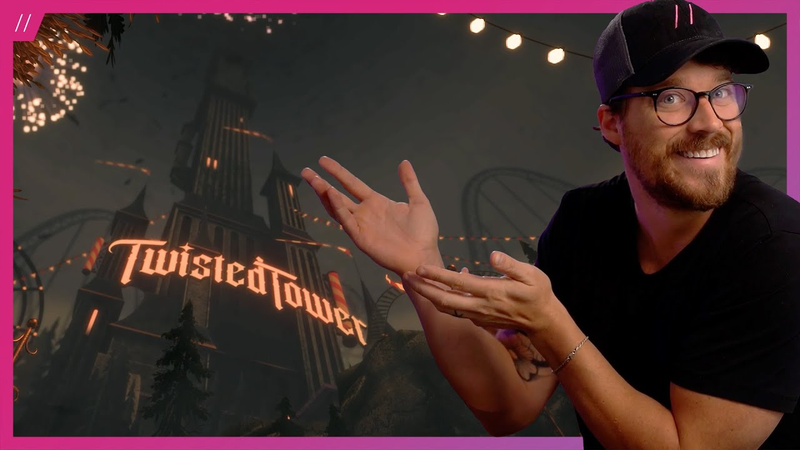

Comments