1 free read left. Create a free account for unlimited reading + AI research.
Create free accountI Made a Mind Controlled Game
Key insights
6 takeaways- 01Current BCI technology for gaming relies on a nine-electrode sensor that monitors the visual cortex to detect neural impulses triggered by flickering light patterns.
- 02Input requires constant calibration, precise electrode placement, and high-contrast visual cues to function, limiting its practical application in standard gameplay.
- 03The necessity of focusing on specific flickering triggers creates a high cognitive load that conflicts with the player's ability to track the game environment.
- 04The technology functions as a high-latency input method with a two-second delay, making it significantly less responsive than traditional controllers.
- 05Prolonged use of the device causes physical discomfort, further hindering its viability for mainstream gaming sessions.
- 06The device is currently better suited for niche, experimental use cases rather than as a replacement for conventional input hardware like keyboards or gamepads.
Ask AI about this video
Transcript
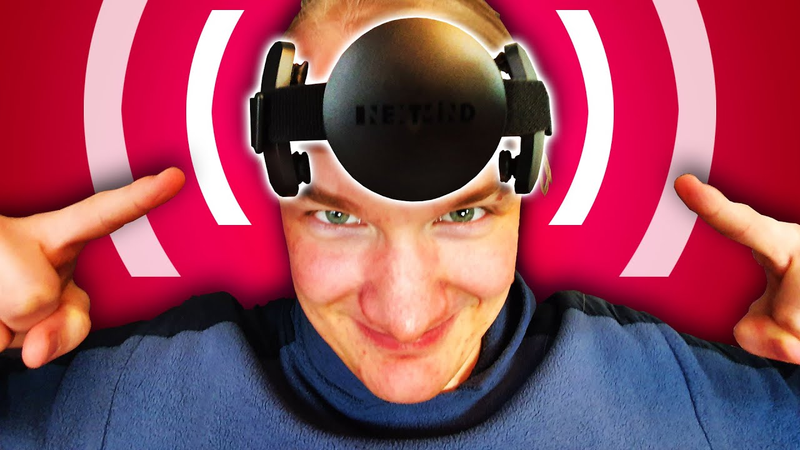
today we're gonna make a mind controlled video game i managed to get my hands on a next mind development kit for the sake of transparency i have to say that i got it for free a small device with a bunch of wobbly electrodes on the inside wobble wobble wobble wobble but what can it do how does it work and most importantly can we make a fun game with it so you start out by downloading the program thingy which then helps you to set up the device and get started with wiggling the electrodes through your hair to get a proper connection connect which took me an attempt or two to get right don't move never move flashing lights warning for pretty much the entirety of the rest of this video by the way because in order to calibrate the device correctly you literally have to look at a flashing light for a minute giving me my extremely focused looking facial expressions of
[Music] let's try out the pin pad 8287 let's see if i can type it out eight two eight seven nice so the setup helper comes with a couple of demo applications where you can try out your newfound powers [Music] there's even a platformer where you can lift objects simply by focusing on them you get to control tv channels entirely with your brain select sports all without my hands what's in that kid's channel so you might be wondering is this all really as insane as it sounds could this possibly be a major disruption and opportunity for the games industry in order to answer all of those questions we gotta have a look what's
inside the device has nine electrodes so little sensors that can detect electric currents which you're then supposed to position on your skull at the position of your visual cortex the part of your brain responsible for processing visual information so whenever you see something with your eyeballs it creates a signal in the visual cortex but unfortunately reverse engineering those signals to figure out what exactly you are looking at is almost impossible from the outside that's why we need the flickering every flicker every flashing light creates an impulse in the visual cortex and while we don't know where that impulse is coming from it is at the very something you can measure from the outside so if every interactable object has a different flicker pattern the timings of your brain activations are what tells next mind which one you're focusing on pretty clever system especially considering the fact that apparently the flashing lights don't need to be very strong at all i mean can you even see the flickering here because i think it's very possible that the video compression algorithms will just swallow that all together it's very subtle but it's definitely visible so yeah there's the catch even though you're controlling everything with your
brain you still need the buttons you need them to flicker and on top of that there's like a two second delay on everything you do on the upside however i'm absolutely amazed it works as well as it does it's fascinating technology and i'm freaking excited to make a game with it let's go so i spent some time reading the documentation and imported the next mind scripts into unity apparently the first thing you have to do is building one of those calibration scenes you know the thing we had to do earlier where you have to look at a blinking circle for a minute we need that in our game as well and luckily we only really need to worry about the visuals of that because all of the rest is already taken care of by the next mind script you just put a neurotec component onto everything you want to be able to interact with make sure that there's a calibration manager in the scene and then all that's left to do is struggling with the shaders a little bit you know purple materials sliders that reset when you start the game the classics and let's turn it on let's put it on my best guess would be that this calibration process is mostly used for seeing which electrodes have the best signal because you know not all of them will always be placed correctly according to next mind there's also some machine
learning involved in figuring out the signal but what do i know right i'm just guessing i think the calibration worked i already had a super fun idea for what i wanted to try next if you've been following this channel for a while you know i'm working on my second big steam release at the moment will you snail so i think you can guess what i really wanted to do playing will you snail with my mind there was just one problem will you snail is made in game maker and next mind only works in unity so i did what a game developer does search the entire internet for a solution and eventually came across a c-sharp library that can simulate system-wide button inputs the one thing i've always been wondering is um how far can i go away and have it still work bottom bottom right copyright [Music] uplift after messing around a little more i started implementing the c-sharp input library and put some arrows onto
my buttons so that when you focus on one of them it's the same as if you press it on the keyboard it seems like the next mind sdk still has a couple of minor bugs so unfortunately i couldn't build it okay i'm trying a little bit of a different approach now there we have unity and then on the other screen i have will you snail and also the unity game window now i have to focus on the thing and it's fairly small on my screens i wonder i wonder how good the score will be oh my god [Laughter] i'll go no no no dodge touch [Music] no no jump again [Applause] it works but the reaction time is is too low and i i can't look at both the arrows and the
game at the same time which is a little bit of a problem can i beat the first level without using my hands jump yes yes yes jump again jump again jump again jump jump jump jump if you'd like to try yourself or if you just want to support the channel then please consider going to steven hitting that wishlist button real quick that way you'll get notified when the game comes out and i'll just get a little bit of an algorithm boost the link is in the description below finally it was time to get started on the main game i started out with some brainstorming thinking about the advantages of the next mind device compared to other input systems i mean it has more delay it's more unreliable it feels cool it feels epic to use you know what else would be epic mind controlling a spaceship so let's do that i started off by importing a proper skybox which just makes your game look so much better right out of the gate then i put the flickering interactable
areas at the sides of the screen to control the spaceship one in the middle if you want to fly forward here you can see me creating a particle system which is just meant to give the player some feedback on how fast you're moving and in which direction unfortunately in my first test flight i didn't really like how the flickering buttons were looking at also i went into photoshop and tried my best to fix it instead of the solid boxes i put the soft gradients in the background which i think looks a lot better you just need something there to make sure you can always see the flickering on every background after a bit of hacking all that was left to do was adding a bit of sound which i did by borrowing some sound effects from will you snail and coming up with an objective which was a little tricky i didn't want to add too much pressure to the game like i already knew that the game didn't need any enemies for example because the controls provide more than enough challenge so in the end i simply decided to add some space garbage you need to collect as well as a timer that shows you how quickly you managed to collect all of them final test flight captain jonas is getting ready for launch
wiggle wiggle wiggle wiggle wiggle wiggle wiggle wiggle wiggle wiggle wiggle wiggle wiggle wiggle go on i need perfect connection no other direction yes yes yes no no no no no now go straight nice but i think we need to do the calibration again this is not um yeah it's not it's not working so unfortunately the controls are very very poor way worse than in all of the demos i played before so i simply tried to increase the contrast on all of the flickering stuff and actually that helped quite a bit oh yeah hello are you
you turn turn turn turn to turn no keep turning no i haven't found any new uh here here we have more and go yeah yeah that's working fine no this way this way yeah and now the now we're getting there okay very nice so what's controlling a spaceship with your brain as fun as i thought it was yeah you know yeah it was quite fun the only problem was as i needed the camera to move very slowly it was sometimes tedious and annoying to find where you need to go next i lost my orientation quite a lot we got it five minutes 55
welcome to the first product review on this channel disclaimer i got this product for free i can say about it whatever the hell i want though and i will so in simplicity and ease of use i'll give this a 9 out of 10 because the setup is very straightforward the unity developer sdk gets a 7 out of 10 because it's once again very simple to use but still has a couple of minor bugs that need fixing or the impressiveness yes that's avert i'll give this an 8 out of 10 because i find it fascinating for actual game design use cases i can unfortunately only give it a 3 out of 10 because i couldn't come up with a single situation where a traditional input device couldn't just do the job better to be honest although i have to say that i think this device has a lot of overlap with an eye tracker i mean next mind claims it's not an eye tracker but you know it's kind of an eye tracker it feels different but can it do anything better than mouse keyboard or gamepad
i don't really think so so and then for being comfortable to wear i'll give it a 4 out of 10 because if you want it to work correctly you have to basically make it really tight and it hurts this headband thing here is luckily pretty comfortable but this part here not quite as much overall i'll give it a i don't know but it was fun to try it out out of 10. go binge watch my other videos now [Music]
Summary
The integration of brain-computer interface (BCI) technology into gaming presents a fascinating but currently impractical frontier for developers. By utilizing a nine-electrode sensor device that monitors the visual cortex, the technology detects specific neural impulses triggered by subtle, flickering light patterns on a screen. Because the device cannot interpret raw brain activity, it relies on these visual stimuli to identify which object a user is focusing on, effectively functioning as a specialized, high-latency input method that requires constant calibration and precise electrode placement.
Practical experimentation with this technology reveals significant limitations for standard gaming applications. While the device successfully enables basic interactions—such as controlling platformer movements or navigating menus—it suffers from a two-second input delay, a requirement for high-contrast visual cues, and physical discomfort during prolonged use. Furthermore, the necessity of maintaining focus on specific flickering triggers creates a cognitive load that often conflicts with the gameplay experience, as players struggle to track both the game environment and the required input targets simultaneously.
Ultimately, while the technology is technically impressive and offers a novel, immersive experience, it currently lacks the responsiveness and reliability of traditional input devices like keyboards or gamepads. The development process, while streamlined by accessible software development kits, highlights that the technology is better suited for niche experimental use cases rather than mainstream gaming. Despite its potential for innovation, the device functions more as a specialized eye-tracking alternative than a revolutionary replacement for conventional controllers, as traditional hardware consistently outperforms it in speed, accuracy, and user comfort.






















Comments