The GDC 2015 Live 2D Animation Demo
6 Dec 201754 min video
Transcript
[Music] okay I guess oh this is really loud I guess we can get started thank you all for joining me for I guess the first full talk of GDC we have a long week of ahead of us but I'm glad you guys are here with me instead so this is a live 2d animation demo I think it's kind of self-explanatory I'm just gonna sit here and animate for you guys the point of this is less about the tools because my tools actually aren't really ideal for animating and I'll go over that really quick but it's more about the thought process behind what I'm doing and how I applied 2d animation to games I'm the lead animator on the indie fighting game Skullgirls which was released in 2012 and I think what makes it special is
that the whole game is entirely hand animated frame by frame by myself our in-house team of five artists and we have a huge awesome army of contract animators that also helped us out so today I'm going to show you what we do in-house I'm gonna animate a punch that then can go back into the idle or then can combo into a kick before returning into the idle but I'm gonna skip the part where I key it because it's I think these are kind of the easier part you know it's it's fun to kind of like draw cool poses and you know figure that out but I think what makes it hard and what makes it relevant to game animation is knowing how to do those in betweens and work within the restrictions that your game designer is going to impose on you so before we start animating I just want
to go over a few quick technical details about school girls school girls runs at 60fps but it's kind of ridiculous to animate at 60fps so our approximation is to animate at 30 which turns into holding every drawing for about four frames it's kind of like animating at twos at 30 but we also change how long each frame is held depending on what we need like a smear frame might be held for less or a key might be held for longer today let's say and you totally didn't but let's say my animator or sorry my designer asked me to animate a medium punch and then a hard kick for us a medium hits around frame 10 at 60fps and the hard hits around frame 16 at 60 so in school girls what that turns into for us is that the medium move is going to have something
like three drawings of start up one drawing of the active like attacking keyframe and then three drawings returning back to the idle and then the heart is going to have five drawings start up one drawing active and then five returning to idle these are more just kind of rules of thumb so we refer to our designer Mike for the specifics of what he wants for each move but this is kind of how we get started so I'm going to take a seat can you guys still hear me okay so again I think you guys can use whatever tool works best I'm gonna talk about what I use really quick which is Photoshop I
animate entirely in Photoshop I have I set my F keys to switch frames back and forth spacebar plays and it's really it's not great for animating honestly but the reason we use it is because I'm used to it that's the main thing skullgirls uses raster images we export everything as pngs and we also have a few like photos Photoshop scripts that help us get things into the game and also a big thing is that Photoshop is the most accessible program to all of our contract animators which is a big deal so just you know say saying you know give us your files back in PSD s is the easiest thing so you know whatever gets the job done maybe it will switch someday but this is what we use for now
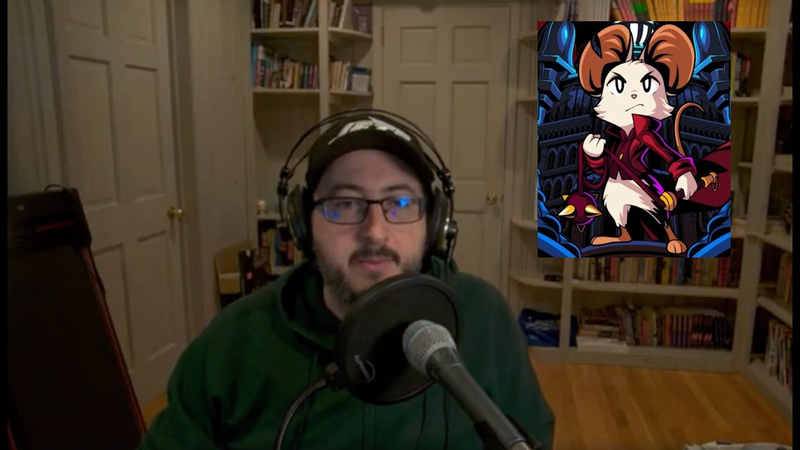
so I guess I can get started this character is a little girl I just designed for this talk she's probably never gonna be anywhere again but I have come here with my keys already done so you can see I have this first move where she kind of does this like force palm thing before going back to the idle and then she can do it before kicking and then returning back to idle and she kind of she's swinging her llegaron the back there so I guess I could just start so one thing I try to do first is on on impacts actually pretty much any move I
try to have a smear so here right before she hits I want it to overshoot and then smear it before hitting that final key and these are gonna be really scribbly because I want to get through as much of it as I can so it's not gonna look great but I'll try my best so just for a split second she'll kind of like overshoot before going into that final key and I find what this helps do is really give you the impression of kind of like that snap before before going into the
final key so even just that it's really close to the key but it just very slightly overshoots you can kind of see that it gives it a little bit more of that impression of impact and I can add it here as well so already we have two of the three drawings of startup before again going into the key here so we can just add one more in between maybe she can kind of start to shift her body forward actually I have her hand smearing just a little bit as she comes
out because it has to go fast so she can kind of shift her upper body forward a little bit and one thing I like to do is to think about when you're moving your body what part is moving first where are you moving your weight first so in this punch I'm thinking she kind of throws her chest forward but her hand is actually still towards the back and that's another thing that can help kind of give that contrast and give that snap into the move here so let's see how this looks
yeah so so it goes fast my computer doesn't play it very fast which is actually kind of one of the thing that's a pain about Photoshop but I think you can see just from that you can kind of get a sense of just this quick snap and impact and it's only three frames so really quick we can just hover go back to the idle one thing that I find super helpful for 2d animation that maybe you've noticed is that I keep my idle frame on the whole time and that kind of helps me keep my proportions in check because when your 2d animating it's very easy for things to change in size or go off model so
having my idle frame on all the time like you don't really notice it but that is a huge help for me and trying to keep stuff the right shape and the right size so let's kind of quickly get her back to idle I really try to emphasize my key frames as much as possible because when you're moving as fast as you need to for games I think you want to make sure everything reads as clear as possible so here she's kind of favoring her key so I basically have three frames that are really close to that key
and I think that helps it read a lot more I try not to make the return to idols too complex I've seen some some animations where they kind of tried a bit put a bit of like flourish and with the return to idle but I think the main point of it is just to you know get back to your starting point but also one thing that might be the case in your game that's the case in skullgirls is that you can cancel out of a lot of the moves so after hitting this key if you press something else you're gonna do a different move so if you try to do some
crazy animation on the return to idle then it's gonna look kind of funny kind of have her leaning back her front foot there is still kind of in the same place I'm just gonna have it blobby smear here for her hand to go back I'm not worrying too much about her back arm here because it's actually going to all be hidden by her little Cape thing but I'm still trying to keep it in mind and here she's sliding that back foot
oops okay so we can kind of check out how that looks zooming up makes it play faster on my computer yeah so it's rough you know it's very quick but I think you can kind of get the impression of where it's going so now we can just start on that second move so from here if you keep pressing I
mean I made this up so I don't know but say you keep pressing and she can do a different move from here I have her shifting her hips forward as she's gonna do this kick around the back so one thing again I'm gonna try to do is to delay the limb that she's gonna actually end up attacking with for as
much as possible so again still still closer to the key so she just knows her but forward basically from here I'm gonna have her twist her upper body way more than she's twisting her lower because she's leading with her upper body before her lower half kind of
catches up and still having this leg delayed as much as possible even though I think technically her body is kind of breaking here when you play the full thing you don't you don't really see it but you feel it and I think if you watch a lot of game animations step by step Dead or Alive is actually something that does this a ton if you go frame by frame through any actually since the first one of the Dead or Alive games they break the bodies like crazy and it looks insane but they do a great job at that
so here I think her torso is going to almost be where it ends up but her lower body I'm gonna have our foot kind of back here and smear all the way down so you really get that clear arc
yeah so from here you can kind of get that sense of weight as she's throwing her leg up super high before hitting that final key and I think even though they're just scribbles you can still get the sense of what's happening so I want to add one more frame or hit before hitting my key and again I'm gonna have this one pretty much almost be a trace over of my final key I'm kind of in this mirror here and
this time I'm not doing an overshoot because she's kind of swinging around so the motion will continue afterwards but I'm still trying to keep it pretty close to my key also if you rotate in Photoshop using the little anchor point is very useful
okay so let's see how that looks again zooming out it's kind of annoy but yeah super rough but you can kind of get the sense of what's happening and I think it does an okay job of conveying that kind of weight despite you know having such a strict limitation put on
it some of my orcs are kind of broken but it's okay this time so again let's just try to get pare back to the idle
when I tried animating this before I kind of had her shift her weight forward before returning back to the idle and it kind of made the whole motion muddy so I feel like physically if she's throwing her leg back I would want her to move her torso forward but it honestly just didn't really look good so I ended up just trying to have her keep her upper torso pretty much in the same place for
as much as possible before returning back
[Music] so she's kind of falling back into the idol here because she has all the weight of her legs swinging around her kind of catching up to her and one last frame
let's see if that works okay so I'd want to kind of work it over a little bit more because it's so scribbly but I think it works okay and it hits at all the right times that our designer needs and in game we would actually kind of mess with how long each frame is held so right here in my timeline I'm patting them all evenly spaced but realistically you know we would be holding not this
one holding like this smears for way less that kind of aids in not seeing them but feeling them a bit more I'm not going to worry about it too much this time but just as a test and see even seeing if my computer can play it yeah so it's a little bit better okay so we have the whole thing very very very roughly roughed out so one thing I added to this character that I thought would be fun is her big cape thing there so when you're working with so few frames in 2d animation I find that using your follow-through animation is super
helpful in kind of bridging the gap between your your widely spaced frames and it can kind of emphasize a motion that you want to make so I'm just gonna do kind of the rough shapes here [Music] the bottom of our Cape is kind of staying in the same place as she moves
the part that kind of like has to move with her forward [Music] and here despite it being the impact you can have it still be on its way up so it kind of balloons out and then here
here it's kind of finally up and open and in game we have hit stop which is basically we're on an impact both of the characters will freeze for a second before playing the rest of the animation you'll see it a lot in like Street Fighter so that's one thing you have to keep in mind when you're doing your keys is that this is gonna be held just for a bit longer and you're gonna see it so that's where follow-through can get a little tricky because she's going to stop and you're gonna see it and that's kind of it so it's just one thing you have to keep in mind in in your animations if you have hit stop in your game and here
[Music] [Music] even as she's starting to return to the Idol I want her cape to still be coming up afterwards and here's one thing that gets tricky in games follow-through in real life you know if
you're if you're wearing like a cape or your hair is long it's going to keep continuing its motion even after your body has stopped moving and in games in 2d animation at least you know if you have procedural it's not an issue but when your hand animating every frame everything has to stop at once and there's not really any way to get around it so you kind of have to BS the follow through a little bit so it's going to come back a little faster than it would normally
okay let's see how that looks photoshop's timeline is kind of a pain if you put everything in folders then they'll just disappear out of your other frames so I think you can see it kind of emphasizes the impact a little bit more but it also kind of smoothes the motion
because it has to go so fast and then sometimes your spacing can be kind of big so really quick I'm gonna go ahead and add her her little side bang things cuz that's another thing that helps it out
and right now I'm having her hair kind of mirror a thing in animation you generally never want to do is have stuff move at exactly the same time like if you raise your arms your arms don't move at exactly the same rate but right now I'm just being lazy and I'm having the mirror [Music] okay so just a small thing helps fill in
the motion a little bit and you might not have anything to follow through in your character design and that's okay that's when you can kind of use smears to your benefit but if you do it's super helpful oops so from here
same thing as she's starting the second motion I have her cape still kind of continuing the motion it was making and here I'm gonna have it kind of fall as as she starts twisting
I think technically the Cape is kind of over her arm there still falling even though you know she's still she's starting her turn
and here I'm gonna have it finally do that big twist with her
she's almost to where she needs to be but the Cape still is catching up [Music] and here finally because this is the frame that's going to be held in game I want it up and out so it kind of looks cool since you'll see it
okay starting to return back to idle same thing here it's still kind of continuing its motion up even as she starts to go back
how much time do we have left ten minutes okay so again it's kind of twinning but you know if I flush it out more I would probably tweak that
okay so it kind of works I think so I
think that's kind of as far as I can get today obviously there's a lot of work to be done but I had finished the animation before not you know I'd tied it down it's not completely done and I had our designer Mike put it into schoolgirls so I have this so again you can kind of see how much faster it is which is something that we just kind of have to deal with and it's still super scribbly you know if I had the time I rather I spent the time but I would tie it down a lot more so her face wouldn't go all over the place but you can kind of see you know how it works out and I think that's it I guess we have a few minutes for Q&A does
anyone have questions sure right so if you're if you're canceling sorry okay I can go back here so he's asking on frame fourteen was it 14 yeah so she's she's going from one move to another yeah in this case because these animations are just animated to be linked there's not that much of an issue one thing our designer always likes is if you do cancel you do want it closer to the key so it it reads still but in terms of like canceling one animation and just
going to a different animation it honestly happened so fast that you don't really notice it and that's where having really strong and clear and kind of making your animation build around your keys helps because in the end what you're gonna be reading is just that punch or the kick any other questions uh-huh I'm moving Holt what's that oh yeah yeah yeah we do that too yeah if it's something that's held in particularly long time or say on like their jump animations where they're they have this we have like a three frame loop of basically the same frame as she moves up and then she'll have you shall continue her animation as she goes to
the apex pose and then start to descend and then they have like one pose I wish I had the game open or something but yeah they they have like one pose that we animate like you know their hair moving just looping and then we can hold that as we move the character down before she hits the ground so yeah we do that a lot too yeah it's it's all hand-drawn we have a lighting system that kind of lights the edges of the characters and you can see that you know even though she's you know the rough character is just blocked in she still has the atmospheric blue that were painting on all the characters but as far as like just their their shadows just you know on her skirt on her face that you know the thing that's casting on squigglies hair that's all hand animated and drawn in I wish we could make a way to have it just procedural but we don't know how
oh um second one okay he asked how long do we hold the hit stop so I was that a five okay um how long do we hold the hit stops I don't know that's that's uh that's up to our designer and the second one was can I make the PSD available online and sure should I put it up on the reanimate er site yeah okay okay I'll do that it'll be there look at that what I just did okay so we have five minutes left uh-huh over here he asked how rough is
it when we put it in game honestly we would put this in game right now and we try to do it as early as possible so like this this still hits at the right time it hits in generally the right place so I actually don't tie it down this much before putting it in in game we we put them in as scribbles and then figure it out see how it feels you know kind of get it all worked out and then our designer gets it back to us and says hey I want this in this changed or maybe this works maybe you know we need to frame out we need another frame here and then we tie it down you know knowing that it'll work in game but yeah getting it in as early as possible even if it looks like crap as long as it works that's what matters and that's kind of how we get the game play feeling as good as it does
uh-huh um he asked so right now we're working on kind of a more mechanical character so how do we balance the squash and stretch for us as being like a robot do you mean Big Band right oh right yeah yeah yeah so we have this character now that's just a straight-up robot and what's actually really interesting about her is that it's kind of a test to see how much we can reuse from an existing character we have a character that's already been done named Miss Fortune and actually is kind of a joke we had the idea to do just a robot version of her so she has a lot of the same animations just from the original character misfortune and we've been just giving them to our cleanup team and
saying hey changed this into the robot version which if we if we were probably like smarter about how we did it in the first place like if we used flash or something we could just skin it differently but that's not the case for us we actually have to redraw everything so now we're taking and turning this super like squishy organic character into a robot and it's it's been interesting what we've been doing actually is redrawing frames less and actually just kind of like moving and transforming parts of her which is something kind of like the old sprite Capcom games did like Sentinel he's just like built in pieces and they move the pieces up and down and that kind of what makes it a little faster to do and to you know just makes him look more robotic so that's kind of what we've been doing as far as the squash and stretch goes we have honestly just
trying we're trying to do a little less so it'll be interesting to see if if we can convey you know her being robotic without looking too stiff anything else I think we have one over here so he's asking like I mentioned that Photoshop is kind of difficult to use would flash be a better option and I think it kind of depends on the look you want I think flash kind of comes with a certain look you know it kind of it kind of we're wrapping up okay yeah flash has a certain look to it I know like clay entertainment uses flash for their animations and they
still achieve this really awesome like fluid 2d style animation but there are things are there animations are essentially like puppet based so they have kind of like different pieces that they're moving and they draw you know just different angles so it kind of depends on what your you're doing first skullgirls we really wanted to emphasize just everything being hand-drawn so that's that's why we use well there's other animation programs too like there's Toon Boom there's TV paint I think and you still can 2d animate in flash but yeah just just for us honestly because I'm just used to it I kind of made it work for me but yeah if there's something else that you find works for you and can achieve the look you want then go for it and I think if you'll so much that was really weird
you you
Auto-generated captions from YouTube — names and numbers may be misheard.
Key insights
Distilling the key insights…
Ask AI about this video
Cite this video
Citation
Generating citation…















Comments