1 free read left. Create a free account for unlimited reading + AI research.
Create free account
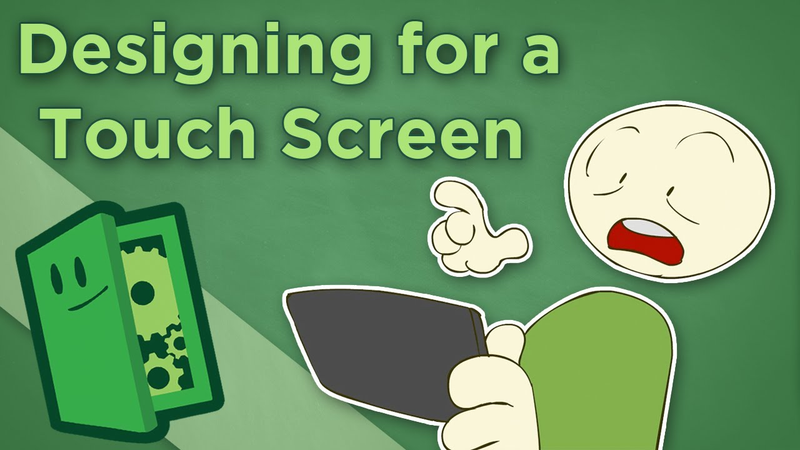
Designing for a Touch Screen - What Games Play Best on Mobile - Extra Credits
Key insights
5 takeaways- 01To create instinctual experiences, developers should leverage the full suite of mobile hardware features, including gyroscopes, cameras, and microphones, rather than relying on forced ports of console or PC titles.
- 02Designers should prioritize turn-based genres like strategy, card, and puzzle games, as these formats do not require the high-precision, real-time inputs that struggle on touch interfaces.
- 03For non-turn-based titles, mechanics should rely on intuitive, single-input gestures such as flicking, pulling, or sliding rather than emulating traditional controller schemes.
- 04Mobile game developers should abandon virtual joysticks and complex, simultaneous inputs, which are inherently imprecise and lead to negative player sentiment.
- 05Developers must account for the fact that a player's hand acts as an input device, which can obscure significant portions of the screen and necessitates testing for varying finger and nail sizes.
Ask AI about this video
Transcript
Touch screens are at this point a permanent part of gaming. An entire generation of players is growing up on touch devices, and the number of games sold on touch devices now rivals the number of games sold on major consoles. This isn't a fad or a gimmick, it's a new way to play. So, why aren't there more great games for touch devices? I mean, after all, it has been 6 years since the iPhone kicked open the door on the touch screen market. Nine, if you want to include the DS as the touch screen gaming pioneer. Although, stylus gaming is a little different and we won't be talking about it in this episode. While there are some incredible games for touch devices, for the most part, we've just seen a sea of games that don't live up to the potential that this new input provides us. But, why is that? Fundamentally, it's because many of the people developing games for touch devices don't seem to recognize that it actually is a new input device. There are some amazing, ground breaking, genre pushing things we can do with a touch screen. Things we couldn't possibly do with a controller or a mouse and a keyboard. But, at the same time, there
are some things which a mouse and keyboard simply do better. Not every genre has to be replicated on every device. It's essentially the same problem we have with motion controls. People seem to be expecting and trying to build the first great FPS or action adventure on these platforms. When that's not the strength of this input device at all. It's the same reason we don't see a lot of stellar RTS's on consoles. The input just isn't built for it. And that's okay. We don't need the same experience as we get on our console or our computer screens ported to a touch device. We need games that are great in their own right. So, what does work best for touch devices? Well, first, anything turn based translates remarkably well. Turn based RPGs, strategy games, puzzle games, board games, card games. Also, touch games tend to work best when they only require one input at a time, which rules out stuff like combos and jump attacks and even simultaneous moving and shooting. And lastly, controls for touch games are often at their best when they mimic human motions we already understand. Flicking, pulling, sliding, etc. Because in the end, a game that controls terribly is a terrible game. Let's go over some of that in more detail. Turn-based games are probably our best
bet for direct translation to the touch interface because they don't require precision controls and they allow the player the time they need to operate the game with a control scheme that might be less efficient than inputs they were originally built on. So, if you're looking to do a direct port or something in a genre that was firmly established with a mouse and keyboard or a controller, turn-based games are the ones that will feel most satisfying and live up to expectation when converted to touchscreen. But, that's not to say that there aren't plenty of non-turn-based games that work fantastically with a single input at a time. I mean, everything from fast-paced puzzles like 10 million to Unrail's action like Infinity Blade to all the Cannabalt clones we've seen work great. But, if you're looking to build something outside the turn-based arena, just remember that multiple simultaneous inputs, especially ones that require two hands, don't work well at all. At least not in our current generation of touch devices. The platforms that players currently play touch games on often aren't freestanding devices. The player has to hold them or lay them flat on something and perch over them, neither of which is very conducive to two-handed play. This is compounded by the fact that with touch controls, the player's hand is part of the input device on a more granular level than ever before. So, your player has to instinctually
understand the variations in the size of their fingertips and even the length of their individual fingers, which is a lot to ask of most of us. Which leads me to something I think needs saying. If your game requires a virtual joystick or controller on your touchscreen, you are doing it wrong. Emulating a control scheme from another platform is just a backwards way to go about things. Almost all virtual joypads or sticks require two hands for simultaneous input. After all, they're modeling a system where that's a given. And in every single instance I've seen so far where they don't require two hands, and many of the ones where they do, there's been a better native touch-based solution that could have been used. Uses of these emulated controllers are the number one reason why traditional gamers tend to have the sentiment that touch controls are imprecise and clunky. You should be designing for your platform, not trying to shoehorn in control schemes that are antithetical to the system you're building on. Next, make sure you think about the amount of the screen that your player's hand is going to cover as they're playing your game. This is another reason why double-handed inputs and multiple simultaneous inputs tend to be disastrous. For the first time in gaming history, designers have to worry about the input method literally coming
between the player and their game. Especially on smaller screens, this can account for a lot of your screen real estate. And even on tablet-sized devices, an input in the center of the screen often means a hand in front of 20% of the action. Also, pro tip, make sure you have somebody with long fingernails test your game. You might be surprised at how much of your audience has to play with the flat of their fingers rather than their fingertips because their nails get in the way. Often, a control scheme that might be viable for someone playing with the tips of their fingers won't work at all for somebody whose nails prevent them from doing so. Lastly, remember that in some ways, touch controls are like motion controls. They're direct and physical in a way that a controller isn't. This doesn't mean that they're better or worse, just that they're fundamentally different from our mouse and keyboard or thumbsticks. The more you can emulate human motions, the better off you are. It's one of the reasons rhythm games work so well. Tapping with our fingers is something most of us do naturally, much more naturally than pressing a button in sync with music. If you can use that, if you can find a motion that makes sense to us as human beings, it'll go a long way toward making playing your game instinctual and intuitive. It's part of the secret to Angry Birds' success. Also, don't forget when designing touchscreen games that many of
these devices have a lot more to offer than just a screen. They've got gyroscopes, cameras, microphones, and emulated GPS, all of which open up a world of design. And most of those won't be appropriate for most games, but a designer has to keep all their tools in mind as they work in order to choose the best solutions for the game rather than the most immediately evident. We're going to wrap up here, but I do have a question for you. We've just discussed some of the pitfalls of touchscreen design, but we didn't talk about the additional design problem that comes up when you're working on a mobile platform, which, to be honest, is where 90% of the touchscreen gaming today happens. If you like, we can totally do an episode on the challenges that come from working specifically on a mobile device. Uh leave a comment or something if that interests you. Oh, and thanks to everybody who participated in the survey from the J.C. Penney's episode a while back. While we knew we were biasing the study incredibly by releasing that episode first, the feedback has been immensely valuable and seems to confirm some of James's suspicions. He's actually decided to do a slightly more formal study on his own now, but he just wanted to make sure to say thanks for putting in your time and helping with things like this. We may ask such things again in the future. Anyway, thank you again. We'll see you next week.
Summary
The primary thesis of this analysis is that mobile game developers must stop attempting to replicate traditional console or PC control schemes and instead embrace the unique, innate strengths of touch-based hardware. Despite the maturity of the touch-screen market, many developers continue to struggle by shoehorning inappropriate interfaces into mobile games. The core argument is that successful mobile design requires moving away from virtual joysticks and complex, simultaneous inputs, which are often imprecise and clunky, in favor of intuitive, native touch mechanics.
Key findings emphasize that turn-based games, such as strategy, card, and puzzle titles, translate most effectively to touch interfaces because they do not require high-precision, real-time inputs. For non-turn-based genres, designers should prioritize single-input mechanics that mimic natural human gestures like flicking, pulling, or sliding. The analysis highlights that touch-screen gaming introduces unique physical constraints, specifically the fact that the player’s hand acts as part of the input device and can obscure significant portions of the screen. Consequently, developers must account for varying finger lengths and nail sizes during testing to ensure accessibility.
The scope of this perspective covers the evolution of mobile gaming since the introduction of the iPhone and the Nintendo DS. The methodology relies on industry observation and design critique, noting that emulating traditional controllers is the primary cause of negative player sentiment regarding touch precision. Ultimately, the analysis concludes that developers should leverage the full suite of hardware features—such as gyroscopes, cameras, and microphones—to create games that feel instinctual rather than forced. By designing specifically for the platform’s limitations and capabilities, creators can move beyond the current sea of mediocre ports and develop experiences that are inherently suited to the touch-screen medium.










Comments