1 free read left. Create a free account for unlimited reading + AI research.
Create free accountTop 5 Ways to Break Unity (Fun Glitches)
Key insights
6 takeaways- 01Disabling the screen-clearing process prevents the engine from wiping previous frames, resulting in persistent, painterly visual trails.
- 02Applying physics-based rigid bodies to every object in a scene transforms standard environments into chaotic, fully simulated spaces.
- 03Extreme field of view settings, such as 160 degrees, can be used to drastically alter spatial perception and map visibility within the engine.
- 04Manipulating the Z-buffer by overlapping multiple cameras enables the simultaneous rendering of a single object from multiple perspectives.
- 05Core rendering parameters like camera depth and screen clearing function as flexible frameworks that can be repurposed to create non-Euclidean visual effects.
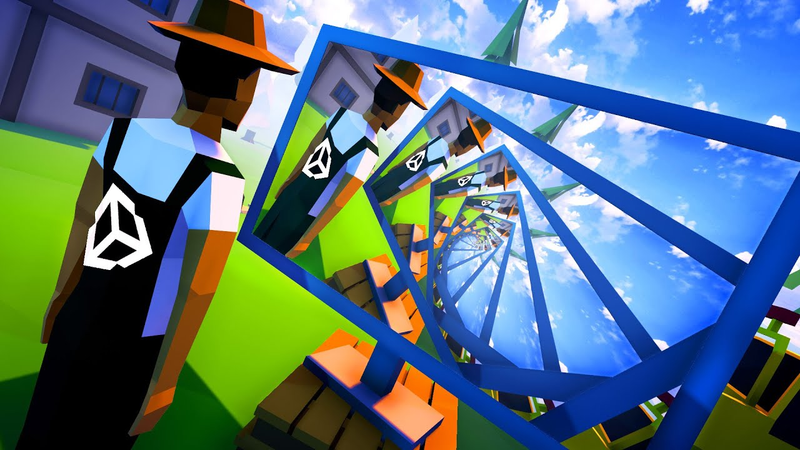
- 06Render textures allow developers to project camera outputs onto in-game surfaces, enabling the creation of recursive loops and complex geometric illusions.
Ask AI about this video
Transcript
hey there in this video i'll show you my top 5 favorite ways of breaking the unity game engine a game engine is a program meant for making video games what a lot of people don't know is that they are also extremely fun to just mess around with expect to see some mind-bending glitches and perhaps you'll even learn a thing or two about how rendering in video games actually works number five the first way of breaking your game engine is actually super simple disable screen clearing [Music] you won't believe how easy this is to do in unity you just select your camera and then you select don't clear every camera in a game engine usually has one canvas it can draw on and whenever trend is a new frame it just draws on top of whatever was there before meaning if you don't draw any backgrounds it actually looks like [Music] this
[Music] here we have a relatively basic looking particle system screen clearing disabled and it looks entirely different holy jesus mother of this looks so incredibly normal oh okay that was already cool but you won't believe what happens when we use post-processing in combination with this post-processing is basically when you apply effects to the image after it has finished rendering in this case i added a little bit of colored blurriness at the edges here let's disable screen clear in three two one [Music] when we look at it frame by frame it's fairly obvious to see why and how this happens it's applying the effect to the same image over and over again which just
happens to look pretty damn cool number four is a quick one but also a fun one write a script that turns everything into a rigid body and when i say everything i mean everything for everybody who doesn't know what a rigid body is in unity that's a physically simulated object so for example if you drop it it falls loop the loop through all objects add a rigid body [Applause] [Music] profit [Music] i was also really wondering where she went half a minute later this happened don't worry no women were hurt the field of view in a video game determines how much the camera can see at once in unity you have full control
over this number so you can pretty much make the vision cone as big or as small as you want you see where this is going most video games limit this decision to the reasonable range between 60 and maybe 90 degrees i however think that 160 is actually the perfect value see absolutely flawless let's see if we can see the entire lake when we look down and heck yeah we can hell yeah baby when we're in the middle of the map we can actually see the entire map when looking downwards here it looks like the clouds are moving but in fact nothing's moving at all i'm just tilting the camera you might be wondering what happens if you go for an even higher field of view here you go at this point you unfortunately stop seeing anything so yeah you know yeah [Music] this gives me some serious drone flying wipes for some reason so i just had to give it third place now that we already feel a little dizzy
inside number two is definitely not gonna help [Music] i don't think you can figure out what's going on here so let me just tell you we have two cameras this time that are looking in slightly different directions but they are both rendering onto the same image what really surprised me about this is that the two images are overlapping with each other i expected it to be one in front of the other but instead they have kind of merged into one the explanation for this phenomenon is of course the set buffer because video games don't just store the red green blue values of every pixel they also store the depth value of every pix or in other words for everything the game renders it stores how far it is from the camera that way whenever the game has to render a new object it automatically knows if it has to draw it on top or behind what's already there so i think this is exactly what's happening with our two cameras as well whatever is closest to the camera ends up winning out if you want to reproduce this in unity just set the depth of one camera to one
with disabled screen clearing the second camera can stay at the default settings and you will get this beautifully messy effect [Music] [Applause] [Music] where it starts getting really crazy is when your cameras point in opposite directions believe it or not but those two trees are actually the same tree we're just seeing it from two different directions at once which is super confusing [Music] before we go to the number one spot i have one honorable mention i want to show you and that would be turning all objects inside out in order to improve performance games usually only render one side of
each surface so if you flip all surfaces around this is basically how it looks like the transparent side is now on the outside and the solid side is on the inside it looks kind of cool in some cases but you know there's not that much more to see okay i can't resist this girl looks kind of hollow number one is actually insane this is getting way crazier than it seems at first okay so stick with me it all began when mr wilson finally got his new flat screen [Music] poor mr wolsen was very confused by what he saw little did you know that what he was actually looking at was a unity render texture he didn't know how easy it was to create one or that you could simply drag it onto your camera to set it as a render target he didn't even know that render textures could be applied to materials to create the very screen he was looking at or if you want the idiot explanation his screen is showing what your screen is showing we can create these screens in all shapes and sizes of course and the moment we start tilting the camera it starts to get very very interesting you don't even need to use a flat surface as a screen you can also use a ball if you
want i also had to make a very big screen of course which later on gave me an even better idea this right here is a giant screen that moves with the camera also quite cool this is the screen in case you didn't see it it's a bit confusing when we make the screen bigger it gets even weirder and there's still so much more you can do see if you can figure this one out for example [Music] i'll give you a little tip it's using two cameras and obviously it's also using render textures little coding challenge for all of the unity nerds among you try to reproduce this if you dare i present to you my biggest invention yet the jonas box a jonas box has screens on
every side exhibit b ladies and gentlemen enter if you dare so right here comes the best of them all exhibit three this time there are just a couple of colored blocks inside and it looks absolutely insane
so and last but not least to close the circle of this video thanks for watching and go binge watch my other videos now yay let's go
Summary
The Unity game engine offers significant potential for creative experimentation by manipulating core rendering processes. By intentionally bypassing standard engine constraints, developers can produce visual anomalies that reveal the underlying mechanics of how 3D environments are constructed and displayed. These techniques demonstrate that game engines function as flexible frameworks where modifying basic parameters—such as screen clearing, camera depth, and field of view—can transform standard scenes into complex, abstract, or recursive visual experiences.
Key methods for manipulating the engine include disabling screen clearing, which prevents the engine from wiping the previous frame, allowing subsequent frames to stack and create persistent, painterly trails. Similarly, applying physics-based rigid bodies to every object in a scene creates chaotic, simulated environments, while pushing the field of view to extreme settings, such as 160 degrees, drastically alters spatial perception and map visibility. Furthermore, manipulating the Z-buffer by overlapping multiple cameras allows for the merging of distinct perspectives, effectively rendering the same object from multiple angles simultaneously.
The most advanced applications involve the use of render textures, which allow the engine to project a camera’s output onto surfaces within the game world. By mapping these textures onto objects or creating recursive setups—such as screens displaying the player's own perspective—developers can generate infinite loops and complex geometric illusions. These experiments highlight the technical importance of the Z-buffer and render targets, proving that even standard rendering features can be repurposed to create surreal, non-Euclidean visual effects that challenge traditional game design conventions.









Comments