1 free read left. Create a free account for unlimited reading + AI research.
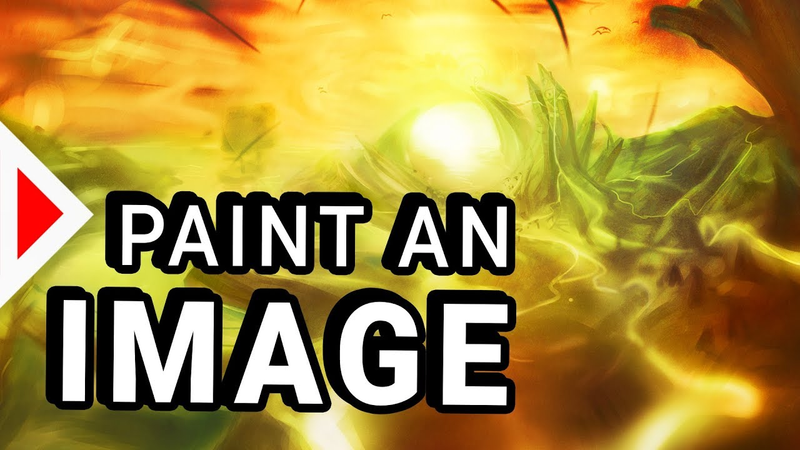
Create free accountHow to Paint an Awesome Image as An Unskilled Game Develper!
Key insights
6 takeaways- 01Prioritize composition and grayscale values over complex drawing techniques to create professional-quality concept art within a five-hour timeframe.
- 02Establish the structural integrity of an image by focusing on abstract shapes and light-dark relationships before introducing any color.
- 03Limit high-detail work to a single focal point while keeping peripheral areas loose to guide the viewer's eye and maximize efficiency.
- 04Enhance atmospheric depth by reducing contrast for distant objects rather than attempting to achieve complex realism.
- 05Use non-destructive editing by working on separate layers and frequently flipping or rotating the canvas to maintain a fresh perspective on the composition.
- 06Apply color only in the final stages using gradient maps or blend modes to ensure the established grayscale value structure remains intact.
Ask AI about this video
Transcript
in this video I want to prove to you that digital painting is pretty easy even if you're a sucker like me I'm pretty bad at drawing but if you know how you can still create something awesome and here's how you do it first of all I recommend starting with a soft brush drawing some pretty abstract shapes and just focusing on the values on the composition and on the flow make sure you have some cool dynamic lines in there and definitely start in grayscale okay starting with colors insanity if you're not a skilled artist now before you move on make sure you got the sketch right make sure you're happy with it and if you find it hard to get there use the technique you need to use simply start drawing onto a new layer every once in a while and then when you turn it on and off you see did you improve the image that you make it worse if you improve the image you keep the layer if you made it worse you delete the layer or turn the layer off an absolutely massive tool is also flipping the image upside down left and right rotating it zooming out as far as possible because every time you do that it's like looking at your image for the
first time again and it's way more likely you'll be able to tell what your image needs what the values of your image need and once you've got the core values of your image down you can start zooming in and start adding some detail it's very important that you don't mess the values up in this step this is a mistake I used to make all the time when you're zoomed in you don't have the full picture and you add some additional contrast you add some additional white and black and then suddenly when you zoom out it looks absolutely crappy and you're destroyed the entire values you set up earlier so whenever you're zoomed and just use the values that are in this area that around this area just use the color picker in the area of the image you're working on and this way you don't mess up the values also when you're working on details obviously zoom out often have a look at the entire image does it still look okay if not you can still try to improve the overall values of the image try to correct it a bit for example keep in mind that things that are further away usually are a lot brighter and have less contrast and then one tip that can also drastically improve the results you get is don't add
details to all of the parts of your image focus on one area put a lot of detail into one area and keep the rest of image in this kind of sketchy style maybe in this image I've over that's a bit maybe I should have added a little more detail but in general this is a great way to control where people are looking in your image what the focus is on it's also less work less effort and in my opinion it just looks better you don't need to do this in every single image but in general I think this is something worth considering especially because it increases the speed of the process and it helps you keep that kind of cool raw and sketchy look in your image then for rendering all of the details you mainly need to keep in mind where the light is coming from everything that faces light obviously needs to be brighter everything else needs to be darker also keep in mind that objects can have a color themselves so even if they are lit they might be darker because they have a darker material there's something I definitely missed out on a little bit in this image for example these towers and buildings you see in the background
there really all have the same value which is a little boring also you see here I'm still fixing and improving the overall values of the image so definitely keep improving that as you go keep zooming out keep flipping the image keep adding new layers check if the new layers actually improve something otherwise delete them and then one really important trick for beginners by the way simply don't draw anything that requires realism because if you want to draw a realistic house for example if you want to draw a person that is way more difficult and you actually need to be able to draw for that I feel like the stuff I'm showing you here something almost everybody will be able to do if you put in the time whereas if you want to draw something realistic your best bet is probably getting a pretty good reference and just copying it from the reference before you go to adding color make sure you're absolutely happy with the grayscale painting the entire artwork took me about five hours adding the color was maybe one hour of that time so it happens very quickly the best way to go about it in Photoshop is color gradient layers they give you the most control because you can choose different
colors for shadows different colors for the lights and all of that while keeping black black and white white and not messing up your values here you can see I use just three different gradients with three different masks and that's totally enough to cover the entire image if you want to add color manually which is what I'm doing here is create a new layer and use the color blend mode pasta is also a really good way of changing the colors without changing the values one really important heck is just overlaying a couple of textures find a blend mode that doesn't destroy your values too much but it helps you to get a lot more variety into your colors and then as the final step you can just add some filters increasing the contrast increasing the saturation voila you have some really corny me too concept art or speed art or whatever you want to call it but sir I think it looks pretty neat and I think you can create something like this pretty easily as well [Music] [Music]
I'm gonna show you [Music] [Music] big mistake sir an African looked realistic he just about [Applause]
[Music] I remember break number one flip you in the coffee break number two focus on the values and don't mess them up once you got them right but all the areas of your image need to be super detailed just pick one area and make that one he dead the other ones only to be detailed it started to do wanna say wanna say wanna say [Music] Oh [Music]
Summary
Digital painting is an accessible skill for game developers, even those without formal artistic training, provided they follow a structured, iterative process. The primary thesis is that high-quality concept art can be achieved by prioritizing composition, grayscale values, and strategic workflow management over complex drawing techniques. By focusing on abstract shapes and light-dark relationships before introducing color, developers can create professional-looking fantasy landscapes within a five-hour timeframe.
The methodology relies on non-destructive editing and frequent perspective shifts. Key techniques include working on separate layers to allow for easy deletion of unsuccessful additions, flipping or rotating the canvas to maintain a fresh perspective, and zooming out regularly to ensure the overall composition remains balanced. Maintaining consistent grayscale values is critical; when adding detail, artists should use color pickers from the immediate area to avoid introducing unintended contrast that could degrade the image’s structural integrity.
Efficiency is further improved by limiting high-detail work to a single focal point, leaving other areas in a looser, sketch-like state to guide the viewer’s eye and reduce workload. Color application should be reserved for the final stages of the process, utilizing gradient maps or color blend modes to preserve the established value structure. By avoiding the complexities of realism and focusing on atmospheric depth—such as reducing contrast for distant objects—beginners can produce effective concept art. This approach emphasizes that patience and iterative refinement are more significant factors in successful digital painting than innate drawing ability.