1 free read left. Create a free account for unlimited reading + AI research.
Create free account
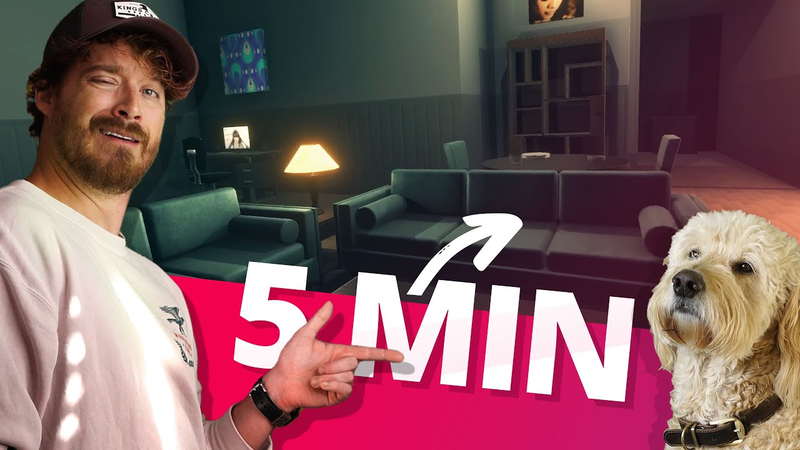
How To Make A 3D Game In 5 Minutes (Unity Tutorial)
Key insights
7 takeaways- 01Establish a standardized scale early by setting character controllers to a fixed height, such as twice the size of a standard Unity cube, to prevent technical debt and disorganized workflows.
- 02Prioritize modularity and standardized measurements over bespoke workflows to maintain a pragmatic approach to professional-grade level design.
- 03Use uniform texture resolutions, specifically 2048 by 2048 pixels, to ensure consistent asset reuse and simplify engine optimization.
- 04Streamline the development pipeline by importing source files like PSDs directly into the Unity project folder to leverage automatic engine conversion.
- 05Utilize ProBuilder as an integrated modeling tool to rapidly construct geometry, extrude walls, and create navigable interiors without leaving the engine.
- 06Accelerate prototyping by sourcing models from the Unity Asset Store and populating scenes with modular prefabs rather than building bespoke assets.
- 07Create atmospheric environments efficiently by adjusting lighting intensity, range, and color parameters rather than relying on complex, time-intensive lighting setups.
Ask AI about this video
Transcript
You know, people out there are going to tell you size doesn't matter. I've learned the opposite. Size really does matter. And that's the secret of making a really great 3D game. More importantly, doing it fast. And the way you do that is think about scale. How big should your textures be? How big should your character controller be? How big should the assets be? These are the most world craziest questions that only people like me can find out the answers to. When you don't know, suddenly you're just throwing a bunch of crap into your game and scaling it sort of guess and check. And then ultimately you find out that you're insane by the end of your game's development and then you've just quit your game. So, how big is your character controller? I say he should be twice as tall as a standard Unity box. Hi, Jimmy. Do you want to be friends? Don't talk to my best buddy. And by the way, guys, we're going to use this free character controller here.
Okay, let's see. Let's see. Let's see. There he is. Bing. So, we'll we'll just import this into Unity. Okay, he's totally free. All right, so now we know how big your character controller is. We've got that set. How big should your textures be? Well, by the way, you want your textures to have a standard size because it makes things well, no pun intended, scalable. Basically, you want your game to be scalable. You want it to be extendable. Like you you want to be able to build a big game fast with reusable textures and reusable assets. So, we're going to create a bunch of reusable textures with the same pixel size. Okay. Now, I don't care how big you make your textures. I really don't. You can make them as big as your dad. Whoa. As big. You can make them as big as you want. And the thing is, um, I'm going to do 2048 by 2048. And if that's too big, we can scale it down in Unity. And we're going to save these as PSDs. The beauty of Unity is you can import a PSD and it's basically going to convert it to a
PNG on the fly in Unity. And for the love of God, stop importing your stuff. Okay? Just save it into the folder and and it'll import automatically. Okay? So, we've got our textures here. I've made these from scratch. which not all of us are are brilliant artists like me, but and then we're also going to go to the Unity asset store and we're going to find some 3D models and do this fast. Okay. Okay. So, we're using our cube here as our ruler, per se. It looks like we've gotten lucky here and our assets we just downloaded are basically the right size. Let's just make them all 90% of their original size. Let's do a battery size here. That looks great. Now they work with our cube. All right, so we've basically got all of our building blocks. Now it's basically just playing Minecraft. Let's go ahead and import ProBuilder. ProBuilder is basically Blender, but it sucks. We're going to use the We're going to use the polyshape tool. Click, click, click, click, click, click, click, click, click, click, click, click, click, click, click, click,
click, and we've got this really cool map. We're going to extrude up by like, I don't know, 16 units. And then we're going to make sure we invert them normals. Inverting a normal is when you basically invert a wall. So now it's facing the inside. If I hit play here, I can run around and I've got a pretty cool level already. Let's go ahead and select the faces and start dragging in our new textures. Be sure you create materials out of these new textures. And now we can create our floors and our ceilings and our walls. Create some variation here. Add some loop cuts. And this is basically just selecting various edges and adding more cuts to our mesh. And let's position those appropriately. And now we've got this beautiful interior. Okay. Now we can just drag in our prefabs. Right. And we can add some point lights and just adjust those the intensity and the range and the color and hit play with some music and some ambience. This thing's pretty spooky.
And it really didn't take long at all. And I want you guys to know that honestly in all sincerity, I want you guys to be as successful as well, I want you to be almost as successful as me. And one of the things that I've learned is that you uh you don't have to take yourself so seriously and you don't have to take everybody's opinion so seriously and you don't need to feel stupid or small. Making games nowadays is pretty easy. All right, click like, click subscribe. Don't want to be in love if it's not with you. Don't want to cry that extra tear. Don't want to make a mountain. Let me go. Tell my skin to forget every little thing about you.
Don't want to burden
Summary
Efficient 3D game development relies on establishing a standardized sense of scale early in the production process to prevent technical debt and burnout. By defining consistent dimensions for character controllers and assets, developers can avoid the pitfalls of trial-and-error scaling, which often leads to disorganized workflows and project abandonment. Establishing a baseline—such as setting a character controller to twice the height of a standard Unity cube—provides a reliable ruler for all subsequent environmental design and asset integration.
Scalability is further achieved through the use of uniform texture sizes, such as 2048 by 2048 pixels, which allow for consistent asset reuse and easier optimization within the Unity engine. Importing source files like PSDs directly into the project folder streamlines the workflow, as the engine handles conversion automatically. Leveraging existing tools like the Unity Asset Store for models and ProBuilder for geometry allows for rapid prototyping. ProBuilder functions as an integrated modeling tool, enabling developers to quickly construct levels, extrude walls, and invert normals to create functional, navigable interiors.
The final stages of development involve applying materials to geometry, utilizing loop cuts to add architectural detail, and placing prefabs to populate the scene. By adjusting lighting intensity, range, and color, developers can establish a specific atmosphere with minimal time investment. Ultimately, the process emphasizes that modern game development is accessible and efficient when creators prioritize modularity and standardized measurements over overly complex, bespoke workflows. Maintaining a pragmatic approach to asset management and environment construction allows for the rapid creation of professional-grade 3D game levels.



















Comments