1 free read left. Create a free account for unlimited reading + AI research.
Create free account
How To Create A 3D Level FAST In Unity
Key insights
6 takeaways- 01Implement a three-tiered workflow for 3D level design: structural blockout, texture application, and final prop population to ensure modularity and iterative flexibility.
- 02Customize base textures by layering patterns with overlay blending modes, adjusting contrast, and creating custom normal maps to achieve unique aesthetic themes.
- 03Utilize Unity’s ProBuilder for structural geometry, strictly adhering to a grid-based system to maintain precision and ease of future modifications.
- 04Use vertex snapping (triggered by the 'V' key in Unity) to ensure accurate alignment of prefabs during the structural phase.
- 05Apply textures to simplified blockout geometry rather than stacking complex, non-modular objects to maintain high visual fidelity while minimizing performance overhead.
- 06Reserve the placement of furniture and organic decorative props until the primary architectural structure is finalized to maintain an efficient production cycle.
Ask AI about this video
Transcript
The way that my team creates 3D levels, and I think most studios probably make 3D levels this way, they focus on three three primary things. The first thing is the ceilings and the walls and the floors. Just a very simple what's called a block out, right? We use ProBuilder to do that. But secondly, [music] what kind of textures do you actually put on those walls and the ceilings? Um, so for example, like in my house here, we have hardwood floors, right? That's a texture. The the gray drywall, that's a texture. The ceiling. Thirdly, here we've got furniture. So, this is super duper important. You do this last when you're building a level. The last thing you do is you create the furniture. So, those are the three things that we're going to do to create a level. So, let's create some textures for this world. The first thing I like to do when I'm thinking about texture is I just need to know like a general idea, like kind of inspiration of what I want the scene to
look like. So, I'm super inspired by Hotel Cortez. So, if we bring this into Photoshop, we can basically gather that this right [music] here is our color scheme. But what about the textures? Again, like the shapes, right? You can't just put red carpet. [music] It's going to be really boring. So, instead, you want to create some texture in that carpet. Well, I could create it from scratch or we could just go to textures.com. Right here, we've got this carpet texture here. Also, we need some plaster. So, I think some just sort of damaged looking plaster right here. Now, one we're not going to be able to find from scratch is tile. We're just going to create this one from scratch. And I kind of want to show you how we're going to create normal maps from scratch. Um, I think that'll be really cool. So, let's jump upstairs to my office and take a look at that. All right. So, we're going to start with the carpet. So, let's head on over to textures.com. So, there's the general texture here. Honestly though, I think that I want
this to be a little bit bigger, not so small. So, I'm actually going to double its size. And I'm going to crank up the contrast so we can really see the texture in there. [music] So, the carpet here needs a little bit of a pattern. So, I'm just going to add sort of a custom like art deco [music] pattern to make it feel like that Hotel Cortez art deco vibe. This is sort of a pattern that I've seen used [music] often on when I Google art deco. We can do something like this. Cool thing about creating [music] patterns with your textures is all you really need is a one little simple shape and then you can just duplicate it over and over again and you can create some really cool wacky patterns. [music] Now, the way that we make this look like it's actually in the carpet as opposed to a complete like it looks almost like a black mesh is put over the carpet. [music] Instead, what we're going to do is just convert the entire pattern to one image here and then set it to overlay. It sort [music] of makes the
texture look like it's embedded into the carpet. All right. We can also do, let's say, some wallpaper. Now, sometimes you can't find a texture on texture.com and you might want to just create something completely from scratch. That's totally possible as well. So, in this case, we're going to create a pattern for tile. You can't see it all, but we have this huge looping texture. And if I rotate it 45°. Perfect. Now, let's give it a little bit of grunge. Give it a little bit of texture. All right. So, I finished up the textures and [music] I'm going to call Filipe. And Philippy's the 3D artist for the project. And he's just going to take these textures and he's going to apply them to a fully blocked [music] out scene in Unity. Filipe, you know, you're the 3D artist for the project, and I've been wanting to figure out [music] your your process
of blocking out levels. Obviously, you do, you know, you do Blender, you do all of these prefabs and models, but most importantly, like we figured out this process and you've sort of honed in on the this process [music] of doing simplistic ProBuilder blockouts. As we know, like Pro Builder came in later in the process, right? I I remember we were uh very apprehensive at first, you know, it's it's a new tool, right? So, uh it always comes with ch uh new challenges, you know, as any new tool does. And uh we still needed things to remain modular because making individual pieces like that require an awful amount of planning as well. Like updating one thing could mean potentially spending a lot of time updating a bunch of other stuff. [music] Yeah, that's true. I mean, I remember when we were stacking objects like that and I think we were getting a frame rate of like below 30 fps [music] because you're just rendering all these objects. We're still using a grid, right? So, it's still [music] it's still
a very precise process. Why not just sort of free flow it? What does it matter? I found that building things that [music] way just kind of gave us more flexibility, you know, especially to update areas, you know, but with the grid, we could just chop things and reconnect others just very easily. And uh that's the beauty about it. Can you give me like a a quick sort of understanding of how to place objects [music] into a scene and have them like I guess like prefabs and stuff have them snap into [music] place and like are you using the grid super specific for prefab placement? Yeah. So for for things like that uh thankfully Unity came in with uh with that in mind as well. Uh so I I'm often often like pressing V on the keyboard. That means snapping uh on vertex. Yeah, it's a hybrid. You know, there's things that I feel like uh we can get away with not being so so constrained to a grid. Uh especially furniture and props and
things like that [music] just to give a more natural look to it. So, it's just it's kind of like a mix of a lot of things. Yeah. It's taken [music] I think 2 years for us to I don't know sort of figure this out together on how exactly a level is laid out. You know, I think that uh I think to me it was obvious at first to just let's just create a wall piece and then snap them together. And that [laughter] that may be cool in Minecraft, but [music] in a in a game like this, especially where you need iterative levels, I think ProBuilder is a a great option inside of Unity. So, that makes sense. Well, good, man. Thanks for sharing your your thoughts here and and taking the time. Absolutely, man. I'm happy happy to share some of these thoughts and uh yeah, anytime. So, this is how it looks with our textures in the blockout. We've added some normal maps to add a little bit of ripples to the floors. We've added some
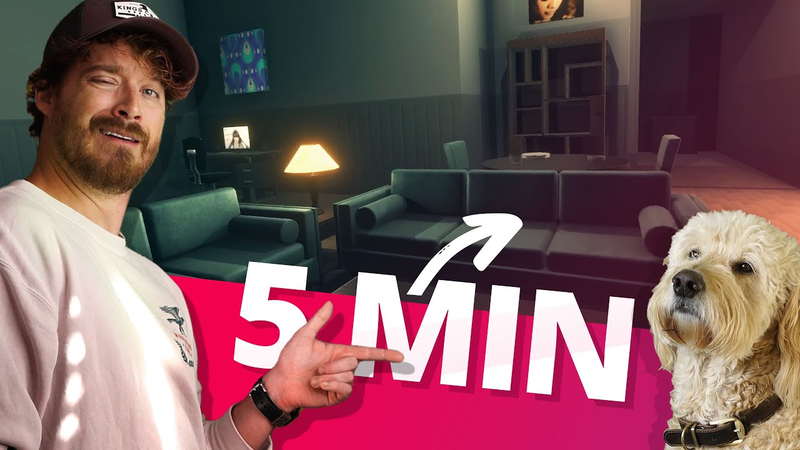
discoloration to the carpet as well. This is that final result. So, the furniture, the assets like these pillars, the rugs, the couches, this all makes a huge difference. But we always start out with that very simple color scheme, very simple textures, and a simple blockout using ProBuilder. There we go.
Summary
Efficient 3D level design in Unity relies on a structured, three-tiered workflow: establishing a structural blockout, applying custom textures, and finally populating the space with furniture and props. This methodology prioritizes modularity and iterative flexibility, allowing developers to maintain performance while ensuring the environment remains easy to update throughout the production cycle.
The structural phase utilizes ProBuilder to create walls, floors, and ceilings. Rather than relying on free-form placement, maintaining a grid-based system is essential for precision and ease of modification. To ensure efficient asset management, developers employ vertex snapping—triggered by the V key in Unity—to align prefabs accurately. This hybrid approach balances the rigid requirements of architectural geometry with the more organic, natural placement needed for furniture and decorative props, which are added only after the primary structure is finalized.
Texture development involves gathering visual inspiration to establish a cohesive color palette and aesthetic theme. Designers can source base textures from external libraries, but customization is often required to achieve a specific look. Techniques such as increasing contrast, layering patterns using overlay blending modes, and creating custom normal maps from scratch allow for the integration of intricate details like art deco patterns or weathered plaster. By applying these textures to a simplified blockout, developers can achieve high-fidelity visual results while avoiding the performance overhead associated with overly complex, non-modular object stacking. This systematic process, refined over years of collaborative development, emphasizes that successful level design is as much about the underlying technical workflow as it is about artistic execution.





















Comments