1 free read left. Create a free account for unlimited reading + AI research.
Create free account
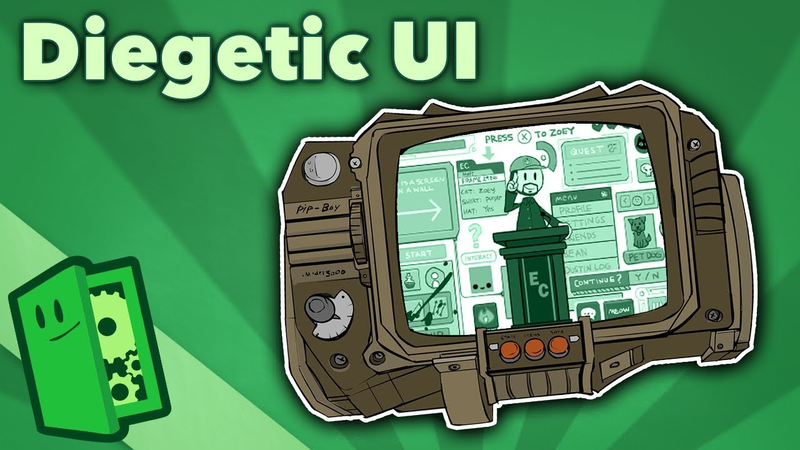
Diegetic UI - Realistic, or Distracting? - Extra Credits
Key insights
6 takeaways- 01Diegetic UI, such as weapon-mounted ammo counters, exists within the game world for both the player and the character, whereas non-diegetic UI exists solely for the player.
- 02Spatial UI provides information within the game space that is invisible to characters, while meta UI uses visual effects like blood splatter to indicate status.
- 03The industry categorizes UI into four frameworks: diegetic (in-world), non-diegetic (screen-based), spatial (context-sensitive), and meta (visual effects).
- 04Attempts to prioritize diegetic UI for realism, which surged in the mid-2000s, often resulted in cumbersome interfaces that broke immersion more severely than traditional 2D HUDs.
- 05The most successful UI implementations allow players to process information subconsciously, ensuring that design choices do not distract from the core game experience.
- 06Effective UI design must prioritize the principle of form following function, as overly complex diegetic systems can hinder gameplay and accessibility.
Ask AI about this video
Transcript
In the mid-2000s, when the PS3 and Xbox 360 generation was on the horizon, powerful game hardware allowed for incredible new graphic fidelity. And for a time, games were obsessed with total immersion. But one particular aspect of games stood in the way of that immersion: on-screen UI. Because it's not very realistic to constantly see floating boxes and bars, after all. So, a lot of games attempted to suspend the player's disbelief by adopting UI that was part of the game narrative itself. So, were the results worth the effort? This episode is brought to you by Curiosity Stream, the world's first streaming service dedicated to the lifelong quest to learn, explore, and understand. Check it out for yourself at curiositystream.com/extracredits for a free month. Real quick up top, please welcome back Alyssa Byshop doing guest art for this episode, and who also, as luck would have it, is an actual UI designer by trade. Thanks, Alyssa. In media, there's
this term diegetic, which means part of the world. You may be familiar with it in terms of sound. A non-diegetic sound is when that sound is detached from the fictional world. A typical example of this is, say, background music in a movie. Ah, like that. But if one of the characters on screen is holding, say, a boom box, and the music is coming out of that, then the music becomes diegetic, because it's now part of the world. One isn't strictly better than the other, it's just an artistic choice. Video games, though, have a unique element: the UI and HUD. And when you think about it, on-screen UI is probably one of the most artificial elements of a game, because no matter how realistic hair animation or fish AI gets, you'll always be able to tell a game screenshot from real life if you're seeing health bars and ammo counts in the corner. And you know what's funny? Watch some of those E3 gameplay trailers and see how they remove all the UI elements to make it look more cinematic and less gaming. So, let's break down how game UI can be built. As this excellent chart from Eric
Fargo Holt and Magnus Lorenson shows, there are four ways we can do game UI. Diegetic, such as Halo 3's ammo displays mounted on the guns, and non-diegetic, having the ammo count flat on the edge of the screen. But, games also have a weird hybrid, spatial elements. If something is spatial UI, it exists physically in the game world, but only to the player. So, as far as the characters are concerned, it's not there. Which is a contrast with diegetic UI, because that's viewable to both the players and the characters. Spatial UI is often seen in glowing boxes that point where to go, or exclamation points that point to points of interest. Pointy. We can reasonably guess that there really isn't a giant box hovering over a wall saying, "Press X to hide behind walls for cover." Or that someone just stands around in town all day with a bright yellow punctuation mark dangling over their head. But, spatial UI is useful, because sometimes information is better presented in context, such as the box showing you how to crouch behind that wall actually being next to the wall, rather than always popping up centered on the
screen, no matter where you're looking. The final UI type, meta, is pretty interesting, because it makes a distinction between the game space and the screen space. In games with non-diegetic UI, the screen and the HUD are not part of the game world, and characters aren't aware that they even exist. For instance, there really isn't a camera following Link around Hyrule displaying a bar of hearts to represent his life. It's there for the sake of the player. But, meta UI straddles this distinction. A meta element, in effect, is part of the game world, but doesn't spatially exist in that world. The most common example of this is blood splatter on the screen that many shooter games use to indicate damage. Unlike Link's hearts, we can assume blood leaving bodies does exist in the world we're playing in, but the actual splatter on the camera is just a meta visual effect that informs the player they've been hit. So, now that we've broken that down, let's get back to the aforementioned boom period of diegetic UI. Because a lot of interesting experiments were made for the sake of game realism, and an entire slew of games tried to rationalize as much UI as
possible through diegetic, spatial, or meta elements. For instance, Dead Space had health tubes on the character suits. Far Cry 2 showed your character holding a real map and compass. And Alone in the Dark 2 had its infamous jacket inventory system. Another approach was the first Assassin's Creed, which kept non-diegetic UI but bent over backwards to explain everything through narrative context. So, what did we learn from that time period? Well, unfortunately, what most of those games found was that the result wasn't really worth the effort, at least not most of the time. Some experiments turned out well, others not so much. And this is apparent when we see how many games today largely stick to 2D HUDs. Some information, it seems, is just better represented by a bar or number on screen, or even a menu list. This is because the purpose of UI is to show critical information to the player. So, displaying that information in the most straightforward way is generally better. Now, sure, long fancy animations like opening up your jacket to view your inventory may be clever narrative hand waves, but they get old real fast. Of
course, this isn't to say that diegetic UI can't be interesting or immersive if done well. But good UI should be legible first and stylized second. You know, form after function. If you really think diegetic UI is a good fit for your game, then you have to make sure that the information is no less convenient to access than it would be if it were non-diegetic. For instance, Dead Space's diegetic health worked because the over-the-shoulder camera meant that the health bar was always visible on screen as it would have been in 2D. But on the flip side, Dead Space's diegetic 3D map screen was so janky and unusable, most players just gave up on it entirely. And sometimes diegetic UI can fight against the way UI elements have been codified over the years. For instance, is health on the bottom left, ammo on the bottom right, Really the best placement for this information? Maybe, or maybe not. But we're all so used to it by now that trying to radically change it in your game will probably just annoy people, no matter how cleverly you've integrated it with the narrative. So it's important to
stop and ask yourself, how is our diegetic UI elements benefiting the game without being less convenient? Now all that said, we don't want to sound too negative on the idea of diegetic UI, because it's great when games pay so much attention to detail that even their UI is part of the game's story. I mean, many of us play games to be lost in new worlds after all. But while it may seem like flat UI elements are the most immersion breaking thing possible, the irony is that diegetic UI elements, when not implemented perfectly, can be distracting because they draw attention to themselves, also breaking that immersion. Therefore, simple UI displayed in a concise manner is sometimes more immersive than realistic but cumbersome diegetic elements, because your brain absorbs the information from them subconsciously and allows you to keep your focus where it should be. Get Get Get out of here. on the game. Our motto at Extra Credits is because learning matters. So we got really excited when CuriosityStream, with their love for learning, sponsored this
episode, because they have over 2,400 documentaries and non-fiction titles spanning topics from across science, nature, history, and technology, featuring folks like Jane Goodall, Stephen Hawking, and my personal favorite who I happen to run into in an NYC movie theater one time and totally didn't embarrass myself in front of, Michio Kaku. What up, Next World? And you can get access to all of this geeky goodness for only $2.99 a month. But if you head to curiositystream.com/extracredits right now and use the code extracredits, you can get your first month absolutely free. Oh, and if you happen to see Mr. Kaku, please tell him I'm sorry and I owe him some new popcorn. Woo!
Summary
The design of user interfaces (UI) and heads-up displays (HUD) in video games involves a constant tension between narrative immersion and functional clarity. The primary objective of UI is to convey critical information to the player, yet developers often struggle to balance this requirement with the desire to maintain a cohesive, realistic game world. To categorize these design choices, the industry utilizes four distinct frameworks: diegetic, non-diegetic, spatial, and meta.
Diegetic UI exists within the game world and is visible to both the player and the characters, such as ammo counters mounted on a weapon. Non-diegetic UI, conversely, is flat, screen-based information like traditional health bars that exist only for the player. Spatial UI provides context-sensitive information—such as objective markers—that exists in the game space but is invisible to characters, while meta UI, such as blood splatter indicating damage, exists as a visual effect that straddles the line between the game world and the player’s screen.
While the mid-2000s saw a surge in attempts to prioritize diegetic UI to enhance realism, the results were often mixed. Complex diegetic systems, such as cumbersome inventory animations or difficult-to-navigate 3D maps, frequently hindered gameplay by prioritizing style over accessibility. Ultimately, the most effective UI design adheres to the principle of form following function. When diegetic elements become too complex or unconventional, they can inadvertently distract the player and break immersion more severely than traditional, legible 2D HUDs. The most successful implementations are those that provide information as conveniently as standard interfaces, allowing the player to process data subconsciously and maintain focus on the game experience.













Comments