1 free read left. Create a free account for unlimited reading + AI research.
Create free accountCreating an Art Style for Your Game in Just 1 Day: Dragons!
Key insights
6 takeaways- 01Rapidly prototyping a 2D art style in a single day allows developers to evaluate the technical feasibility and emotional alignment of visual assets against core gameplay goals.
- 02Character identity should be established through silhouettes before integrating assets into the game engine to test hitboxes and animation flow.
- 03Backgrounds must be designed and tested alongside character sprites, as the environment significantly dictates the tone and visual clarity of the game.
- 04Prioritizing the relationship between aesthetic design and gameplay functionality ensures that sprite shapes and color palettes remain distinct and readable for the player.
- 05Iterative testing of multiple background variants and color schemes simultaneously helps identify which visual configuration best supports the intended gameplay experience.
- 06Visual feedback, such as modifying death animations from explosions to departure sequences, is a critical tool for refining game mechanics and adjusting the player's emotional perception.
Ask AI about this video
Transcript
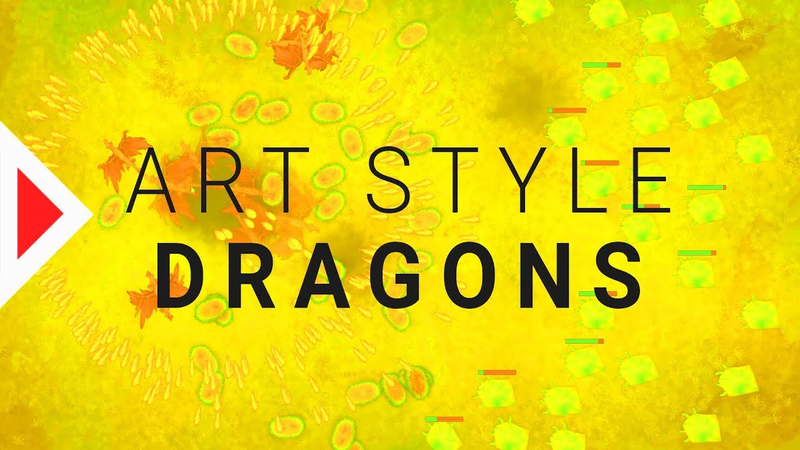
look which day it starts today that means we're gonna create the first art style for our simplistic strategy game and I'm gonna take you with me okay I basically just recorded what I did the entire day and this is the entire footage but 20 times as fast so I'm just gonna talk over this in one attempt and as you can see I'm creating the Dragons art style today the digital painting art style what I want to do is I want to create four different art styles four completely different art styles and this is the first one and I want to prototype every single art style in just one day so here's basically how I create the Dragons art style in one day obviously it's not gonna be done completely done in one day that's not possible but I try to finish it as much as possible so you can get a really good estimation of how
the finished art style but look what I did so far is I created some sort of magical stone thingy that I want to build into the background and I also drew the background with a custom brush I wanted it to look like magical grass texture with some old stones buried underneath so that's what I tried to do here [Music] [Music] growing a bit of grass over the stones [Music] but obviously the problem is that the
stones really pop a lot as you can see I try to blend them in here so they fit more into the background I don't want the background to be too distracting yeah they the stones they look kind of important now they look like they have some sort of gameplay purpose and kind of gameplay functionality which is obviously not the case here adding a bit of texture on top of everything which most of the time helps to make things look more interesting adding a bit of shadows next to the stones changing the lighting of the background trying to make it look even more mystical and magical and also bringing in a lot more colors it's really important that you [Music] change the colors a lot even if your
main colors green bring in some other colors like blue yellow whatever so it looks a bit more interesting so for now I'm done with the background as you see I removed the stones in the background because they don't serve any gameplay purpose now what i'm did is i traded a couple of black silhouettes and pick the best one the one i like the most and try to create a little creature dragging thingy out of it I wasn't quite happy with that so I start another attempt here with a different silhouette the silhouettes of your sprites are really important because they help to identify objects on the screen really fast so just putting them beside each other looking which one I like more and as you can see this dragon dragon here one so I keep improving it I make it a bit nicer still working on the same
background which is pretty important so you can see how they work together how this dragon works on the background if you just do this in a new Photoshop that file obviously you don't know how the dragon works with the background so you want to know that you're just a pretty Hecky way to animate the dragon just moving the wings up and down a bit the animation is just sweet frames obviously if I choose this as a final art style I would probably do a couple of more couple more now I'm starting the egg right next to the dragon so once again I want to see how they fit together if I just do this in a new file I wouldn't know if the art style would fit [Music] yeah basically I want to have some sort
of feedback how long it takes the egg to hatch that that's why I painted a bit of shadow thingy inside the egg that shows you how big the Dragons inside the X are here I'm already in game maker already imparting some of my graphics trying to see how this looks adjusting the hitboxes and parting the eggs I'm playing it for the first time which looks a little bit weird because there are still the old enemies the old projectiles but you can already get a pretty good idea of how the final result will probably look now as I didn't use the stones I can now really use them as spawners just adding a bit of a flashy light in the center so these magical
stones will now spawn the enemies [Music] yeah obviously that requires some coding quite a bit of coding as well here I'm creating the projectiles just with a very simple brush and setting everything to add just need to make a couple of brush strokes on top of each other and you have that wonderful projectile now the rest is pretty much just tuning the colors and obviously I need to design the enemies as well that's what I do here once again starting with the silhouette wanted something that looks quite different to the dragon so you can really tell them
apart so I chose a very simplistic shape and I didn't really feel like it writing a lot of on that design so I just went with the first idea that came into my mind because I was really running out of time I wanted to get this done just one day animating the little hands so it makes this thingy yeah I work forever [Music] and already these starts looking like something doesn't it yeah but obviously we'll have a closer look later on this video you know what I do is I try a couple of different backgrounds obviously the background is really really important changes your style and the tone of the game a lot I had three variants of the background
really bright colorful green one this little yellowish one and then the little darker not so saturated green one that you see here so that was a really hard decision I'm adding a bit of effects when you make a dragon explode there's a bit of a black crater on the ground which already makes this feel a lot better yeah playing this a lot to figure out what still needs changing so here I'm testing the different backgrounds the ground here's the bright green one the dark green one and the yellowish one really hard to see shoes and also I wasn't quite happy with the
color of the X so I tried a couple different versions there as well and what I finally settled on was blue on the outside so the same color as the enemies which kind of tells the player that the X are vulnerable to the enemies and purple in the inside so you sir can kind of tell that they belong to you okay so the problem I didn't really think about is that it feels kind of weird to make Dragons explode especially because they're really cute feel super weird I wanted research if you remember my origins an art style video to be attention-grabbing and somewhat strange
maybe exploding dragons makes it a little strange and memorable I don't know you don't really want to kill them but you need to kill them because you need the damage they do they die I don't know the X are cool because they are behave pretty much like I think they're easy to understand but exploding dragons that's pretty weird let's kill these little ice creatures the dragons are so cute why do they have to explode why
[Music] but I have one more idea I can try Dragonstone disappear immediately now when you make them explode they continue flying which feel you already feels a lot better because you can't feel like a brutal dragon killer it's more like okay this dragons flying home to his family jobs done feels a bit better to me what do you think about this art style gives me a lot of feedback in the comments I need a lot of feedback I want to know your opinion about this art style thanks for watching make the world your playground see you tomorrow
Summary
Developing a cohesive 2D art style for an indie strategy game within a single day is a viable method for rapid prototyping and visual exploration. By focusing on the creation of core assets—including backgrounds, character silhouettes, and interactive elements—developers can quickly assess how different visual components interact within a game engine. This iterative process prioritizes the relationship between gameplay functionality and aesthetic design, ensuring that visual choices, such as color palettes and sprite shapes, remain distinct and readable for the player.
The methodology centers on creating silhouettes to define character identity, followed by immediate integration into the game engine to test hitboxes and animation flow. A critical aspect of this workflow is maintaining a consistent environment while designing sprites, as the background significantly influences the tone and clarity of the game. By testing multiple background variants and color schemes simultaneously, developers can determine which visual configuration best supports the intended gameplay experience.
Refining mechanics through visual feedback is essential, particularly when addressing the emotional impact of game events. For instance, adjusting the death animation of a character from an explosion to a departure sequence can significantly alter the player's perception of the game's tone. Ultimately, this rapid prototyping approach serves as an effective tool for evaluating whether an art style is not only technically feasible but also emotionally and functionally aligned with the core design goals of the project.

Comments