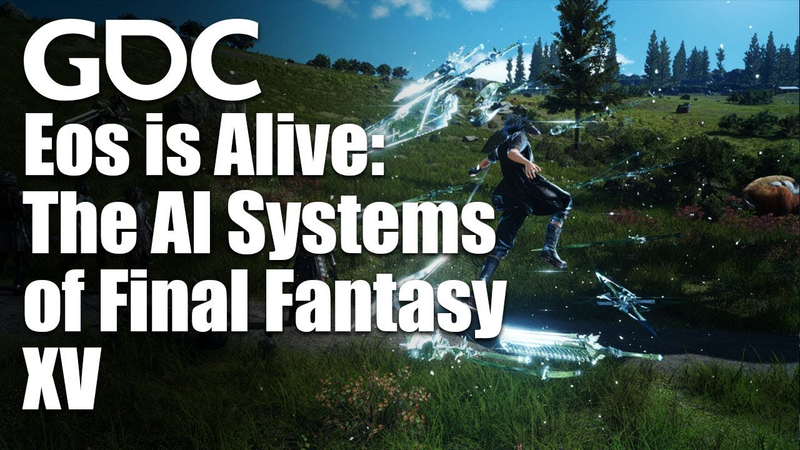
Epic and Interactive Music in Final Fantasy XV
27 Jun 201764 min video
Transcript
Welcome to the final day and final session on in GDC 2017. So, this is epic and interactive music in Final Fantasy XV. I'm really honored to be here and Oh, it's crowded. Um Actually, how many of you guys are not audio guys? How many of you you guys are not um doing audio stuff? Oh. Thank you very much. So, you guys are coming because of Final Fantasy? So, how many of you of you played this game? Yeah, great. And how many of you of you finished? Wow, that's great. Okay, so today I will talk about the interactive music features in Final Fantasy XV, tools and technique we use to achieve them, and finally, the issues we faced when synchronizing synchronizing music to the
game. I will not talk about the composing technique of story because I'm not a composer. But, I think there are some of composers who worked with Final Fantasy here. Maybe? No? Maybe they will, but uh so I will introduce them the end of the talk. So, let me introduce myself. My name is Sho Iwamoto. I'm an audio programmer at Square Enix from um 2014. I developed Magni system, the interactive music system for our audio engine. So, since I entered Square Enix in just 2 years ago from where I started develop Magni system, the music of Final Fantasy XV was um partly finished because, you know, um the game previously named as Final Fantasy Versus XIII has uh in that trailer already has
iconic music such as That that was before I entered Square Enix, so um epic as a hell. So, I as a developer of this magic system got involved with in the game development team and taking the role of designing and implementing interactive music system for Final Fantasy XV. At first, it was like a clash of epic music and interactive system. How can I make this um music interactive while maintaining their epic melodies?
So, making music interactive could change or even screw up the music itself or making music not memorable enough. So, thinking about uh Final Fantasy music, I mean in the series, a lot of work done with Uematsu-san and this time is Shimomura-san, but um they are epic and has a number of memorable themes and has many orchestral concerts along the wall, you know, and has strong melody line most of time. And I think the music itself is kind of uh one of the safest point of this game. So, I don't want to lose these good parts of this music. So, our goal is to make epic and interactive music for wide and seamless gameplay. You know, Final Fantasy series are also known as challenging new systems and
technology. And this time we headed to open world and seamless gameplay. So it means that music should do the same. Seamless transition, but should not losing its epicness. So this is the goal and move down to our concept. Okay, so this is our slide for me. Calm down show and speak slowly. Take water. Okay. So first of all, I want to clarify that the reason we decided to implement interactive music is not for reduce repetition. Repeating music is not evil. Of course, it could be annoying sometimes, but everyone loves to repeat their favorite music. And also repetition makes the music much more memorable.
Instead, we use that to enhance the user's emotional experience by playing music that is most suitable to the situation. And one more thing, make transitions musical as much as possible. To be specific, for bidirectional change, where situation can move back and forth freely, we use vertical remixing because you can easily move back and forth the vertical layer in any musical situation, basically. On the other hand, for unidirectional progress, we use horizontal resequencing. This way, the music will flow from A to B and B to C and so on uh musically as it was composed. So, just in case maybe some of you guys are many of you guys are not all you
guys. The vertical and horizontal is kind of uh interactive music uh words. And maybe it was just confusing. It let's make it clear. The vertical is changing what vertical layer you play or mute by remixing. And horizontal is changing horizontal time or horizontal sequence of the music by resequencing. So, I use these two words in this session. Then, here is the list of features we've implemented. So, I will go into the details some of these features in this session. But, before that, let's see a video of uh very basic examples that these features were used. Real nice here. Yeah. How about we grab a bite? Yeah, let's do
it. Come with us, Noc. There's more dangerous things prowling about these days. Sub. Try this on for size. Nothing I say. The game's up. Yeah. You're out. Hey, we all still here? Yep.
Ignis. Okay, so to achieve these features, I've developed the system called Maggie. It stands for music API gate for gaming interaction.
The features of this system is first, enables vertical and horizontal transition because, you know, it's basic. And second, it needs to accept any tempo or time signature and the changes in the music. I think, despite the fact that not many interactive music system support this, um I believe this is really important. To uh setting up the tempo and time signatures can be done by hand, but it you you it's maybe troublesome, so we had a MIDI import function. Just by dropping the MIDI file to our tool, tempo and time signatures are set it automatically. And lastly, easy to use. Because we will use very simple and basic approaches, I want to make it um easier than versatile.
So, here's our authoring tool for interactive music. And you know, this is our proprietary tool, and I guess most of you here will not have chance to use this, but I will use this tool through the demo. So, please take a look at how we can implement music uh easily and iterate rapidly. So, let's take a look at tool. Here it is. So, this is the view of me uh interacting music, and everything you need to author lies is in this view. So, left side is um list of musics, and right side is all of what is in an interactive piece of music. To test a transition, just hit space bar and play.
Select others and hit space bar. That's it. And to test uh horizontal uh sorry, vertical remixing, just select a mode in here top of this. And just select other mode from this top. And the parameters of these modes are usually folded behind here. And other options of customization is also folded in here or here. So, again, everything you need to all size is in this view. So, now
let's take a look at uh how to implement music into the game by using this tool. So, first is uh vertical remixing. We call that mode transition. What is mode? Mode is, shortly, the set of layer volumes. It lets you play or mute each of the layer tracks. And also, you may have um other parameters like total volume or pitch or low pass filter, etc. And in this mode view, the lower half of this is a transitional parameters such as fade time, fade offset, fade curve, and sync type, and stinger. So, back to O2. So, here is the mode tab. And
you can play each layer just by clicking mute button. And on and off, or just adjusting the volume. And adjust the fade curve over here. Like that. Okay, so let's move on more concrete example. We use mode transition in Chocobo. The mode is changed according to Chocobo's speed. So, there is Here's Chocobo's song and run mode. Maybe you heard thousand times. And walk mode. Okay, so let's see the transition of these.
And there is a little change about this.
As you can see, Chocobo can go nearly anywhere. That makes the speed of Chocobo quite shaky. Because Chocobo is not only running on a flat land. So, if the speed of Chocobo is reflected directly to the music, the transition would be uh kind of messy. So, I want to hear the music, but I don't want to hear the transition of the music every time I bump into trees or I just turn around. So, let's see the implementation. To avoid the messy transition, I set it transition time longer. I set it um from run to walk transition, there is a four bar transition time, so change start.
So, four bars transition time. It's really slow. And then, if you try to transition back and forth, maybe you almost can't hear the transition. Maybe bumping into trees with the scuffing, it's not so messy, okay? But, long transition means late feedback. So, actually, we use different transition time for each mode. Longer transition for uh from run to walk and shorter transition from walk to run. Okay, let's check it. From walk to run, uh we use six unit um transition time. It means uh 1 and 1/2
beats. So, yeah, that's quick. Sorry. Yeah. And you can see and edit each uh transition curve over here. Transition time to walk and transition time to run. And it looks like similar of each other, but actually they have a different time unit. And you can select time unit from here. It may be bars or beats or uh 16th notes or samples or seconds. So, I use bars unit for longer transition, four bars. And I use 16th notes units for shorter transition. So, that makes
this difference. Yeah. So, why I made this difference? Because the player doesn't always intentionally stop running. Simply bumping into something or making Chocobo but not vice versa. Pressing the outer trigger is going to make Chocobo run. So, it is all players' will. So, it's because of players' intention or not. I believe this implementation is the best way to reflect players' control. And so, this is how we avoid annoying transition
while having quick music feedback. However, when a player rides a Chocobo, he or she probably wants to get somewhere quick. Indicating that the chocobo will running most of the time. So, actually, you know, there's few chance to hear the slow version, maybe. Except for swimming. As you saw, while chocobo is swimming, walking mode becomes active. So, that is good chance to enjoy walk mode of chocobo music. Okay, so let's move on. Next case is Costa del Sol. Costa del Sol is a seaside outpost. And the building you can see at the end of the this pier is a restaurant. The music changes between this gorgeous restaurant and relaxing seaside. It's one of our favorite. The seaside version.
And restaurant version. Okay, let's see.
Okay, so this is also a vertical mixing more transition but not just cross fading it's based on the musical timing. You know, I know I know it's basic thing but because as you hear this music see You can see that musical accent is on nearly every two bars.
So I want to make transition in sync with this musical accent. So for more transition information uh here I set this sync type to next two bar. So that makes the transition occurs along the next two bars. And in this setting the transition starts two beat before the next two bar and end at the next two bar. So that makes this
Okay, so by making transition in sync with musical accent, it sounds as if not not just cross fading, but instead it gives like the impression of as if a pianist and a drummer playing along with your game and make the musical change. So, just one thing you need to keep in mind about this transition is that this causes two bars wait sometimes. And but in this case, it's not a problem. Okay, wrap up the mode transition. We use different transition time for
each mode in chocolate run and walk transition and we use transition of musical timing in Guardian Choir. So, that's it for vertical re-mixing and next is horizontal re-sequencing. We call that section transition in Maggie. So, section makes musical progression and there are parameters of section transition such as fade in and fade out and fade curve and entry point is here. Entry point is our start point of each section. So, if you transition from A to B, section B is always starts from around the entry point. So, back to 02, let's see this. So, each of these uh tracks are the section.
And you can adjust the fade in and out curve over here. Like this. So the this zero bar is our entry point. So that makes So this section entry is from here. And we use this section transition, especially in boss battles. Uh which has several sequences in battle, but sequence is basically uh unidirectional. And most importantly, end the music in sync with the game. So let's take a look at this boss battle music. Okay, so this music contains three sections. Main loop section.
And pre-end section. And end section. So music will be transitioned from main loop to pre-end and end uh pre-end to end. Sorry. So let's take a look at this video.
Thank you. Thank you. All right. So, in this implementation there was three changes we have. And first thing is time signature changes. The music from last video was uh named
Invidia which has a lot of time signature changes. It's a mix of 3/4 and 4/4. Actually, there are a lot of time signature variations or it changes in J-pop music. So, I designed Maggie to support them. Let's see how to implement that. So, it's really easy. No, looks like easy? Easy for me. So, just divide meter into two. So, that makes the same time signature and you can easily uh input your time signature you want. And actually, you can do any time signature. 3 4 or 7 4 or 90 60 or whatever you want. So, I mean it's any.
So, the result is like this. Okay, let's see this 3 4 and 4 4. Oh, I actually have a click feature. Okay, this is nice. And the other case such as Omnis Lacrima. Yeah, this one. Uh this music has a lot of tempo changes. I mean uh ritardandos. But, you can do that. Maybe big noise, uh big sound.
Yeah, that's it. So, the procedure is same again. It's really easy for me. Just divide the meter and I divide the region and input the tempo or just uh drag the boundary. So, that makes uh that calculates the tempo automatically. Um the eventually this music had no interactive feature in the game, but I think this was a great example to demonstrate, so Now, I can use any music in this system. So, the next thing is custom sync point.
The sync point are musical timing that transitions are allowed. So, let me show you some demo. So, the sync point is this red bar is one of the sync point or this red bar or this or So, the normally like this music each bar or each two bars or each two four bars, the constant sync point will suffice as sync points are in that case all you have to do is just select this sync type from this from here. So, this time I set uh next two bar
or four bar or next bar or anything. However, in many of the music we use a horizontal re-sequences constant sync points will not be musical. So, like the music of last one this music in video basically has 80 bars constant sync points, but for example say like this region contains the time signature changes. So, actually this length is like 14 bars, I think.
Okay, so this region is not eight bars, so it's not constant. So, we had to customize these sync points for every music. Now, I will demonstrate setting up these custom sync points. So, first you had to add custom point from here. But, before that, if you set this our sync type to say next two bar or next bar, then you add the custom points. You already have the same sync points by default. So, all you have to do is just move or delete that you think transition are not musical or add that sync points that you think transitions is musical.
And the result is like this. Here. So, these are the sync points for this music and the system will wait for the next sync points to transition. But, as you can see, this custom sync point has a disad- disadvantage for synchronization. Sometimes, sync points are hard to find and you may have to wait 16 bars or more to transition.
So, in that regard, we use pre-end section uh for every music that has an end section. Because, say like the last song if you want to end the music from this main loop section Yeah, I already triggered the transition, but you have to wait until you hear Come on. Maybe I already defeated the boss, so it's really awkward if music keeps playing or keeps transitioning after you defeated your boss, so that's why we use the pre-end section and
pre-end section is designed to have more dense and constant sync points, so that makes it's really quick transition. All right, so transition from main loop to pre-end is music first, because we don't have to make severe synchronization. But, transition from pre-end to end is synchronization fast. Because we want to end the music in sync with the boss was defeated. So, this main loop pre-end and end structure is same for all other boss battle music. Sorry. And Okay. So, let's take a look at Titans as an example. Oh, here is our Apocalypsis Noctis.
So, this also has a main loop pre-end and structure and here is the custom point. And you can see the main loop has not dense, but a customized sync point. And pre-end section has more dense and constant sync point. So, that makes Yeah, easy to synchronize. So, this main loop pre-end and structure, I think is the key to make epic and interactive music. Okay, wrap up this section transition. Epic music that has strong melody needs to any tempo and time signature support.
And needs custom sync points. But, this makes um the synchronization issue. So, we need pre-end section for each music. Okay, so the last topic is synchronization. But, this time is more severe one because last video you see versus Rocky was quite easy because it don't contains any cutscenes or special attacks kind of thing. So it's quite simple but boss battles with the astral gods like uh Titan and Leviathan and Ifrit uh requires more strict synchronization because each finish blow is scripted to each battle and music must synchronize to each special attack. So uh okay. By the way
the videos I will show you from now on are possibly spoilers so be careful. And if you really don't want to see the spoiler just close your eyes. Listen to the music, okay? So let's see the Leviathan's battle theme again. Uh this music also has uh main loop and pre-end and end section. And transition to pre-end section will trigger when the tornado happens. And transition to end section will trigger during the ending scene. So let's take a look.
Okay. Let's talk about synchronization. The last scene including the finish blow is about 20 seconds long. So, to make sure the ending music syncs to this finish blow, you have to care about the transition time and transition time error. So, let's see the transition time. So, I want to test transition from pre-end to end section. Let's see. So, this transition takes at least about 3 seconds, but it depends on the timing you trigger the transition. So,
it may be It may take 5 or 6 seconds at max. So, taking account of this transition time, I said transition trigger 6 seconds after the last thing started. So, it looks good. It has some errors, but will be fine. But then, we decided to make quick time event just before the final blow. You mean um to enhance the player engagement. Oh, wait. Who kills the music? So, transition takes 3 to 6 seconds, and we can't trigger the transition after this QTE. It's too late. So,
luckily, I confirmed that this QTE takes 3 seconds at max. But maybe there's 3 seconds here and 3 seconds here. So, maybe 6 seconds error at max. Maybe it's quite big. So, I did the comparison. The longest QTE completion and shortest. So, let's see the longest one. I trigger. Wait for QTE. Okay. It works, I think. And the shortest one.
Trigger. Sounds good. So, the two game scene makes actually different music synchronization, but I think both has an impactive ending. So, still there are edge cases such as music transition go really fast and the player not pushing any button. Then synchronization could possibly not work, I think. Sorry. But, um in most cases, player will push a button. I believe. You know, so in in about a second. So, we actually did nothing related to this QTE to help music transition. The transition is already triggered
before the QTE and after that defeat that player. So, lastly I will show you the Ifrit battle music titled Hellfire which I'm really emotionally involved with. To be honest, there are no technical issues about this music cuz the composer Suzuki-san and I worked very close and we already had the know-how to synchronize music to these boss battles and I sent him a gameplay video of this boss battle and he wrote a music that has really heroic progression and is easy to transition in parallel. Okay, so this is Hellfire. And first transition from main loop to
pre-end happens when you damage Ifrit enough and Ifrit gets kind of serious mode and background darkens. And last transition from pre-end to end is aims to synchronize the 1-minute long ending scene of this battle.
Now, so just one thing you have to I have to care about is this long intro of this pre-end section because the transition from this loop region was quite works well as you hear, but transition from this loop region maybe it's not I put these transition sync points just in case if you beat if it really quick, but actually I tested this battle without any debug cheats. I mean just playing and I confirmed that the battle after the transition of pre-end lasts more than 1 minute, so it maybe transition from this loop region.
Okay. So, let's take a look at the epic and inject music in every battle. Oh, sorry. Before that we check the synchronization overview and the gameplay after the pre-end section start we last more than 1 minute. And after that ending scene starts and I triggered the transition to end section at the same time. And ending music in sync to that finish blow. Again, there's 2 to 3 seconds error at the transition time, but ending the music right where need to. So, please watch the epic and inject music in every battle. And sorry, uh is maybe huge spoiler and and this is my gameplay video and actually all video was played by me and
I played this game maybe more than 100 hours and so I beat it with so fast actually, but uh in most case things will not the same uh as this. So, please take a look.
Oh, thank you. It was fantastic. All right. So, about the synchronization. So, if you want to make or implement implement music for games like Final Fantasy, I mean games that need strong melody line and at the same time interactivity. Be considerate of durations such as duration of transition and its error and duration of loop
region and duration of cutscene duration of gameplay. It depends on the player, but you can predict and you can believe and duration of players emotional change. It's not just a single moment, but I think it's the length of time. And move to conclusions. Uh maybe I just say again, so epic music that has strong melody line needs any tempo or time signature support and needs custom sync point, but this makes synchronization uh harder, so we use pre and section to synchronize. And be considerate of duration of transition, gameplay, emotion, etc. And for the future depend uh sorry. I want to make some new features. First is custom transition destination. This time we had a custom transition
start point, but uh the destination is fixed to the entry point, but I think sometimes we need to change that depends on the situation. And interactive versus short loop problem. Actually, I tried some uh divide some song into the section to make it interactive, but the divide thing music uh leads to short loop and it's maybe it's annoying too, so to avoid that, you have to make longer song. And finally more interactive music features in the future. Okay, so thank you for that and I have to say uh sorry. Uh thank you for coming today and welcome your question. And uh if you have questions, please uh queue to that sound camera. And
okay, please speak uh slowly and clearly. Maybe my listening skill is not good. And before that, I want to thank you uh thank to these people. From the main composer Shimomura-san and Shibata-san and Aoki-san as composer and Suzuki-san and Nakano-san as additional composer. Are you there? No, really? I can I can see, sorry. Uh if you have questions to these composers, Okay. And Awata-san as arranger and Kawamori-san as music supervisor and Osanai-san as music performer. So, welcome your question. Uh thank you. Thank you. Uh thank you very much for the talk. I guess I have a question about how much
of the music was planned in advance to do this and how much was figured out later? How much? Um actually, you know, I entered Square Enix in just 2 years ago and it was already composed. And many of these are not planned to be interactive. So, actually I made um the music for the trailer and the I made that music for the trailer divide into sections and make the end section. So, the last one here for you is actually uh fun for the interactive uh feature. So, I think it was good. Great. Is that okay? Thank you. Hi, thank you so much. Thank you. How much of the features that you showed us
in the mad the magi magic is possible in FMOD or Wwise? That's a that's great question, I think. Um all these uh I I'm Atsushi from Square Enix. Hi. Um well, all these tools is in-house, basically. So, you can't do all these Wwise stuff because uh there's no connection between them. So, you couldn't really do anything like that in Wwise, is what you're saying? Oh, okay. Um I don't really know what the features are on the Wwise. Maybe you might be able to. You might be able to. Okay. Um I think Yeah, of course you can do vertical and horizontal thing in Wwise, but I think Wwise don't have um uh I don't blame them, but um they don't have such as uh
time signature change or tempo change support. So, if you you want to use that kind of music, it's hard. Maybe you can because they have a custom cue feature, so you can manually put the custom cues for each uh wave file. You can do that, but it's troublesome, so Okay, thank you so much. Thank you. Hi, thanks for that all the mic is kind of mine. Hey, uh thanks for the talk. I have a question. Uh I haven't played all all the way through the FF Final Fantasy 15, but uh was there any music non-diegetic uh like diegetic music like, you know, source music like underscore. I think most Final Fantasy have like underscore type music, but like there was like a really beautiful bossa nova music in the restaurant, you know, layers, but is there was there any like source music like music coming from radio or and if so, how did did you manage with, you know, the regular underscore music and how did you like interact each Uh
actually we had kind of non-diegetic music in Lestat, that is one of the outpost and they has there was uh kind of street musicians and all we do is just uh ducking their other music and music cross crossfade between them. Okay. Yeah, that it is an interactive one. Okay. Wow. Simple stuff. Okay, thanks. Thank you. Uh this is kind of a noob question. Um is it possible to buy Magitek Yeah, it's a great question actually. We think about that, but uh yeah Maybe not. Yeah, it depends on the money. You know? Okay. Thank you. Thank you. But currently not, sorry. Okay, that's uh maybe last one.
Thank you. Thank you. Did you look into or plan to look into um adding custom bars for the transitions? Like for example, the restaurant music when you switch between the two you have the sync points to, you know, go to the kind of heavier version with the drums. But are you looking into stuff like um being able to specify like a drum roll to get the drums into the music as opposed to just starting to play them at the right point. So, just like a a custom, you know, one bar drum roll that you would play at the time of the sync. So, I don't know if you if you looked into or if it's too much work on the composer's side. Actually, uh thank you. Yeah. And the question is, I think, can we put the uh transitional um stinger? Yeah. Stinger. When the uh
transition uh mode A to B, and I can. But, uh maybe we couldn't use this because we don't have um plan to do that so, but I had a um function for that, and I called it instrument. Sorry, where is it? Okay, you see guiding play, and this has our transition here, and there's our instrument, and if you add some, say, uh symbol switch or something into the instrument, you can select the instrument from here, and then play it with the transition. So, you can. Okay. But, I we didn't. Okay. Oh. Sorry. Is it is it mostly because uh the music was already written, or is it because it's too much uh work to use that feature, or or is it because it's not it doesn't make too much difference? Maybe I think
uh in just this setting, I feel good, so it's okay. Okay. The two can do it. Two can do it, definitely. Thanks. Thank you. Thank you very much for coming. Hey.
Auto-generated captions from YouTube — names and numbers may be misheard.
Key insights
6 takeaways · ~2 min read- 01Square Enix developed a proprietary tool called Maggie (Music API Gate for Gaming Interaction) to maintain the melodic integrity of Final Fantasy XV's orchestral score while enabling seamless, interactive transitions.
- 02The system utilizes 'vertical remixing' through mode transitions, which control layer volumes, pitch, and low-pass filters to adjust music based on player actions and environmental triggers.
- 03To ensure musical transitions feel natural rather than like simple cross-fades, the system synchronizes changes with musical accents, sometimes requiring a wait of up to two bars to maintain rhythmic coherence.
- 04The audio team implemented a 'main loop and pre-end' structure to handle complex time signature changes, allowing for custom sync points that accommodate non-standard musical patterns like 3/4 and 4/4 time.
- 05Effective interactive music design requires accounting for the duration of transitions—which can take 3 to 6 seconds—to ensure that gameplay events like quick-time events do not conflict with musical shifts.
- 06The Maggie system supports flexible tempo and time signature variations, allowing for complex musical structures that can adapt to varying gameplay lengths and player-driven emotional pacing.
Ask AI about this video
Cite this video
Citation
Generating citation…














Comments