1 free read left. Create a free account for unlimited reading + AI research.
Create free account
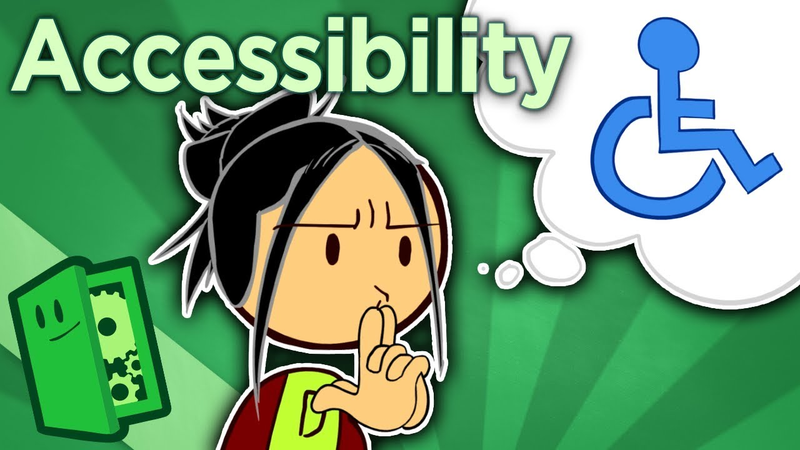
Accessibility - The Curb Cut Effect - Extra Credits
Key insights
6 takeaways- 01Accessibility is a fundamental quality-of-life standard that benefits diverse groups beyond the disabled community, including busy parents, players with hardware limitations, and those in noisy environments.
- 02Accessibility settings should be treated as standard features, such as inverted camera axes or auto-save, and should be accessible to the player before the game begins, including prior to opening cinematics.
- 03Accessibility features function through the 'curb cut effect,' where tools designed for disabled players provide usability improvements that benefit the entire player base.
- 04Integrating accessibility features during the earliest stages of development prevents costly technical debt, such as broken UI layouts or text-box overflows, that frequently occur during late-stage implementation.
- 05Developers should replace repetitive button-mashing quick-time events with sustained-press mechanics, which improve accessibility for players with mobility issues while often enhancing thematic immersion.
- 06Using inclusive terminology like 'story mode' helps avoid alienating casual or time-constrained players, thereby reducing unnecessary barriers to entry for a broader consumer base.
Ask AI about this video
Transcript
Hey, do you remember Sarah from that Because Games Matter series we did last year? You know, the one where she told that story about how games helped to save her vision from the effects of ocular albinism. Well, we brought her back today to talk about a topic that we've not actually covered yet, accessibility. Accessibility in games is sort of in wild west territory right now. The rules and the guidelines are still being written and the means for creation are still in their infancy. We're only going to scratch the surface today and Sarah wanted us to note that some of her ideas on how to go about providing accessibility are still hotly debated among the advocacy community, but it is a place to start. So, today we are going to talk about why accessibility is so important even to non-disabled gamers and we're going to highlight some common solutions a developer might consider while designing. The first thing everybody needs to understand about accessibility is a phenomenon from the real world known as the curb cut effect. Curb cuts are those divots that you see
or feel at many street corners, especially in cities. Their original purpose was so that people in wheelchairs could cross the street without having to have their wheelchair lifted up or down off of a curb, granting them increased mobility and independence. But, it turns out curb cuts are actually useful to a lot of people. That delivery driver with a wheeled cart trying to move their goods off of a parked truck, your neighbor pushing a stroller on their morning walk, even that annoying middle schooler with a skateboard who would otherwise face plant right there on the sidewalk. Curb cuts, like most accessibility features, may have been designed to help the disabled, but they tend to help everybody. So, what does this mean for somebody designing games? It means that designing with the disabled in mind isn't dummying down a title or even wasted dev time. Those quality of life options, UI improvements, subtitles, and larger text don't just help your deaf and visually impaired fans to play. Those accessibility options help everybody. Being able to play on a less taxing difficulty mode helps those
working parents who've only got 30 minutes before bedtime to feel like a superhero. They help that college kid who managed to rig up a 10-in CRT TV in his dorm to be able to read the words on the screen when he plays. They help siblings of different ages play together when one of them doesn't yet have the necessary fine motor skills. Heck, that's useful for grandparents and brand new gamers, too. Implementing good accessibility features can get you a whole bucket of goodwill, good press, and fan loyalty. It might even bring in new gamers who otherwise wouldn't have tried your game. Of course, implementing accessibility options, like many other core features, can get pricey if a developer only starts considering them late in the development cycle. Even subtitles. Now, those might seem like something that would be cheap to implement whenever, but nothing is simple or cheap in games if it wasn't a design consideration from the outset. Sarah has nightmare stories about studios trying to implement adjustable text size at the last minute, and their text just eating the screen and messing
up text box timers and creating a whole host of problems, which left those studios stuck with the terrible choice of either shipping a game that visually impaired folks literally cannot play, or throwing a lot of time and money at the problem at the very tail end of production. Possibly even having to delay the release, which would create even more problems and costs. But say we managed to avoid that fate. Say we do consider these things early. What can we do that's both efficient from a development perspective and beneficial to everyone? Well, let's start with that adjustable font size issue. Collectible card games tends to be the biggest offenders when it comes to tiny text. Of course, all kinds of games need to make sure that their UI can scale or work at larger sizes without obscuring or breaking the visuals, but there's a potential unique design solution for digital CCGs in particular that Sarah hasn't yet seen implemented. Why not try making your digital cards text scrollable? Granted, that solution won't work with physical TCGs, which are still
a struggle to play even with magnifying lenses, but why not try it in the digital ones? Sarah would love to be proven wrong on that. Then there's audio. For your players out there with a hearing impairment or just anyone enjoying your game while jamming to their own tunes of choice, remember to subtitle not just your speech, but your sound effects. Especially if those sounds are important to gameplay and don't come with a visual cue. Or, I mean, have you tried adding a visual cue? Those tend to be a pretty great example of that curb cut effect. They'll help to make sure that more players, regardless of physical ability, don't get stuck somewhere just because they missed something. But the biggest gripe that most disabled players share is how quick time events are managed. Most quick time events are implemented pretty poorly to begin with, but a disability can make those things 10 times worse. As a rule of thumbs, pun fully intended, come at me, keep button mashing out of your quick time events. A single sustained button press can carry just as much emotional tension, especially if
there's a bar filling up over an on-screen prompt to hold it just a little longer. And because QTEs are almost entirely exclusive to single-player games, this is absolutely a place where changing difficulty or sensitivity or even having the option to turn quick time events off can save people a lot of aggravation. Button mashing is just very difficult for people with certain common mobility issues. And in most cases where a button mash is demanded, what the characters on-screen are doing is actually more akin to holding anyway. Hanging from a ledge, pushing a heavy object, keeping your guard up, these are actions that require constant force, not rapid repetitive movement. As a general rule, the more options the better. All it takes is an extra tab in an options menu and flagging some stuff under the hood, and you lose nothing for it. Sure, a lot of people won't use subtitles or won't want key locations to be highlighted, but some people don't want inverted Y axes or auto saves, either. And those options are basically standard now. If you, as a developer, can make something
an option that can be turned on or off, do it. And if you really think that doing so will kill the game's difficulty experience somehow, just warn the player that they may not be able to earn achievements or something. But don't prevent them from playing just because you think custom mouse sensitivity makes you OP. And as long as I'm pushing hard for more options, always, always make the options menu one of the first things your player sees, preferably on your starting screen. Yes, even before the big opening cinematic. Some folks might need those subtitles or larger text options so that they can actually enjoy that opening cutscene of yours. Oh, and uh when you're setting up difficulty levels, maybe try naming your least challenging one story mode or something. Something that signifies that the player is playing for the experience rather than the challenge. Terms like super easy or baby mode are kind of demeaning. Remember, a lot of people picking that mode are families or busy parents. Why alienate those people? Just like that cut curve in the sidewalk, good
accessibility is something that you completely forget exists until you hit a corner without one and faceplant on that sidewalk. Thank you, Sarah, for helping us with this episode, and thank you for watching. We'll see you next week.
Summary
The core thesis of this analysis is that accessibility in game design functions through the curb cut effect, a phenomenon where features intended for disabled players provide significant usability improvements for the entire player base. By integrating accessibility from the earliest stages of development, studios can avoid costly technical debt while fostering broader player engagement, brand loyalty, and inclusivity.
Key findings emphasize that accessibility is not a niche concern but a fundamental quality-of-life improvement. Features such as adjustable font sizes, scalable user interfaces, and comprehensive subtitle options—including sound effect descriptions—benefit diverse groups, including busy parents, players with hardware limitations, and those in noisy environments. The analysis highlights that late-stage implementation of these features often leads to technical failures, such as broken UI layouts or text-box overflows, which can force developers into expensive, last-minute fixes or delayed releases.
Practical design recommendations include replacing repetitive button-mashing quick-time events with sustained-press mechanics, which are more accessible to players with mobility issues and often more thematic to the on-screen action. Furthermore, the analysis advocates for a philosophy of maximum customizability. By treating accessibility settings with the same standard status as inverted camera axes or auto-save features, developers can accommodate individual needs without compromising the core game experience. The analysis concludes that accessibility should be prioritized at the start of the user experience, such as placing options menus before opening cinematics, and suggests using inclusive terminology like story mode to avoid alienating casual or time-constrained players. Ultimately, accessibility is framed as an essential design standard that, when ignored, creates unnecessary barriers to entry for a wide range of consumers.
Comments